14
Play
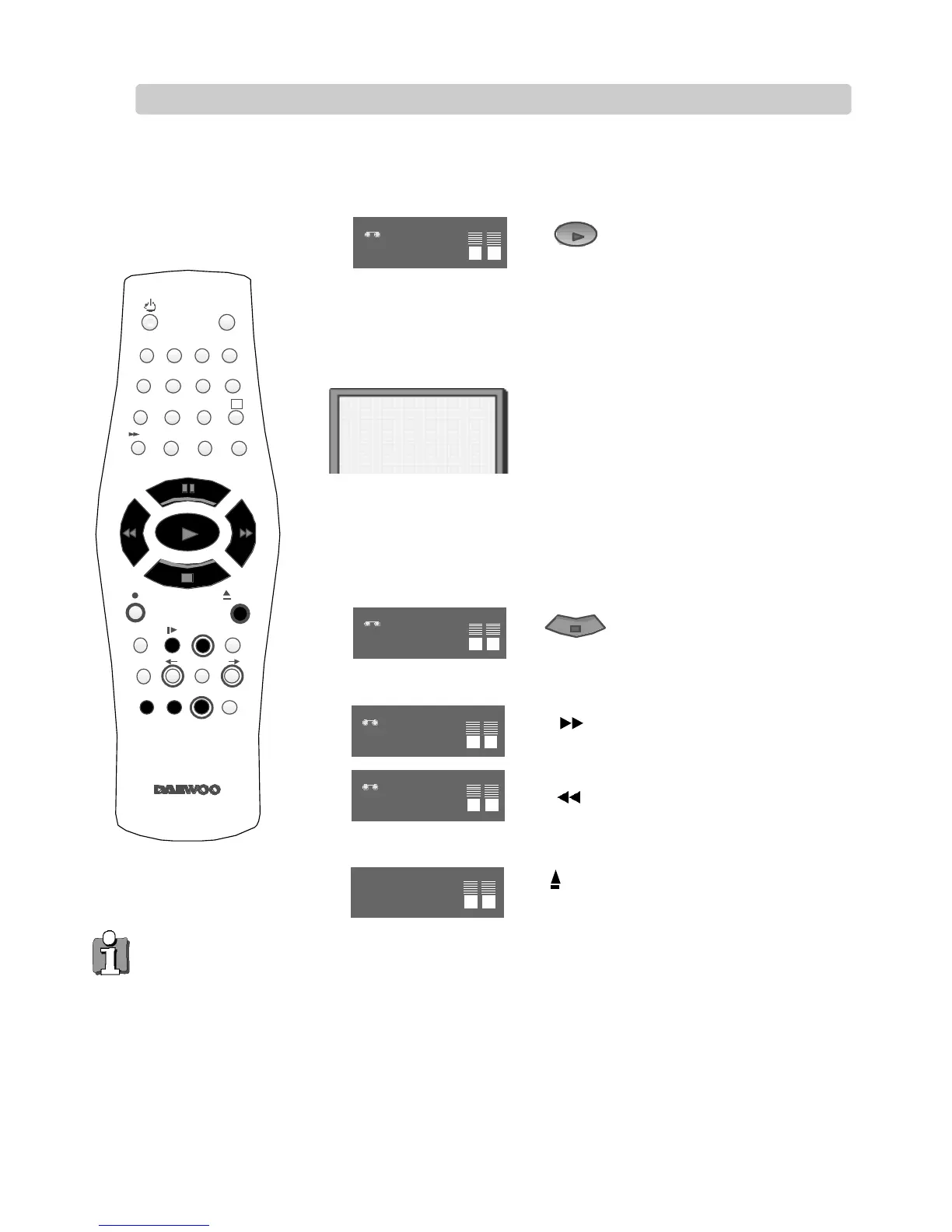
Push the cassette smoothly and squarely into the cassette bay, with its windows pointing up.
Start playback.
If you hear an unclear, mixed
sound output in different
languages, select one of the
sound options.
Stop playback.
Eject the cassette.
◆ When you load a protected cassette such as pre-recorded film (see page 23) playback will start automatically.
◆ When you are playing tapes of poor quality or tapes which have been recorded on another machine, you can use
the PR + or PR– buttons while the cassette is playing to reduce horizontal interference stripes.
◆ Playing NTSC tapes on PAL TV: If you play cassettes which have been recorded on the NTSC colour system (as
used in the USA), you can watch the pictures on most PAL TVs.
On older TVs, some black lines may appear at the top and bottom of the screen. The picture may also roll up or
down. To prevent these problems adjust the V-HOLD knob on your television.
NTSC: National Television Systems Committee.
◆ This video can also play MESECAM cassettes.
2
3
1
4 5 6
7 8 9
0
SV/V+
TV/VCR
AV
A
Q.S
EJECT
MENUSP/LP PR
+
OK
PAL/SEC
A.SEL
PR
–
INDEX
–
+
A.D
30
PLAY
VCR
P-07
VCR
17
:
15
VCR
FF
VCR
REW
VCR
PLAY SP Hi-Fi
L + R
EJECT
A.SEL
L
A.Sel is only available on some models. If this screen does not appear
when you press the button, A.Sel is not available on your video.
R
L
L
L
R
R
L R
R
These buttons
are used on the
following two
pages.
Playing cassettes
The screen will only appear if you use a hi-fi tape or play a hi-fi or
NICAM recording.
n
Fast forward or rewind the
cassette from stop.


 To Next Page