17
Child lock
This child lock is suitable for this model only. Do not try to use it any other
videos.
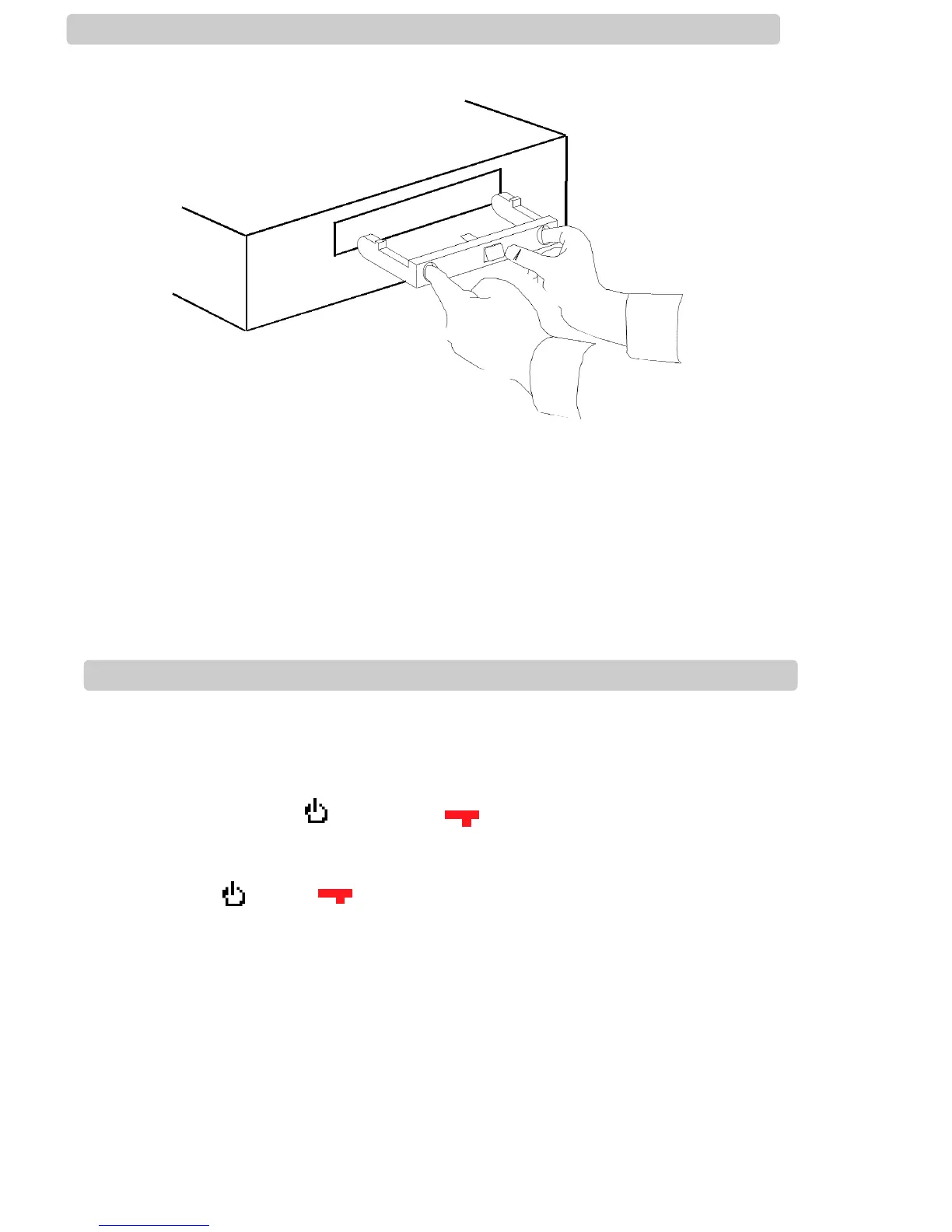
Inserting the child lock
Make sure there is no cassette in the video recorder.
Insert the child lock the right way up, as shown in the diagram above.
Removing the child lock
You must press the button in the centre of the child lock you are removing it.
You will need to use both hands.
Remote lock
You can only set the remote lock with your remote control.
You can prevent anyone from using the controls on the remote control or the front
display.
Press and hold the button until is displayed on the front of your
video. Your video cannot be used, only timer recordings will work.
Keep your remote control in a safe place. To release the remote lock, press
and hold until disappears from the front display.
n
n


 To Next Page