20
Normal timer recording
◆ For timer recordings, clock, date, and stations must be set correctly.
◆ Load a cassette with its safety tab in place
(see page23) and with enough free tape for the recording.
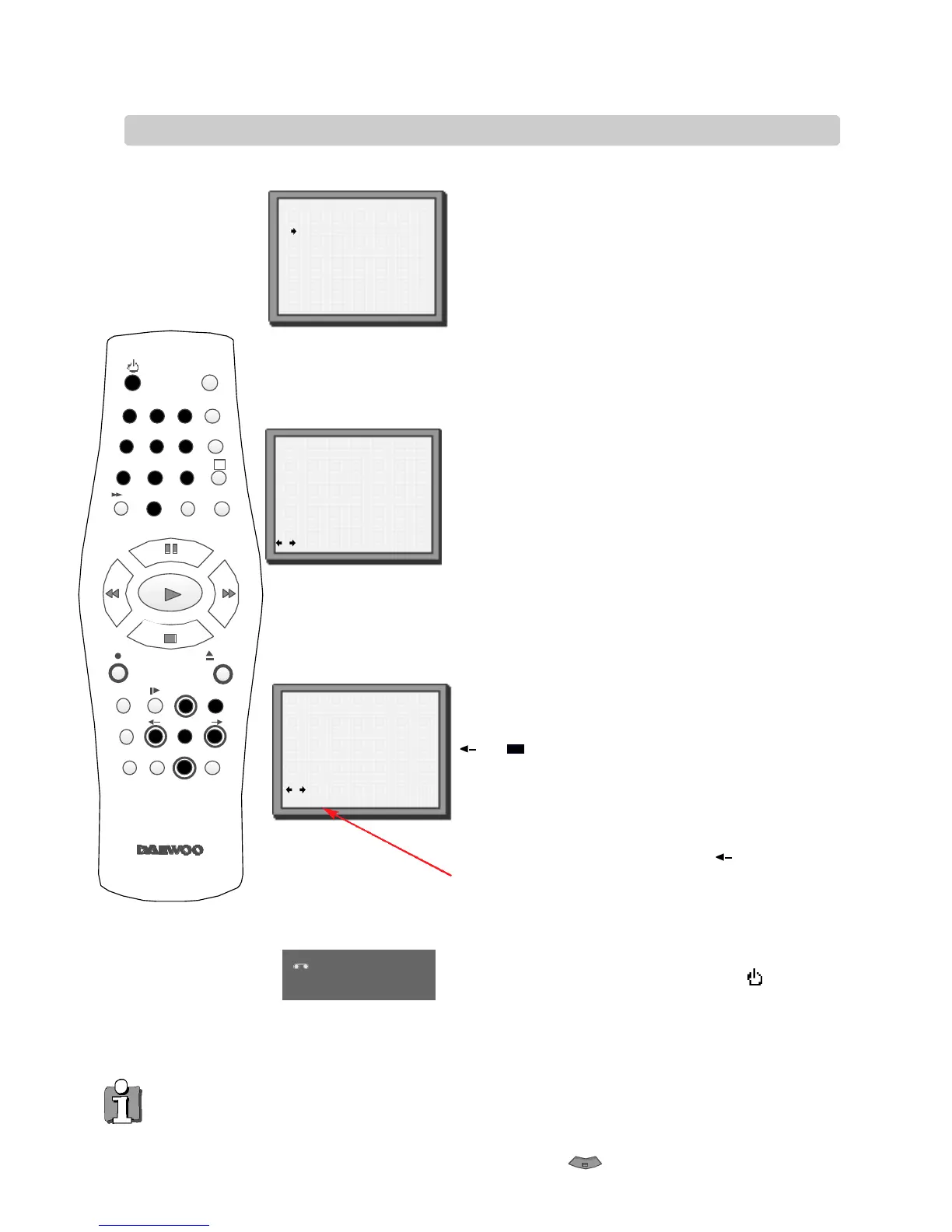
Press MENU.
Choose ‘Timer Program’ by pressing OK.
Press PR+ or PR- to select an unused channel, for
example ‘----’ then press OK to confirm.
There are positions for eight timer programs.
Press PR+ or PR- to select how often you want to
make the recording, for example, once, weekly and
so on. Press OK to confirm.
If you want to change any of the details.
Move to the details you want to change using the
and buttons.
Change the setting using the PR+ or PR-
or number buttons 0 to 9.
Switch your video off by pressing the button.
◆ PR: Use PR+ if you want to choose
the AV channel. or 0 to 9 for other channels.
◆ Start time: Use buttons 0 to 9 to enter the start time.
◆ End time: Use buttons 0 to 9 to enter the end time.
◆ Start date: Use buttons 0 to 9 to enter the date.
◆ Tape Speed:Use PR+ if you want to choose LP (see page
18).
◆ PDC: Use PR+ if you want to switch PDC on (see page
19). If PDC does not appear on the screen, it is not
available on your video.
◆ The video will warn you if you have set the timer to start recording a second programme before the first
programme has finished. If you don’t adjust the times, the video will record the first programme completely,
then start to record the second one.
◆ If there is not enough free space for the recording on the cassette the video will automatically switch to ‘LP’
to double the recording time left on the cassette.
◆ The re c o rder will e j e c t cassettes which have the safety tab removed (page2 3 ) .
◆ To stop a re c o rding which has already started, press and hold the button for about five seconds until the
video stops re c o rd i n g .
2
3
1
4 5 6
7 8 9
0
SV/V+
TV/VCR
AV
A
Q.S
EJECT
MENUSP/LP PR
+
OK
PAL/SEC
A.SEL
PR
–
INDEX
–
+
A.D
30
How often do you want
to record this program?
Once
Weekly(Once a Week)
Daily(Mon-Fri)
Daily(Mon-Sat)
Daily(Mon-Sun)
PR+/-:select
OK:confirm MENU:end
PR+/-:select(AV1/AV2)
0-9 :setup(PR)
/ :correct MENU:end
PR --
Start Time --:--
End Time --:--
Start Date --/--
Tape Speed SP
PDC OFF
TIMER PROGRAM(Once)
PR 03
Start Time 21:20
End Time 22:20
Start Date 20/09(SUN)
Tape Speed LP
PDC OFF
/ :correct
OK:confirm MENU:end
21 :30
T M R
If all the settings are correct, press until you see
‘OK: confirm’ on the bottom line of the screen.
Press OK to confirm.
TIMER PROGRAM (Once)
1
2
3
4
5
These buttons
are used on the
following two
pages.
You can switch your video on again if you want to set the timer to re c o rd another programme. Remember to switch the video off when you have finished.



 To Next Page