TIMER ON -» TIMER OFF
(Off-►Start-►Stopoperation)
Thisfeatureisusefulwhenyouwanttostarttheair
conditionerbeforeyouwakeupandstopitafteryouleave
the house.
Example:
Tostarttheairconditioner2hoursaftersetting,andstopit5
hours after setting.
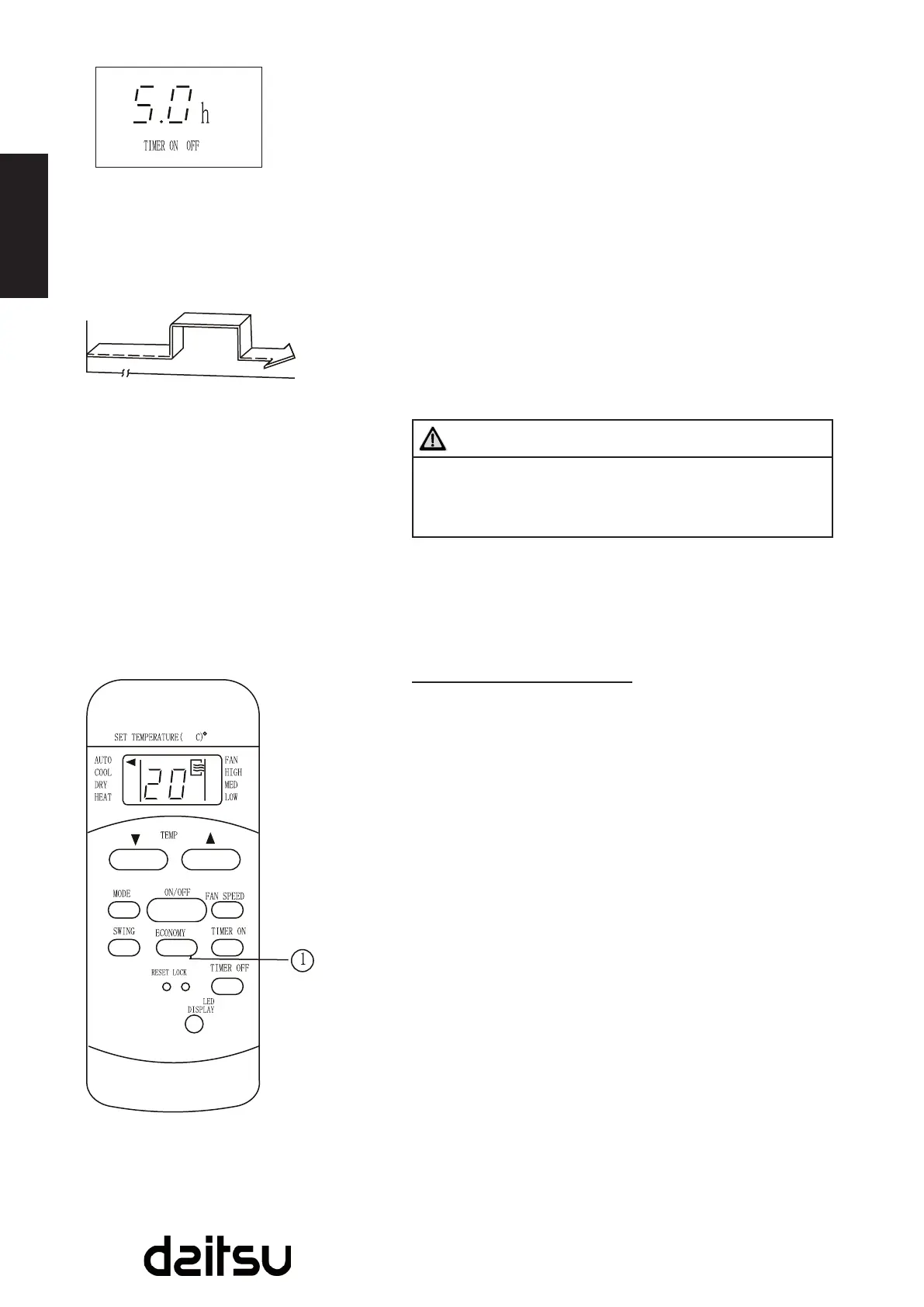
1. PresstheTIMERONbutton.
2. PresstheTIMERONbuttonagaintodisplay2.Ohonthe
TIMERONdisplay.
3. PresstheTIMEROFFbutton.
4. PresstheTIMEROFFbuttonagaintodisplay5.Ohon
theTIMEROFFdisplay.
5. Wait for the remote control to display the setting
temperature.
CAUTION
Thetimersetting(TIMERONorTIMEROFF)that•
insequenceoccursdirectlyafterthesettimewillbe
activatedrst.
ECONOMY (SLEEP) operation
WhenyoupresstheECONOMYbutton,theeconomic
runningfunctionwillbeactivated,thesettemperature
willincrease(cooling)ordecrease(heating)by1°C(2°F)
overthenext30minutesandbyanother1°C(2°F)after
anadditional30minutes.Thisnewtemperaturewillbe
maintainedfor7hoursbeforeitreturnstotheoriginally
selectedtemperature.(NOTE:Onsomemodels,theset
temperaturewillincrease(cooling)ordecrease(heating)by
1°C(2°F)perhourfor2hours.Thisnewtemperaturewillbe
maintainedfor5hours,thentheunitisoff.)
NOTE:
TheECONOMY/SLEEPfunctionisonlyavailableunder
Cooling,HeatingandAUTOoperation.
Start
Stop
Set
2hourslater
after setting
10hourslater
after setting
Off



 To Next Page