III. Initial Installation
Dakewe (Shenzhen) Medical Equipment Co., Ltd. 11
www.dakewemedical.com
3. Checking components
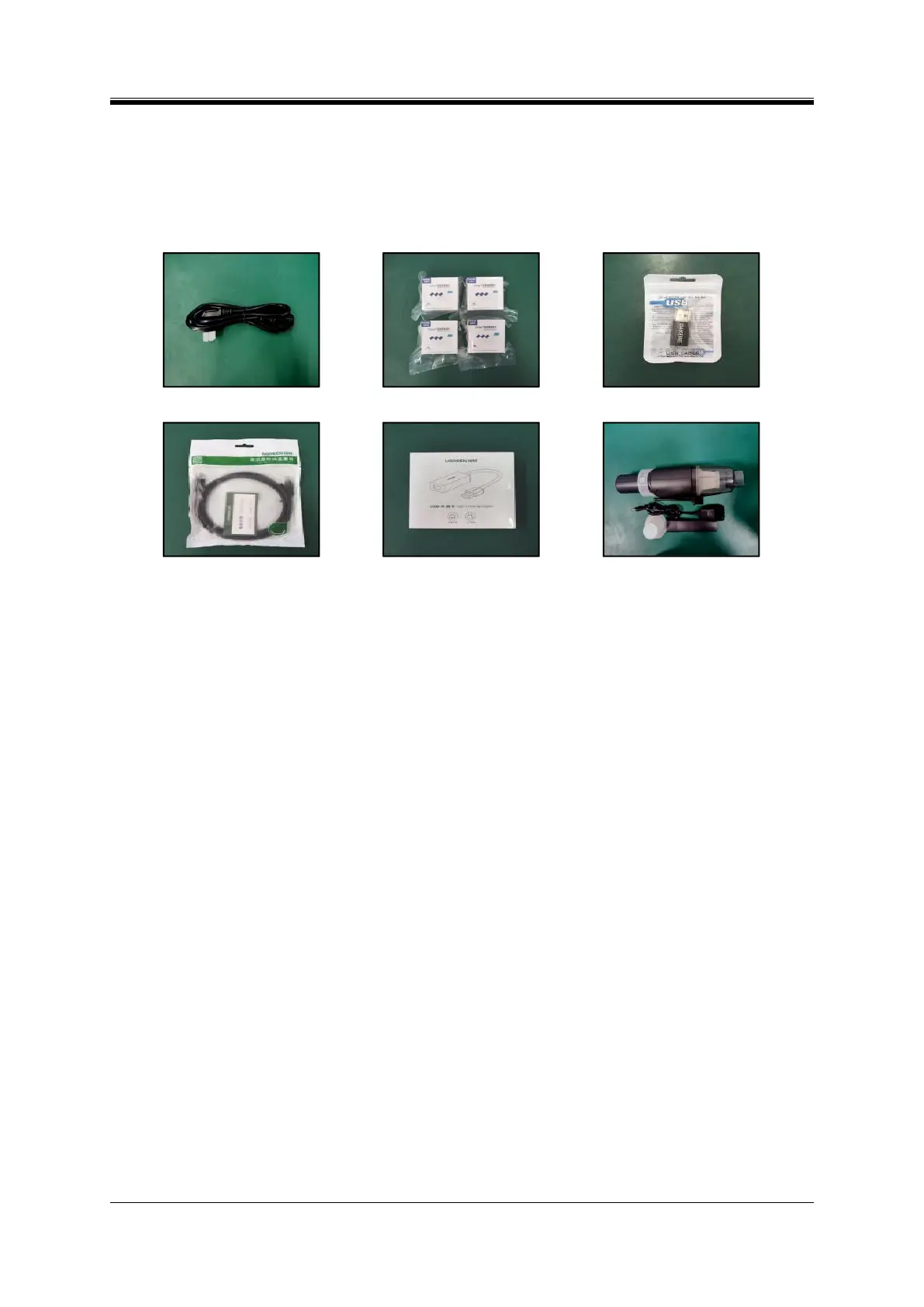
Check the components to be installed according to the packing list. Components include: Power cord
(Figure3- 9)、Slides (Figure3- 10)、USB drive (Figure3- 11)、Ethernet cable (Figure3- 12)、USB network
interface card (Figure3- 13)、Vacuum cleaner (Figure3- 14).
Figure3- 10Slides (4 boxes)
Figure3- 11 USB drive (USB
interface)
Figure3- 12 Ethernet cable
Figure3- 13 USB network interface
card
Figure3- 14 Vacuum cleaner
4. Loading slides
The Slide Printers S200 ((Figure 3-15) and S200 ((Figure 3-16) Pro are equipped with two input
hoppers (input hoppers A and B), while S100 is equipped with the input hopper A only (Figure 3-17).
The input hopper A is on the right side and input hopper B is on the left side, with a loading capacity
of 100 slides in each .
The Dakewe Slide Printer S200 and S200Pro will consume the slides in the input hopper A during
printing. When the input hopper A is not loaded with slides or the slides are exhausted, the software will
automatically detect the slides availability in input hopper B; if slides are loaded in the input hopper B,
printing continues, otherwise the software system will stop printing, give a voice prompt “please fill slides”,
and unlock the input hoppers and the batch output hopper.



 To Next Page