IV. Instructions before Use
Dakewe (Shenzhen) Medical Equipment Co., Ltd. 23
www.dakewemedical.com
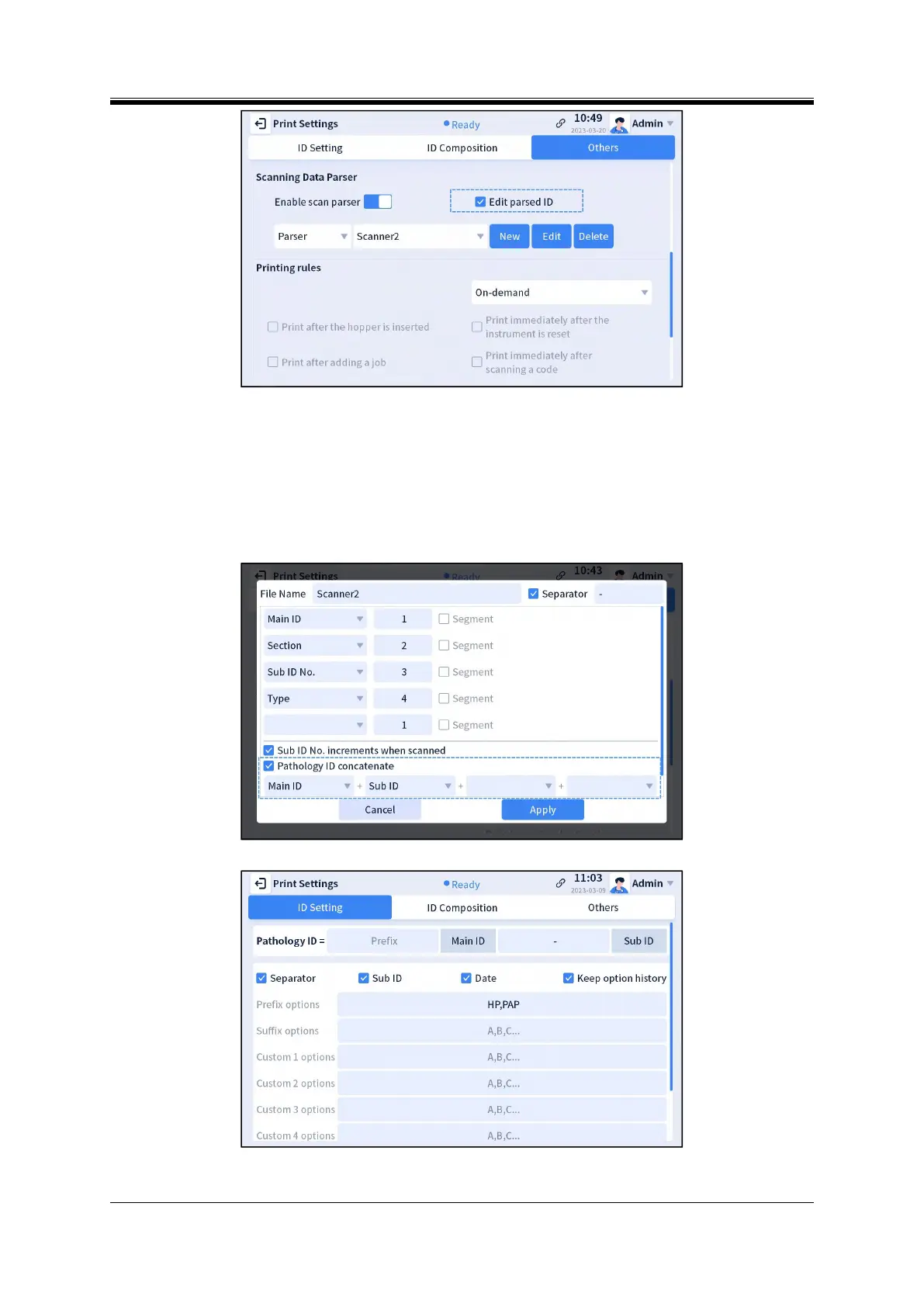
Figure 4- 15 Edit parsed ID
[Note]: "Pathology ID Concatenate" (Figure 4-16 Create a new scan parsing rule interface) will be
disabled after "Edit parsed Pathology ID" is checked, and the Pathology ID (displayed in the pathologyId
field of the template) is composed of the components shown in the Pathology ID example (Figure 4-17
[Menu] - [Print Settings] -[Pathology ID Setting] interface).
Figure 4- 16 Create a new scan parsing rule interface
Figure 4- 17 Pathology ID example



 To Next Page