IV. Instructions before Use
Dakewe (Shenzhen) Medical Equipment Co., Ltd. 25
www.dakewemedical.com
2. Print Settings
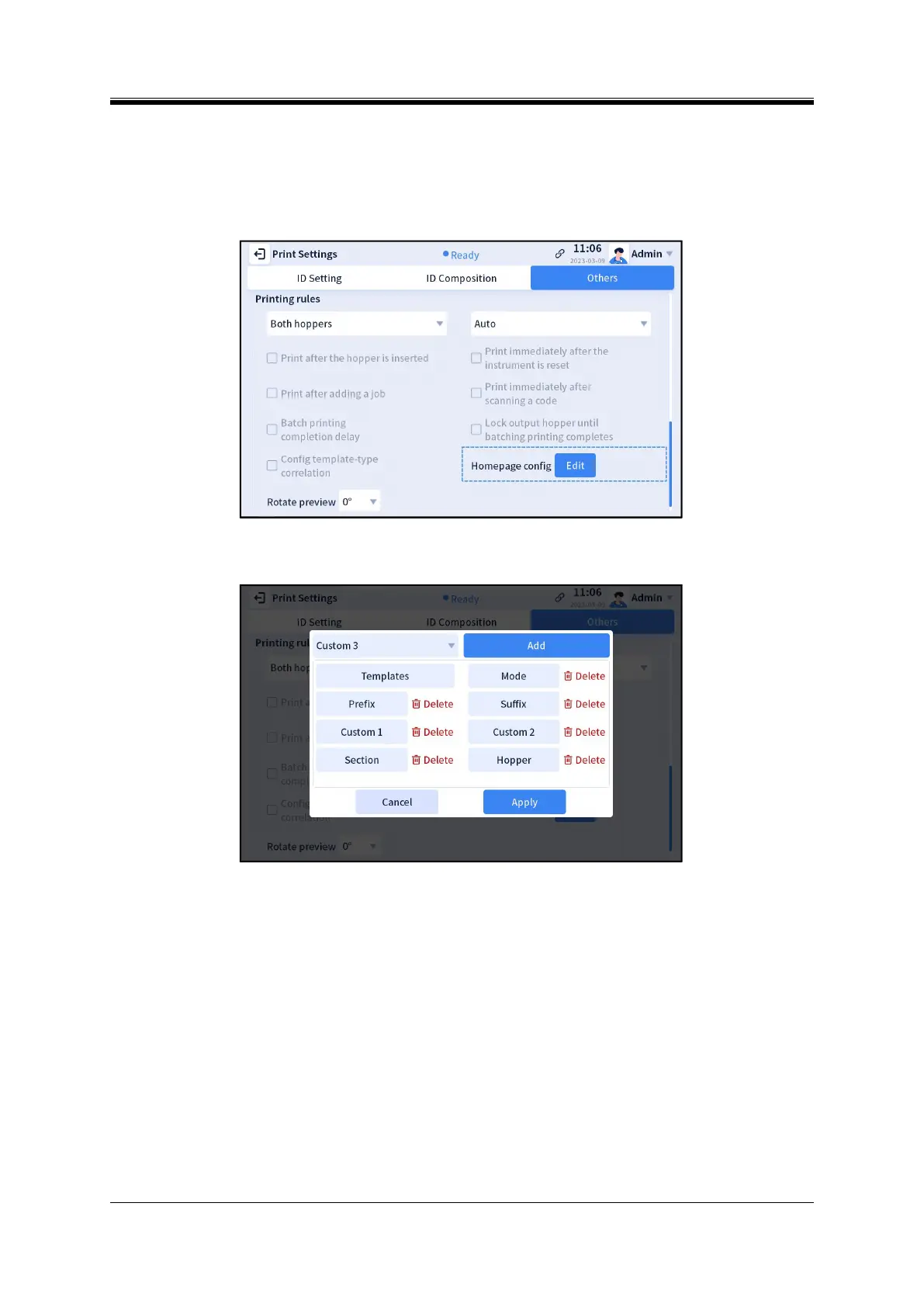
The user can enter the [Menu] - [Print Settings] - [Others] interface to modify the display of the print
settings part on the homepage. Modification steps:
Step 1: Click “Edit” on the right of “Homepage config” (Figure 4-19);
Figure 4- 19 Homepage Config
Step 2: Select the item you want to add to/delete from the homepage (Figure 4-20);
Figure 4- 20 “Add”/“Delete” on the Homepage
Step 3: Click “Add”/”Delete”;
Step 4: Click “Apply”.


 To Next Page