VII. Abnormalities and Troubleshooting
Dakewe (Shenzhen) Medical Equipment Co., Ltd. 71
www.dakewemedical.com
Resolution
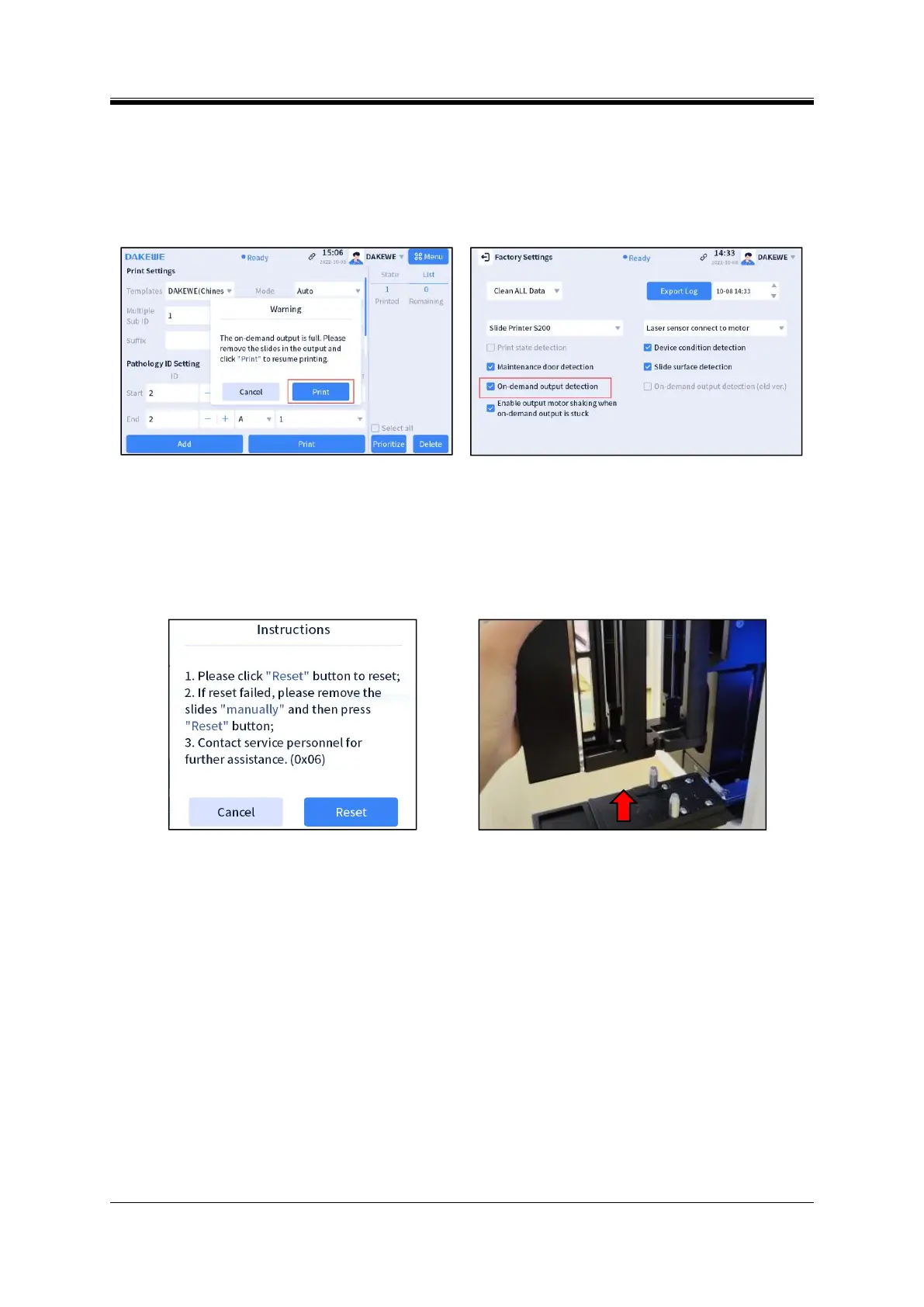
Scenario 1: Log in to the root account, enter [Menu]-[Factory Settings] interface, and enable the
detection function of the on-demand output.
Scenario 2: Please contact the service personnel to troubleshoot the on-demand output sensor.
Figure 7- 2 Prompt for slide shaking
Figure 7- 3 Interface of Factory Settings
3. OX06 error
Abnormality Description
The output hopper holder stops running during operation and a prompt pops up in the main interface
(Figure 7-4).
Figure 7- 4 Abnormal operation code: OX06
Figure 7- 5 Taking out the input hopper
Cause analysis
A slide is stuck in the output hopper.
Resolution
Take out the stuck slide from the output hopper:
(1) Click “Add Slide” in the main interface, and wait for the hoppers to unlock;
(2) Try to pull out the output hopper; if it can be easily pulled out, take out the slide in the output
hopper; otherwise, pull out the input hoppers on both sides;
(3) Pull out the input hopper on one side (Figure 7-5), observe the stuck slide from the angle of this
input, remove the slide stuck in the instrument with a tweezer (Figure 7-6).



 To Next Page