MANUALE INSTALLATORE RELEASE 00.1 PAG. 16
After enabling the GCS function, it is necessary to specify the type of
connecting port that will be used, which depends on the type of grinder
in use.
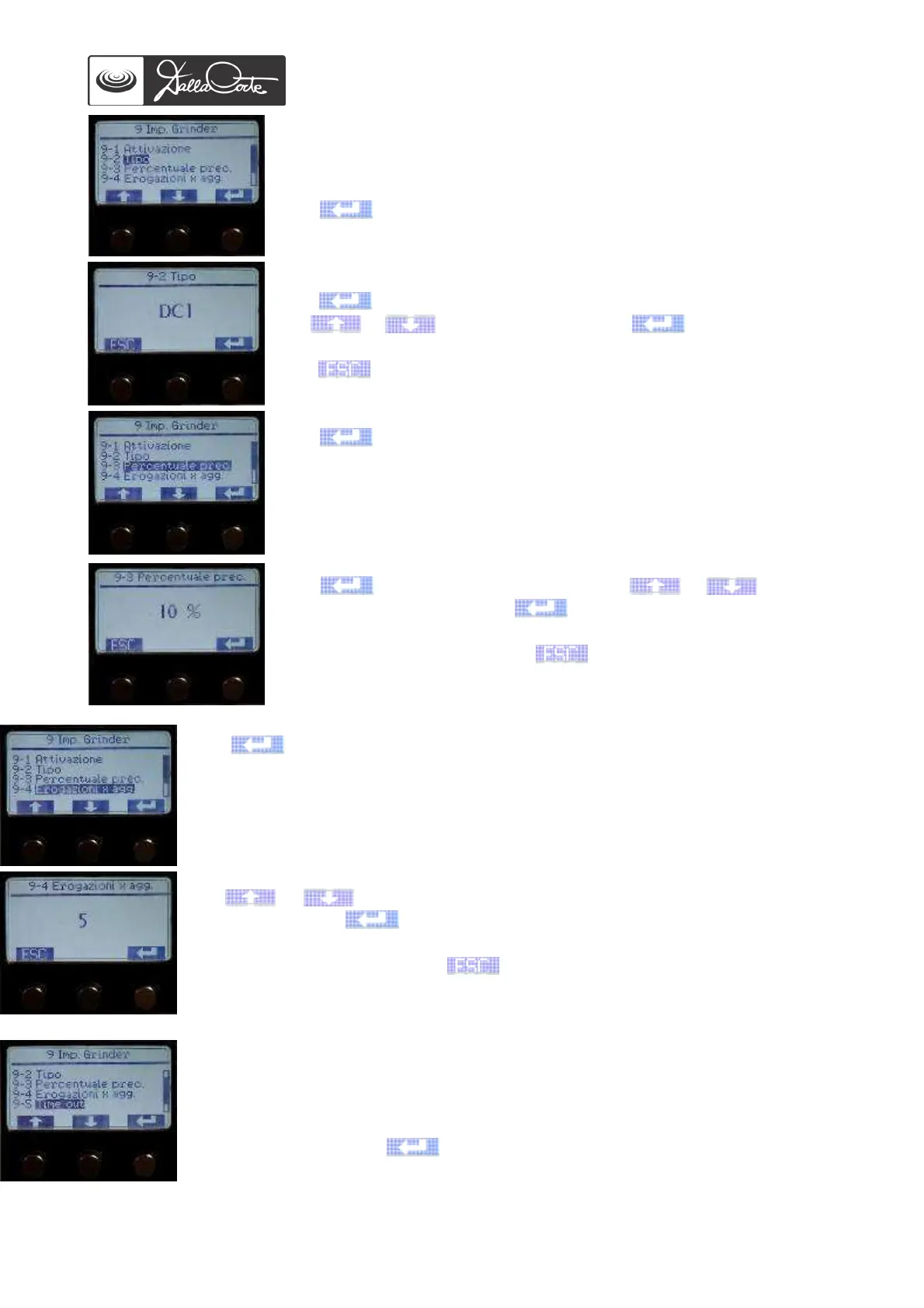
9-2 Grinder type
Push to access this menu.
Note: With DC ONE grinders, DC1 serial port must be used.
To connect a DC II grinder, on the other hand, it is necessary to install a
485-232 port converter (optional).
Push again to highlight the type.
Use or to change the type, push again to confirm.
Push to go back to previous menu.
9-3 Correct grind range set up
Push to access this menu.
Push again to highlight the value. Use or to set the
desired percentage, then push again to confirm.
At the end of the operation, push to go back to previous screen.
Note: 10% is the default setting, suitable in 95% of cases.
9-4 Set up of number of extractions for grind adjustment
Push to access this menu.
Use or to enter the number of extractions after which grind shall be
adjusted, then push again to confirm.
At the end of the operation, push to go back to previous screen.
Note: 5 is the default setting, suitable in 95% of cases.
9-5 Set up of GCS extractions time-out
This menu is used to set up a time-out gap between the pouring of ground coffee
from grinder and the extraction of that same coffee on coffee machine. If this time-
out is exceeded, the extracted coffee won’t be counted in the mean necessary for
grinder adjustment. Push
to access this menu.














 To Next Page