MANUALE INSTALLATORE RELEASE 00.1 PAG. 6
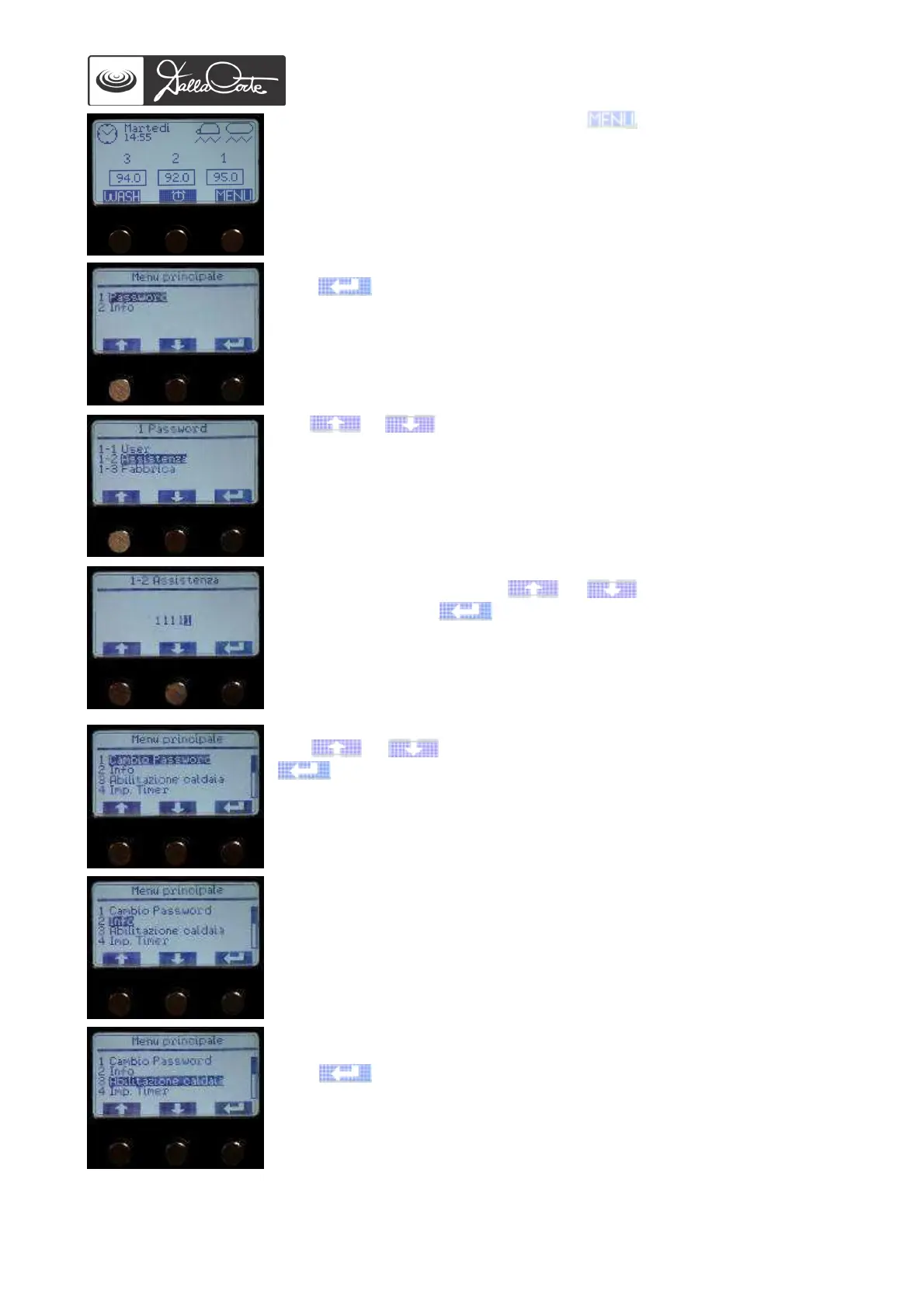
Starting from the main screen, push the button for 2 seconds. The
display will show:
1- PASSWORD MENU
Push to access this menu. The display will show:
Use or buttons to choose the Service password level.
Default passwords: User PW: 0000
Service PW: 11111
To enter the password, push or until the desired value is
displayed, then push to confirm it. Once you have entered the last
value, if the password is wrong, WRONG PASSWORD will be shown and
the main screen will be displayed. If the password is correct, the
following menu will be displayed:
Use or to choose the menu you want to explore and push
to access it.
2- INFO
See “USER AND MAINTENANCE MANUAL”.
3- STEAM BOILER ENABLING
This menu allows you to enable or disable steam boiler.
Push to access this menu. The display will show:














 To Next Page