MANUALE INSTALLATORE RELEASE 00.1 PAG. 17
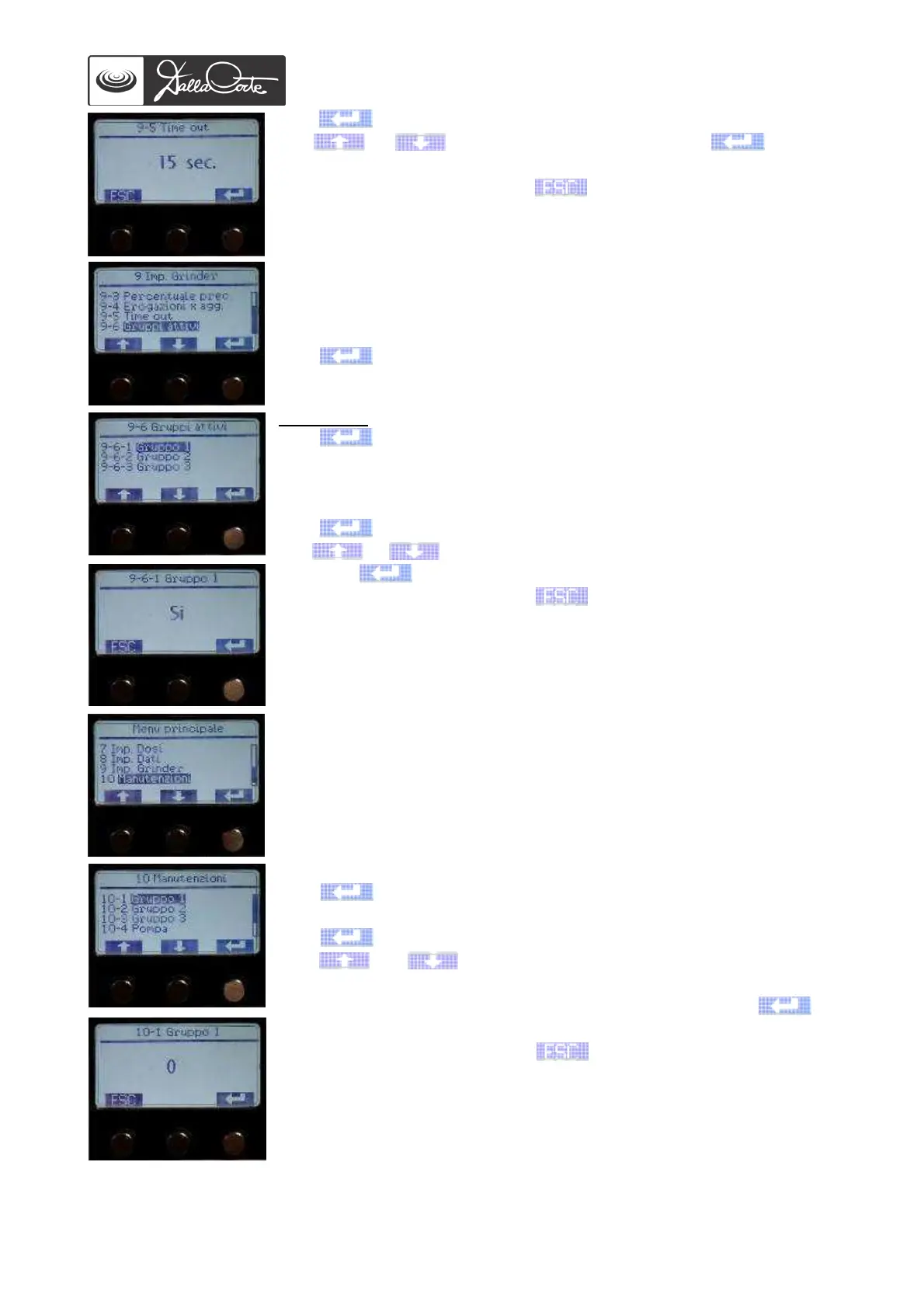
Push to highlight the value to be changed.
Use or to change the value, then push again to
confirm it.
At the end of the operation, push to go back to previous screen.
Note: 15 secs is the default setting, suitable in 90% of cases.
9-6 Set up of GCS enabled groups.
This menu is used to exclude some groups from the GCS function
(necessary, for example, when a group is used with ground coffee from a
grinder that is not connected to coffee machine).
Push to access this menu.
9-6-1/2/3/4
Push to access this menu.
Push again to highlight the value to be changed.
Use or to enable or disable group 1 for GCS management,
then push again to confirm.
At the end of the operation, push to go back to previous screen.
Note: all machine groups are enabled by default.
10- MAINTENANCE REQUEST MENU
This menu is used to set a maximum number of working cycles on some
components (e.g. water pump) after which the display shows a
maintenance request warning for the specified component.
When the values of working cycles are set on 0 (default setting), this
function is disabled.
10-1 Group 1
Push to access this menu.
Push again to highlight the value to be changed.
Use or to enter a number of cycles after which a
maintenance request warning indicating the group that has completed
the pre-set number of cycles will be displayed, then push to
confirm.
At the end of the operation, push to go back to previous screen.
Enter the number of cycles for the other groups following the above-
mentioned instructions.
Note: The existing cycle count must be reset before setting a number of
cycles and enabling the function.














 To Next Page