MANUALE INSTALLATORE RELEASE 00.1 PAG. 18
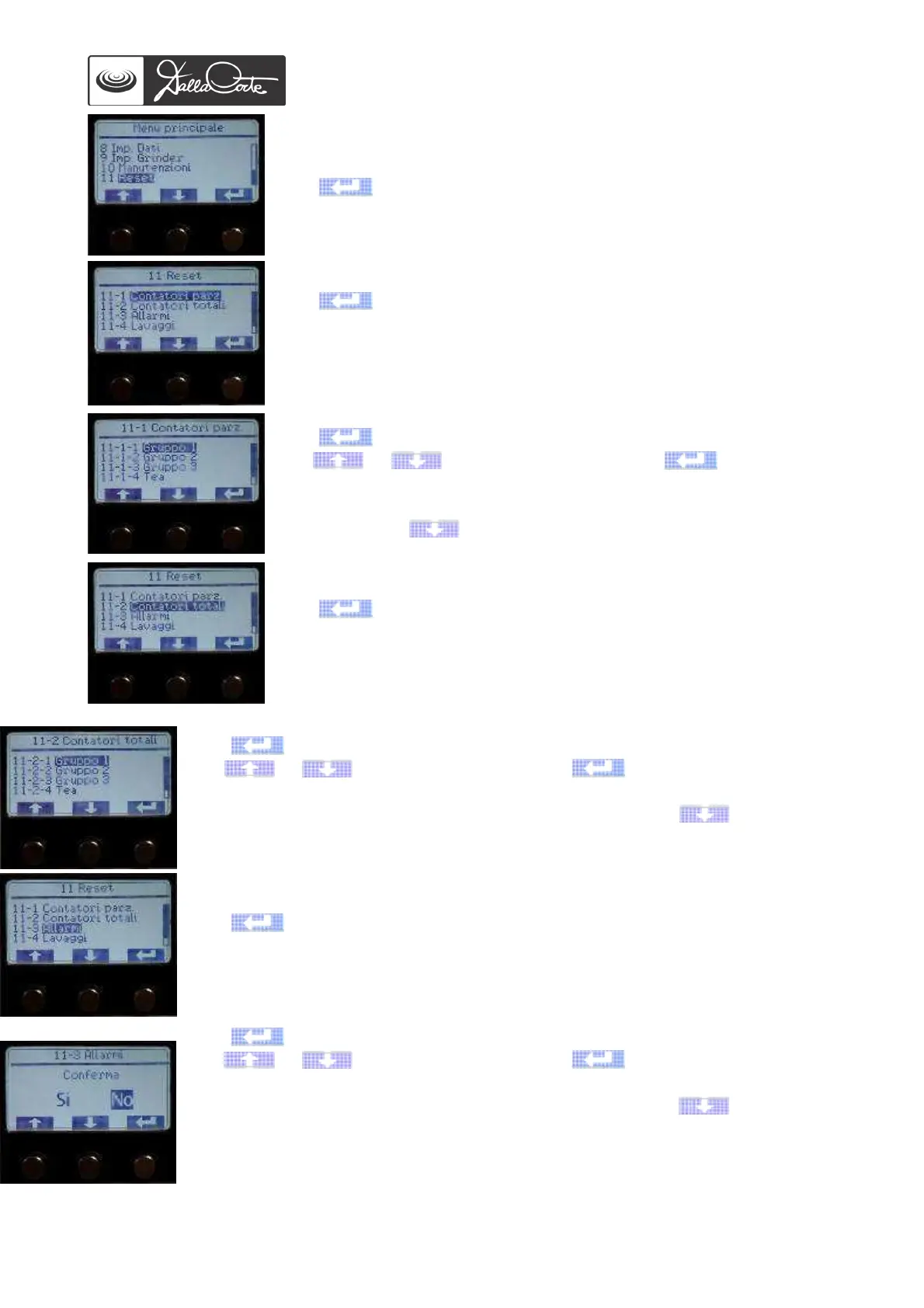
11-Menu reset
This menu is used to reset partial and total coffee dose counters, etc.
from the electronic control memory.
Push to access this menu.
11-1 Partial coffee dose counters
Push to access this menu.
11-1-1/2/3/4/5 Partial counters
Push to access this menu.
Use or to highlight YES, then push to confirm the
reset. Once the reset has been completed, the previous screen will be
shown automatically. Once the reset of the desired group has been
completed, push to go back to previous screen.
11-2 Total counters
Push to access this menu.
11-2-1/2/3/4/5 Total counters
Push to access this menu.
Use or to highlight YES, then push to confirm the reset. Once
the reset has been completed, the previous screen will be shown automatically.
Once the reset of the desired group has been completed, push to go back to
previous screen.
11-3 Alarms memory
Push to access this menu.
Push to access this menu.
Use or to highlight YES, then push to confirm the reset. Once
the reset has been completed, the previous screen will be shown automatically.
Once the reset of the desired group has been completed, push to go back to
previous screen.














 To Next Page