EasyManua.ls Logo

Danby DPAC10071 - External Water Tank Feature; External Water Tank Instructions; Internal Safety Feature

Danby DPAC10071
22 pages
Print Icon
To Next Page IconTo Next Page
To Previous Page IconTo Previous Page
Loading...
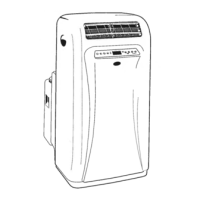
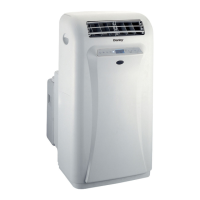
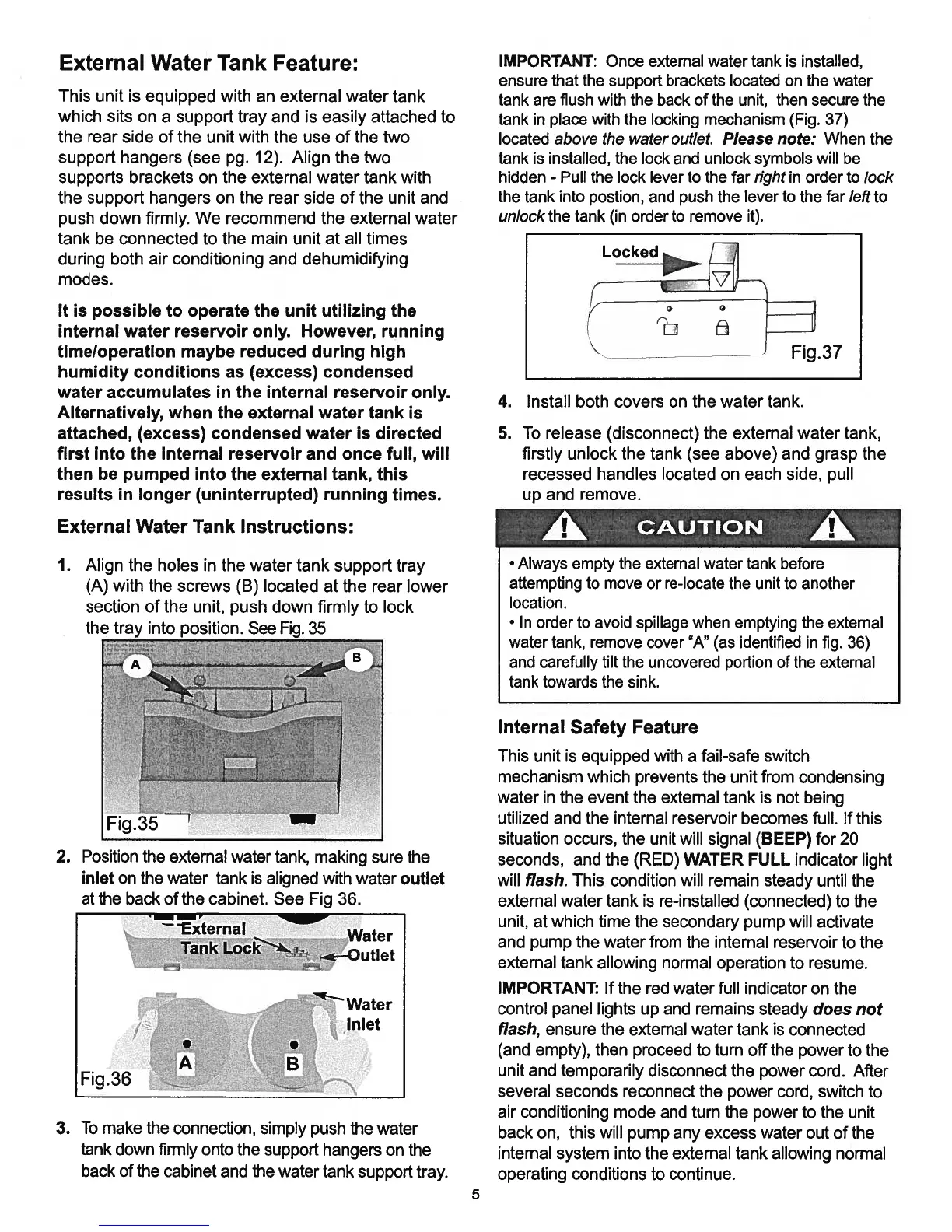
External
Water
Tank
Feature:
This
unit
is
equipped
with
an
external
water
tank
which
sits
on
a
support
tray
and
is
easily
attached
to
the
rear
side
of
the
unit
with
the
use
of
the
two
support
hangers
(see
pg.
12).
Align
the
two
supports
brackets
on
the
external
water
tank
with
the
support
hangers
on
the
rear
side
of
the
unit
and
push
down
firmly.
We
recommend the
external
water
tank
be
connected
to
the
main
unit
at
all
times
during
both air
conditioning
and
dehumidifying
modes.
It
is
possible
to
operate
the
unit
utilizing
the
internal
water
reservoir
only.
However,
running
timeloperation
maybe
reduced
during
high
humidity
conditions
as
(excess)
condensed
water
accumulates
in
the
internal
reservoir
only.
Alternatively,
when
the
external
water
tank
is
attached,
(excess)
condensed
water
is
directed
first
into
the
internal
reservoir
and
once
full,
will
then
be
pumped
into
the
external
tank,
this
results
in
longer (uninterrupted)
running times.
External
Water
Tank
Instructions:
1.
Align
the holes
in
the
water
tank
support
tray
(A)
with
the
screws
(B)
located
at the
rear
lower
section
of
the
unit,
push
down
firmly
to
lock
the
tray
into
position.
See
.
35
2.
Position
the
external
water
tank,
making
sure
the
inlet
on
the
water
tank
is
aligned
with
water
outlet
at
the
back
of
the
cabinet.
See
Fig
36.
Water
Inlet
.
3.
To
make the
connection,
simply
push
the water
tank
down
firmly
onto
the
support
hangers
on
the
back
of
the
cabinet
and
the
water
tank
support
tray.
IMPORTANT:
Once
external
water
tank
is
installed,
ensure
that
the
support
brackets
located
on
the
water
tank
are
flush
with
the
back
of
the
unit,
then
secure
the
tank
in
place
with
the
locking
mechanism
(Fig.
37)
located
above
the
water
outlet.
Please
note:
When
the
tank
is
installed,
the
lock
and
unlock
symbols
will
be
hidden
-
Pull
the
lock
lever
to
the
far
right
in
order
to
lock
the tank
into
postion,
and
push
the
lever
to
the
far
left
to
unlock
the tank
(in
order
to
remove
it).
4.
Install
both
covers
on
the
water
tank.
5.
To
release
(disconnect)
the
external
water
tank,
firstly
unlock
the
tank
(see
above)
and
grasp
the
recessed
handles
located
on
each
side,
pull
up
and
remove.
Internal
Safety
Feature
This
unit
is
equipped
with
a
fail-safe
switch
mechanism
which
prevents
the
unit from
condensing
water
in
the
event
the
external tank
is
not
being
utilized
and
the
internal
reservoir
becomes
full.
If
this
situation
occurs,
the
unit
will
signal
(BEEP)
for
20
seconds,
and the
(RED)
WATER
FULL
indicator
light
will
flash.
This
condition
will
remain
steady
until
the
external
water
tank
is
re-installed
(connected)
to
the
unit,
at
which
time
the
secondary
pump
will
activate
and pump
the
water
from
the
internal
reservoir
to
the
external
tank
allowing
normal
operation
to
resume.
IMPORTANT:
If
the
red
water
full
indicator
on
the
control
panel
lights
up
and remains
steady
does
not
flash,
ensure
the
external
water
tank
is
connected
(and empty),
then
proceed
to
turn
off
the power
to
the
unit
and
temporarily
disconnect
the
power
cord.
After
several
seconds
reconnect
the
power
cord,
switch
to
air conditioning
mode
and
turn
the
power
to
the
unit
back
on,
this
will
pump
any
excess
water
out
of
the
internal
system
into
the external
tank
allowing
normal
operating
conditions
to
continue.
Fig.37
CAUTION
Always
empty
the
external
water
tank
before
attempting
to
move
or
re-locate
the
unit
to
another
location.
In
order
to
avoid
spillage
when
emptying
the
external
water
tank,
remove
cover
“A”
(as
identified
in
fig.
36)
and
carefully
tilt
the uncovered
portion
of
the
external
tank
towards
the
sink.
Fig.35
External
Water
Tank
LOC.ZOutlet
5

Related product manuals