EasyManua.ls Logo

Danby DPAC10071 - Dehumidifier Operation; Dry Mode Operating Instructions

Danby DPAC10071
22 pages
Print Icon
To Next Page IconTo Next Page
To Previous Page IconTo Previous Page
Loading...
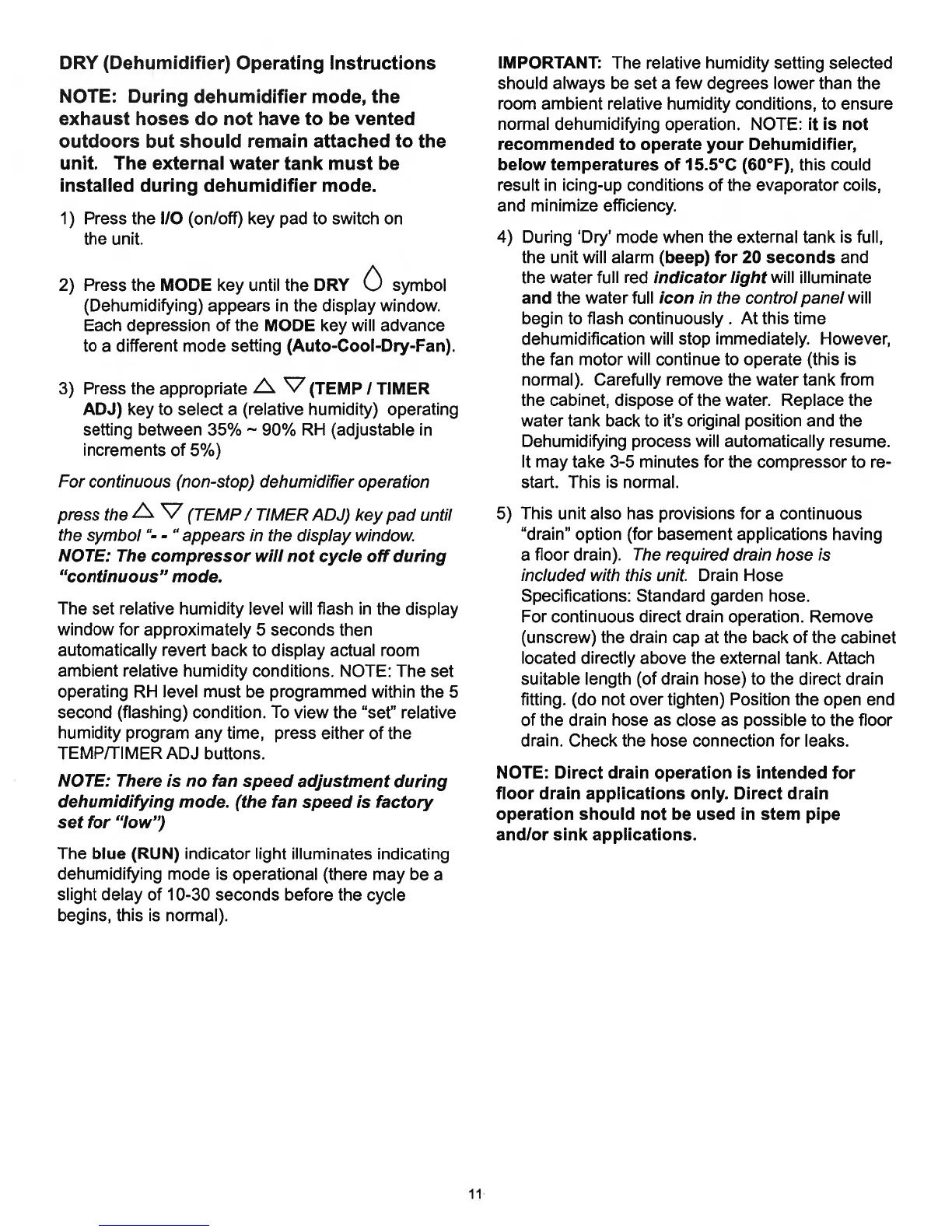
DRY
(Dehumidifier)
Operating
Instructions
NOTE:
During
dehumidifier
mode,
the
exhaust
hoses
do
not
have
to
be
vented
outdoors
but
should
remain
attached
to
the
unit.
The
external
water
tank
must
be
installed
during
dehumidifier
mode.
1)
Press
the
I/O
(on/off)
key
pad
to
switch
on
the
unit.
2)
Press
the
MODE
key
until
the
DRY
O
symbol
(Dehumidifying)
appears
in
the
display
window.
Each
depression
of
the
MODE
key
will
advance
to
a
different
mode
setting
(Auto-Cool-Dry-Fan).
3)
Press
the
appropriate
L
V
(TEMP
I
TIMER
ADJ)
key
to
select
a
(relative
humidity)
operating
setting
between
35% 90%
RH
(adjustable
in
increments
of
5%)
For
continuous
(non-stop)
dehumidifier
operation
press
the
L
V
(TEMP
I
TIMER
ADJ)
key
pad
until
the
symbol
“-
-
“appears
in
the
display
window.
NOTE:
The
compressor
will
not
cycle
off
during
“continuous”
mode.
The
set
relative
humidity
level
will
flash
in
the
display
window
for
approximately
5
seconds
then
automatically
revert
back
to
display
actual
room
ambient
relative
humidity
conditions.
NOTE:
The
set
operating
RH
level
must
be
programmed
within
the
5
second
(flashing)
condition.
To
view
the
“set”
relative
humidity
program
any
time,
press
either
of
the
TEMP/TIMER
ADJ
buttons.
NOTE:
There
is
no
fan
speed
adjustment
during
dehumidifying
mode.
(the
fan
speed
is
factory
set
for
“low”)
The
blue
(RUN)
indicator
light
illuminates
indicating
dehumidifying
mode
is
operational (there
may
be
a
slight
delay
of
10-30
seconds
before
the
cycle
begins,
this
is
normal).
IMPORTANT:
The
relative
humidity
setting
selected
should
always
be
set
a
few
degrees
lower
than
the
room
ambient
relative
humidity
conditions,
to
ensure
normal
dehumidifying
operation.
NOTE:
it
is
not
recommended
to
operate
your
Dehumidifier,
below
temperatures
of
15.5°C
(60°F),
this
could
result
in
icing-up
conditions
of
the
evaporator
coils,
and
minimize
efficiency.
4)
During
‘Dry’
mode
when
the
external
tank
is
full,
the
unit
will
alarm
(beep)
for
20
seconds
and
the
water
full
red
indicator
light
will
illuminate
and
the
water
full
icon
in
the
control
panel
will
begin
to
flash
continuously.
At
this
time
dehumidification
will
stop
immediately.
However,
the
fan
motor
will
continue
to
operate
(this
is
normal).
Carefully
remove
the
water
tank
from
the
cabinet,
dispose
of
the
water.
Replace
the
water
tank
back
to
it’s
original
position
and
the
Dehumidifying
process
will
automatically
resume.
It
may
take
3-5
minutes
for
the
compressor
to
re
start.
This
is
normal.
5)
This
unit
also
has
provisions
for
a
continuous
“drain”
option
(for
basement
applications
having
a
floor
drain).
The
required
drain
hose
is
included
with
this
unit.
Drain
Hose
Specifications:
Standard
garden hose.
For
continuous
direct
drain
operation. Remove
(unscrew)
the
drain
cap
at
the
back
of
the
cabinet
located
directly
above
the
external
tank.
Attach
suitable
length
(of
drain
hose)
to
the
direct
drain
fitting.
(do
not
over
tighten)
Position
the
open
end
of
the
drain
hose
as
close
as
possible
to
the
floor
drain.
Check
the
hose
connection
for
leaks.
NOTE:
Direct
drain
operation
is
intended
for
floor drain
applications
only.
Direct
drain
operation
should
not
be
used
in
stem
pipe
andlor
sink
applications.
11

Related product manuals