2.7 TALKBACK SECTION
A one way communication system is built into Cinemix. The built-in talkback
mic can feed the LCRS/Sub Bass Groups, Auxes/Joystick busses, and/orStudio
1/2 outputs. The momentary TB talkback switch activates the internal electret
microphone while dimming the main CRM monitor speakers.
2.8 DYNAMICS SECTION
Four LEDS indicate whether the optional virtual dynamics is active on any of the
main output signals. (How the dynamics work will be discussed later in a specific
13.00 dynamics section).
2.9 AUX MASTER SECTION
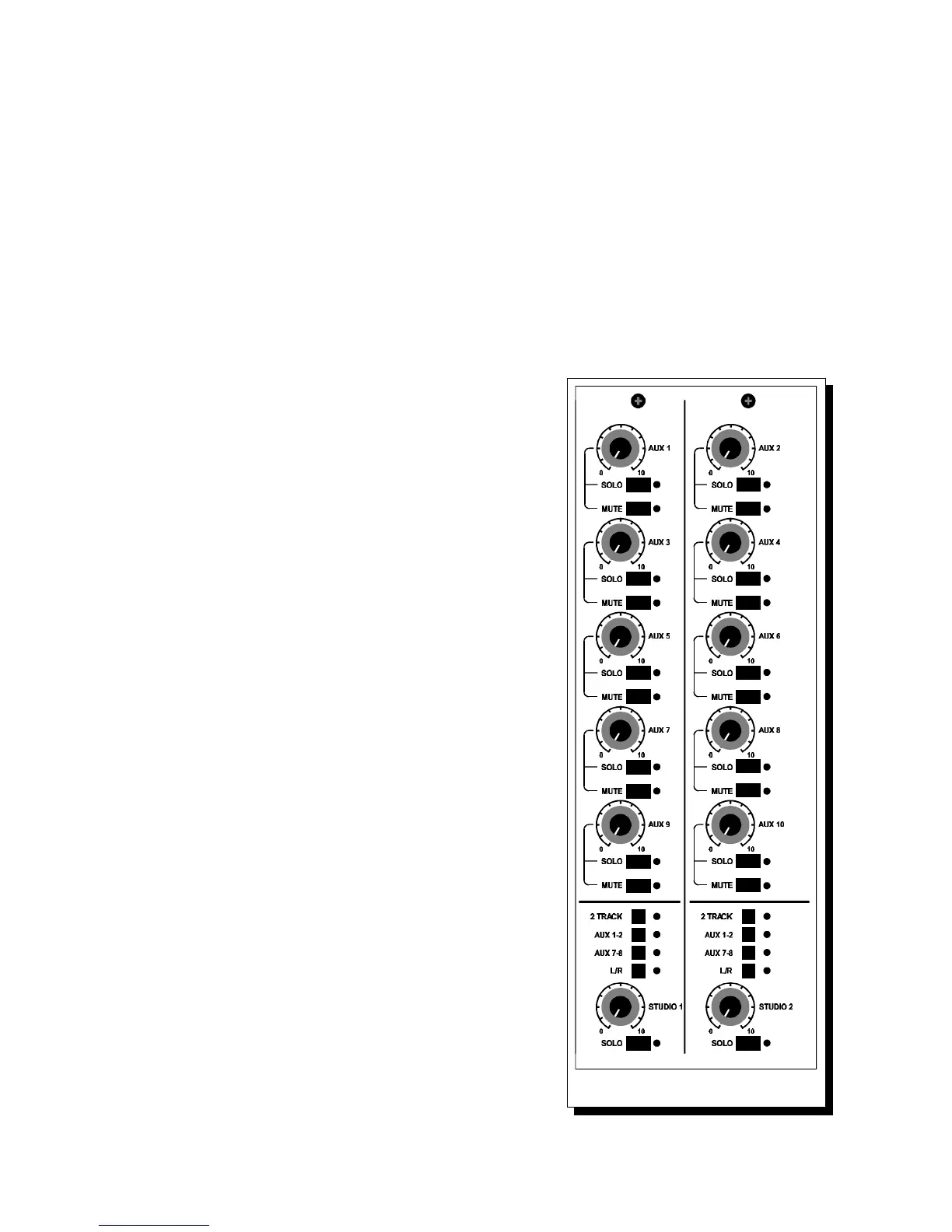
The Aux master section is located at the right side of the master module and
houses the 10 Aux masters controlling the output
level of the Aux sends. Aux 1 through 4 are fixed in
the CHAN path and Aux 5/6 selectable between
CHAN and MIX.
Aux 7/8 and 9/10 are always in the MIX path.
Each Aux master has its own solo switch.
All Aux master solo switches are AFL (after fade
listen) switches independent of the selection made in
the SOLO control section. All mutes are soft mutes
and under control of the automation section. The
Aux outputs are ground compensated balanced and
normalled in the patchbay to the Tie-lines.
2.10 STUDIO 1 - 2 SECTIONS.
STUDIO 1 and STUDIO 2 sections get their signal
from several different places and feed two sets of
stereo outputs which are also located in the master
section of the patchbay. The 2 studio outputs can
source the Aux 1-2 and /or Aux 7-8. The 2
TRACKS switch needs a little more explanation.
With Cinemix, you can listen to stereo machines in
the studio while listening to the stereo mix outputs in
the control room by pressing one of the 2 track
source switches and the 2 Tracks switch. By having
all the source switches in their up position no signal
is fed to the Studio systems. Aux 1-2 and Aux 7-8
can be mixed (from the input modules) and fed to the
Studio 1, 2, or both outputs. With the 2 TRACKS
switch in the down position, a selection can be made
from any or all two track source switches in the
CRM section. If you would like to build up a mix
from one of the Aux pairs, press Aux 1-2 and or
Aux 7-8 switches. Studio 1, 2, or both can be used
for stereo headphone feeds or studio playback
speakers.
Cinemix manual page: 11



 To Next Page