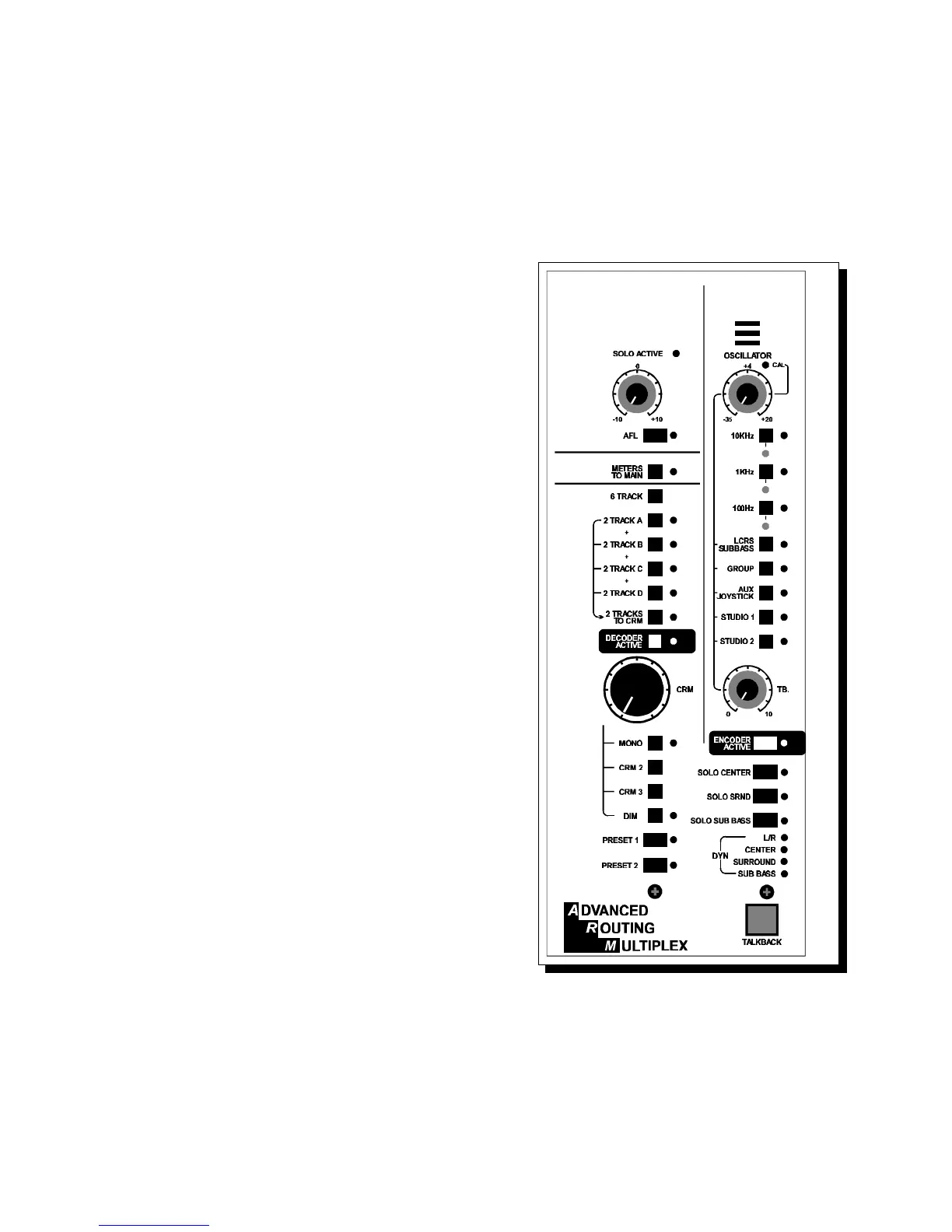
THE VIDEO MASTER SECTION
2.0 Master section - description
Cinemix's master section is equivalent (in width) to 6 input modules.
All CRM outputs are located on the rear of the console below the meter bridge.
The following paragraphs give a brief description of each section.
2.1 SOLO SECTION
The Solo section has a solo master volume
control and AFL (after fade listen) switch.
A center detent (for nominal level) is built-in to
the volume control. With the AFL switch in its
up position, the Channel and Mix solo switches
function in the PFL (pre fade listen) mode.
A Solo Active LED above the solo level control
indicates a SOLO switch is depressed.
This is also shown in the LC Display for your
convenience. If the AFL switch is depressed,
any Solo switches function in the non destructive
after fade listen mode.
2.2 METERS TO MAIN.
In the up position, all six meters read the monitor
CRM outputs prior to the Encoder insert, when
the "Meters to main" is depressed both the main
left and right meters will always follow the main
Left and Right output without being interrupted
by the solo system, the 2 Tracks and decoder
active switches.
When the Encoder switch is depressed the
left/Right meters will read the encoded signal.
2.3 CRM Section
The CRM (control room module) section
contains the electronics for monitoring all signal
paths in Cinemix as well as source switching for
six track machines and four two track machines,
as well as Solo-ing of Center, Surround, and Sub
Woofer (except for decoder mode).
2.4 DECODER ACTIVE.
You can see the decoder active switch as a full 6 channel Dolby CP65 control
room monitor insert. When this switch is in its up position a normal or eventually
encoded stereo signal will be heard (If the encoder is active of course and the
decoder switch is ON). When no Decoding device is connected to the Cinemix,
there will be no signal when the DECODER ACTIVE switch is on
Cinemix manual page: 8



 To Next Page