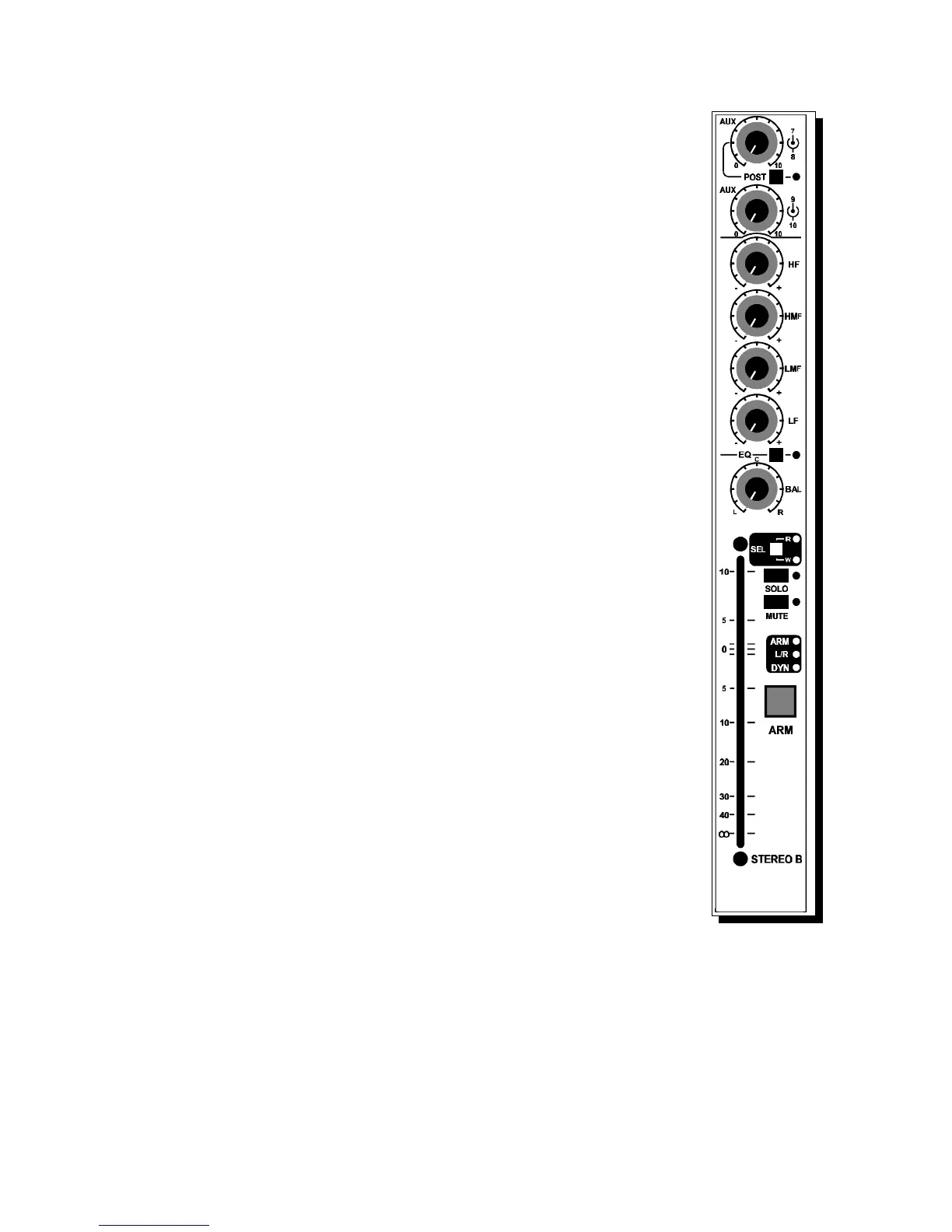
4.8 STEREO B STATUS SECTION - USING ARM
There is a white section with LED's that indicate when the ARM system
is active and let you know what is routed. The section has three LED's;
yellow, green and green. These three function indicators are associated
with the total modules routing status. When one of these leds are on, it
indicates that in the master ARM section signals are routed. The local
ARM switch, when pushed, gives information in the master section what
is routed to what output.
DYNamics
When the DYN LED is on, an optional compressor, limiter, gate, or other
effects / signal processors will be active in the signal path.
The modulation of the LED indicates the amount of processing applied to
this module.
The master control of the dynamics is part of the recall/automation
section's menu.
STEREO A/B ARM SWITCH.
The ARM switch assigns a module to the ARM section in the master
where assignments can be made and stored. Pressing the ARM switch
shows you in the Cinemix's master section what digital buss is connected
to the Stereo A and B path. If you would like to buss the A and B
sections from the same module - to the same busses - at the same time,
there is no problem. Bussing to more than one pair is also possible.
Cinemix manual page: 40



 To Next Page