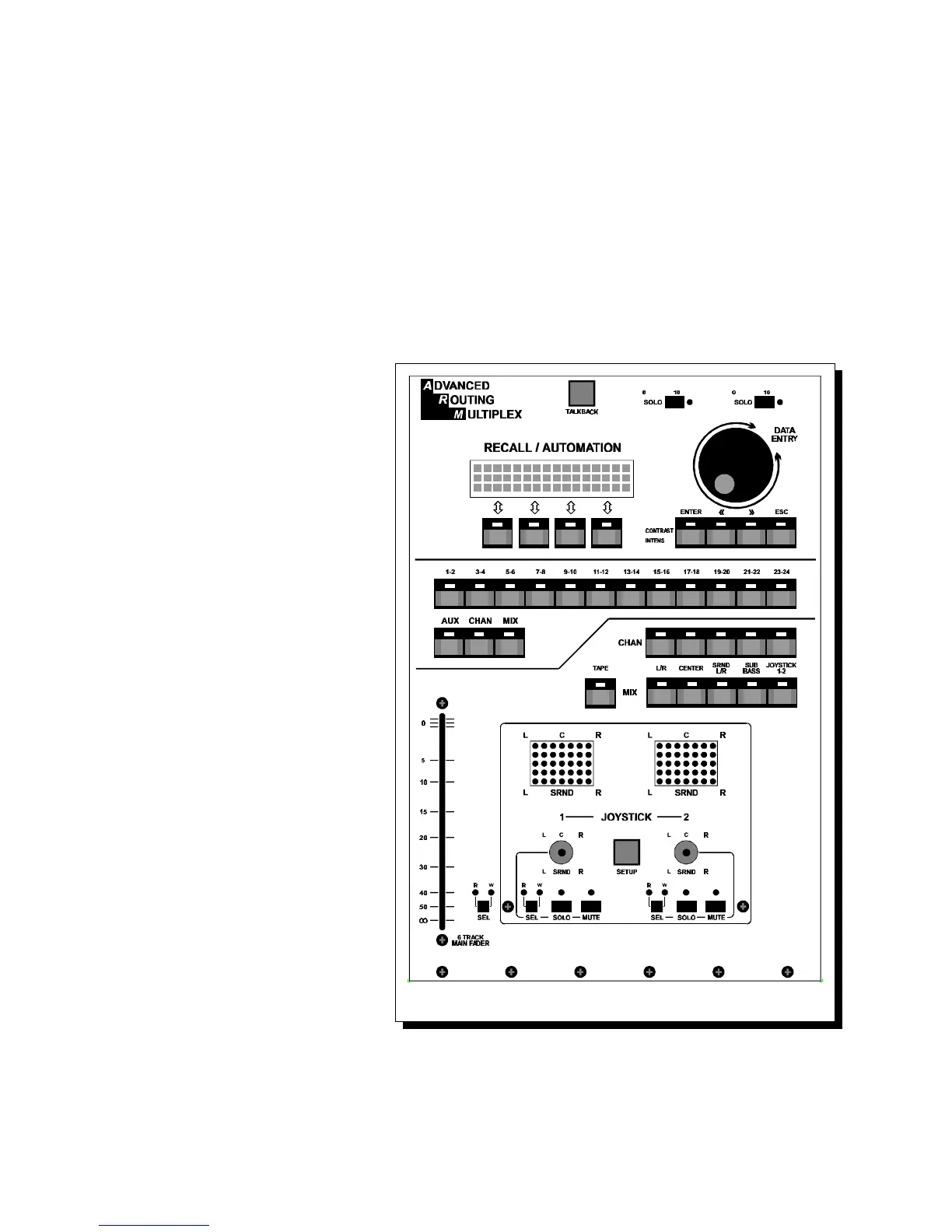
e. Now depress the ARM switch in the Joystick area and assign the
joystick output to L/R, Center or SRND (all or any combination).
The Virtual Vision matrix will show the panning ranges possible with
corresponding assignments.
All movements will be memorized in PowerVCA together with mutes.
NOTE:
Joystick 1 output corresponds with the upper (CHAN) row for joystick output
assignments.
Joystick 2 output corresponds with the lower (MIX) row for joystick output
assignments.
The SubBass routing switch
will not follow the joystick
outputs.
All joystick routing switches
can also be assigned directly
from the channels pan-pots,
together with the Sub Bass
output of course.;
A host of possibilities are
there to explore, It will take
some time to manipulate all
the possibilities Cinemix
gives you in this area.
Features like read and write
on the automation screen
and Solo and Mute.
2.14 TAPE SWITCH
The tape switch will globally
switch all mono dual input
channels' mix sections to
follow either the group
output or the multitrack tape
output.
Cinemix manual page: 17



 To Next Page