EasyManua.ls Logo

Dascom 2610 - Front Feed; Manual Insertion - Narrow and Wide Versions; Paper Weights; Tally Dascom

Dascom 2610
133 pages
Print Icon
To Next Page IconTo Next Page
To Previous Page IconTo Previous Page
Loading...
Tally Dascom 2610
114
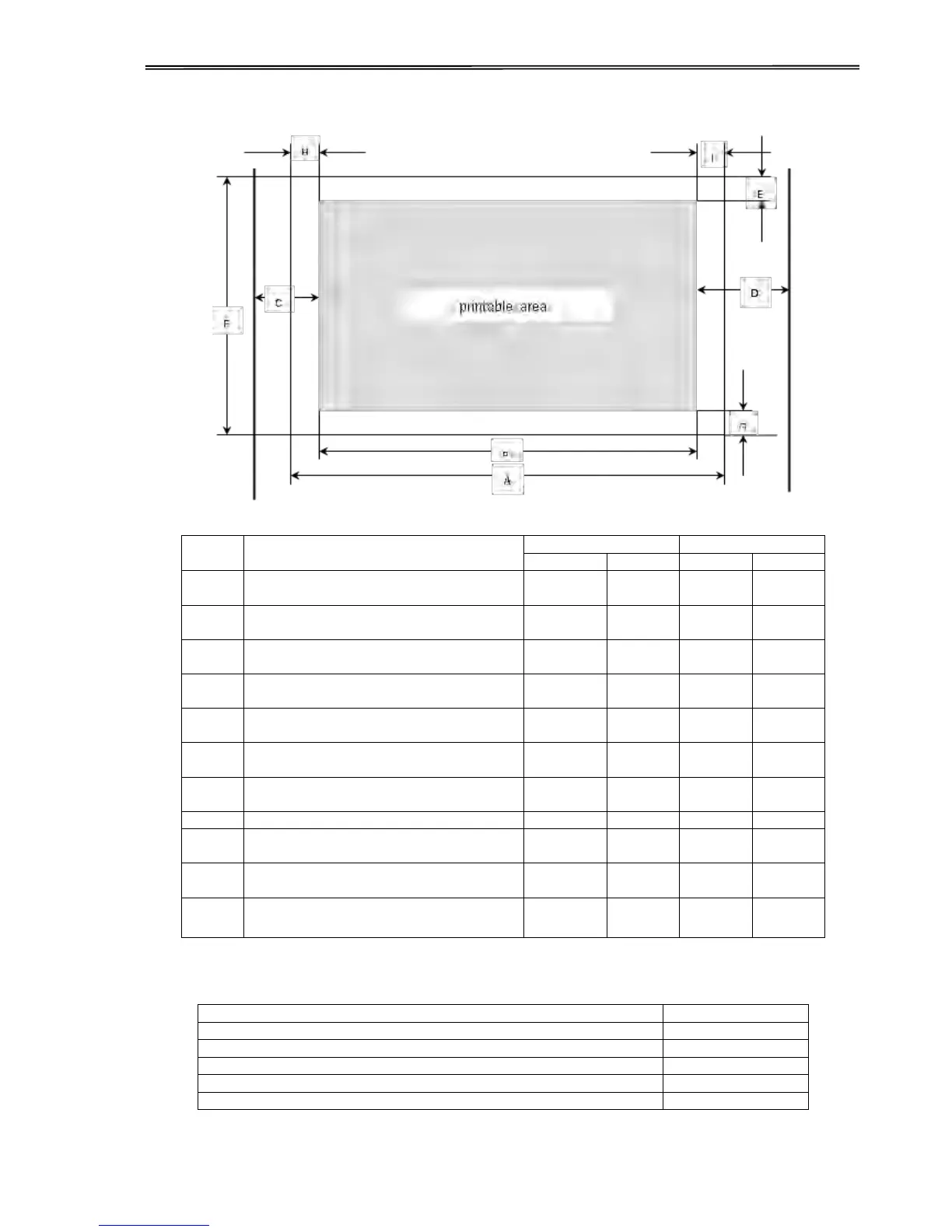
9.3.2 Front Feed / Manual Insertion – Narrow and wide versions
Usable figures of print area (dimensions in mm (inches))
Pos
Title
Narrow model
Wide model
min
max
min
max
A
paper width,
76
(3”)
278
(11”)
76
(3”)
420
(16.5”)
B
printable line length
203.2
(8”)
345.44
(13.6”)
C
Max left paper guide position to first
printable character
38
(1.4”)
38
(1.4”)
D
Max right paper guide position to first
printable character
38
(1.4”)
38
(1.4”)
E
top margin
1
)
0
(0/72”)
77.6
(220/72”)
0
(0/72”)0
77.6
(220/72”)
E
top margin, default setting
1
)
4.23
(12/72”)
4.23
(12/72”)
F
form length
148
(5.8”)
420
(16.5”)
148
(5.8”)
420
(16,5”)
G
bottom margin
0
0
0
0
H
left margin, default setting “0”
1
)
0
198.1
(78/10”)
0
340.4
(134/10”)
I
right margin, default setting “80”
1
)
or “136/10”
2
203.2
(80/10”)
2
345.44
(136/10”)
reverse paper feed
(front ejection)
420
(16.5”)
420
(16,5”)
9.3.3 Paper Weights
Narrow and wide
Single Part Forms
60 – 120g/m²
Number of copies
1 + 5
Multi Part Forms – original sheet
45 – 65g/m²
Multi Part Forms – copy sheets
45 – 56g/m²
Maximum thickness
0.50mm
1
) Figure variable setting via interface or panel

Table of Contents

Related product manuals