9
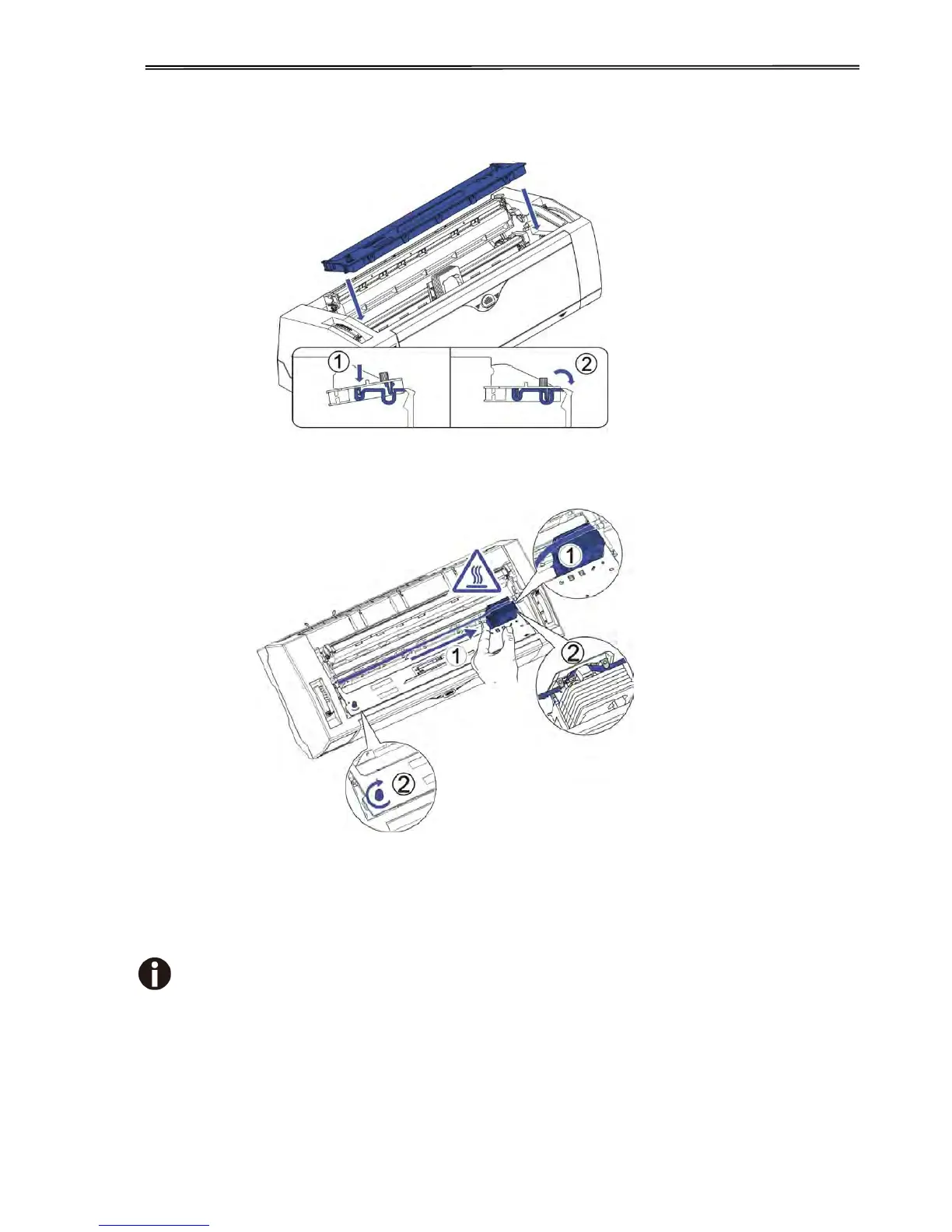
4) Insert the ribbon cartridge till it is tightly locked in position.
5) Insert the ribbon fabric in between the print head and ribbon mask.
6) Turn the knob on the left hand side several times in order to tighten the fabric, and the
fabric will slide downwards into the correct position between printhead and ribbon mask
after the moving.
7) Restore the upper friction assembly to its original position.
Print head may be hot, please move the printhead by moving the carriage.



 To Next Page