Chapter 3: Installation 29
Login and Configuration
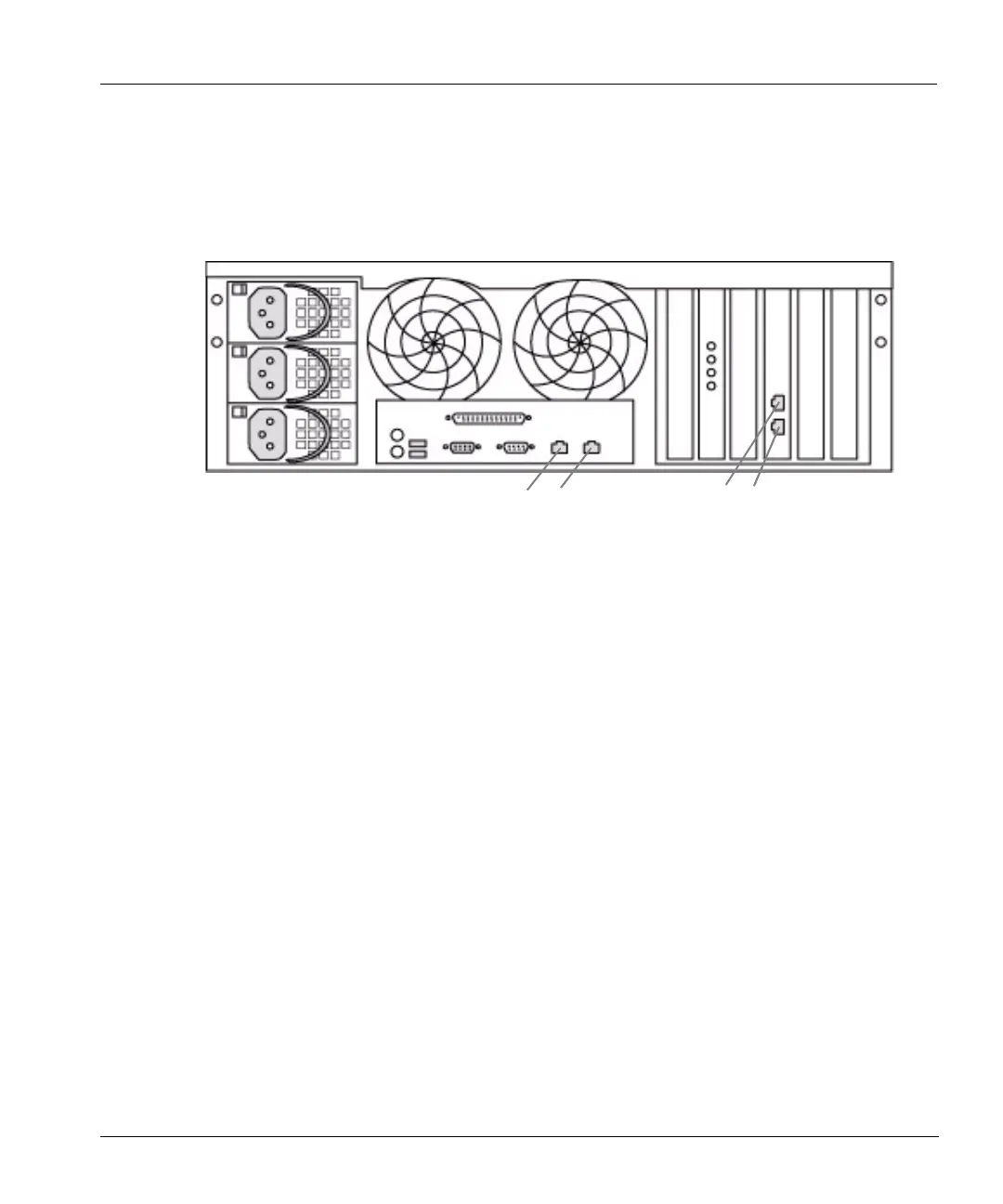
Each Ethernet interface on the back of the restorer is labeled with its MAC address. See Figure 14.
Eth0 and eth1 are copper 1000 Base-T gigabit interfaces. The optional eth2 and eth3 are for
additional Fiber or copper Ethernet interfaces. The MAC addresses for eth0 and eth1 are vertical
labels just to the right of each port. The MAC addresses for eth2 and eth3 are vertical labels just
above eth2. The label on the left is for eth2 and the label on the right is for eth3.
Login and Configuration
After the hardware is installed and running, configure the system with the config setup
command through the command line interface or use the DDR Manager. The
config setup
command starts automatically the first time sysadmin logs in through the command line interface.
The command reappears at each login until configuration is complete.
To bring up the DDR Manager and start the configuration:
1. Open a web browser.
2. Enter a path to the restorer. For example: http://rstr01/ for a restorer named rstr01 on a
local network.
3. Enter a login name and password. The default password for the sysadmin login is the serial
number that appears on the rear panel of the restorer. Note that all characters in a serial number
are numeric except for the third and fourth characters. Other than the third and fourth
characters, all “0” characters are zeros. See
Figure 17 on page 32 for the location. The Restorer
Summary screen appears.
Figure 14: Ethernet interfaces
eth0
eth1
eth2
eth3



 To Next Page