Chapter 1: Introduction 9
Graphical User Interface
Graphical User Interface
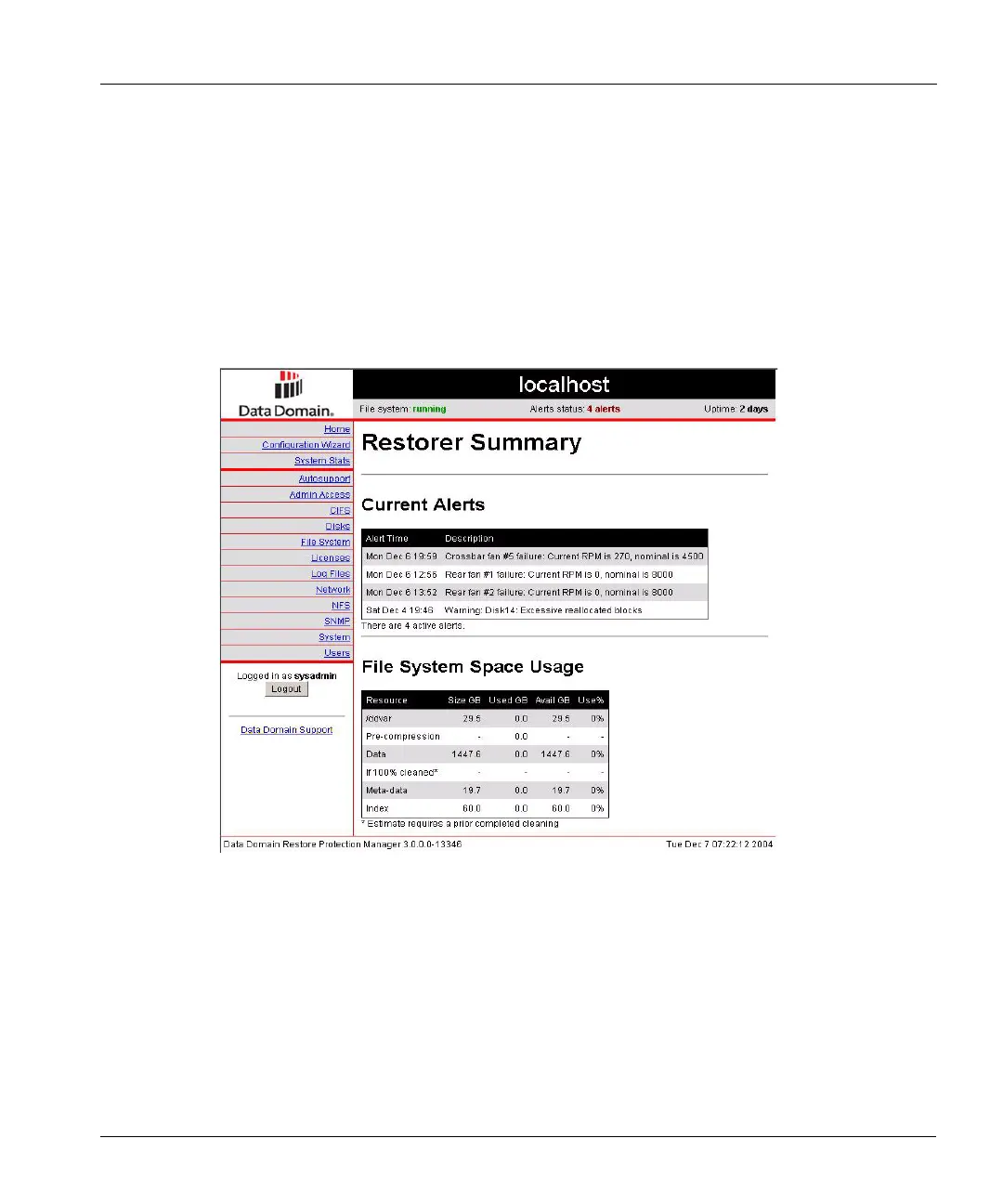
Through the browser-based DDR Manager graphical user interface, you can do the initial system
configuration, make a limited set of configuration changes, and display system status, statistics, and
settings. The supported browsers for web-based access are Netscape 7 and above, Microsoft
®
Internet Explorer 6.0 and above, FireFox 0.9.1 and above, Mozilla 1.6 and above, and Safari 1.2.4.
The console first asks for a login and then displays the Restorer Summary page (see Figure 2 on
page 9). Some of the individual displays on various pages have a Help link to the right of the
display title. Click on the link to bring up detailed online help about the display.
To bring up the interface:
1. Open a web browser.
2. Enter a path such as http://rstr01/ for restorer rstr01 on a local network.
3. Enter a login name and password.
Figure 2: Summary screen



 To Next Page