44 Installing the USB Printer Driver
Windows Vista or Windows 2000 Installation
1. StarttheWindowsVista
®
orWindows2000operatingsystemandlogonasauserwith
administratorpermissions.
2. InserttheInstallationCD,shippedwithyourprinter,inthePCdrive.
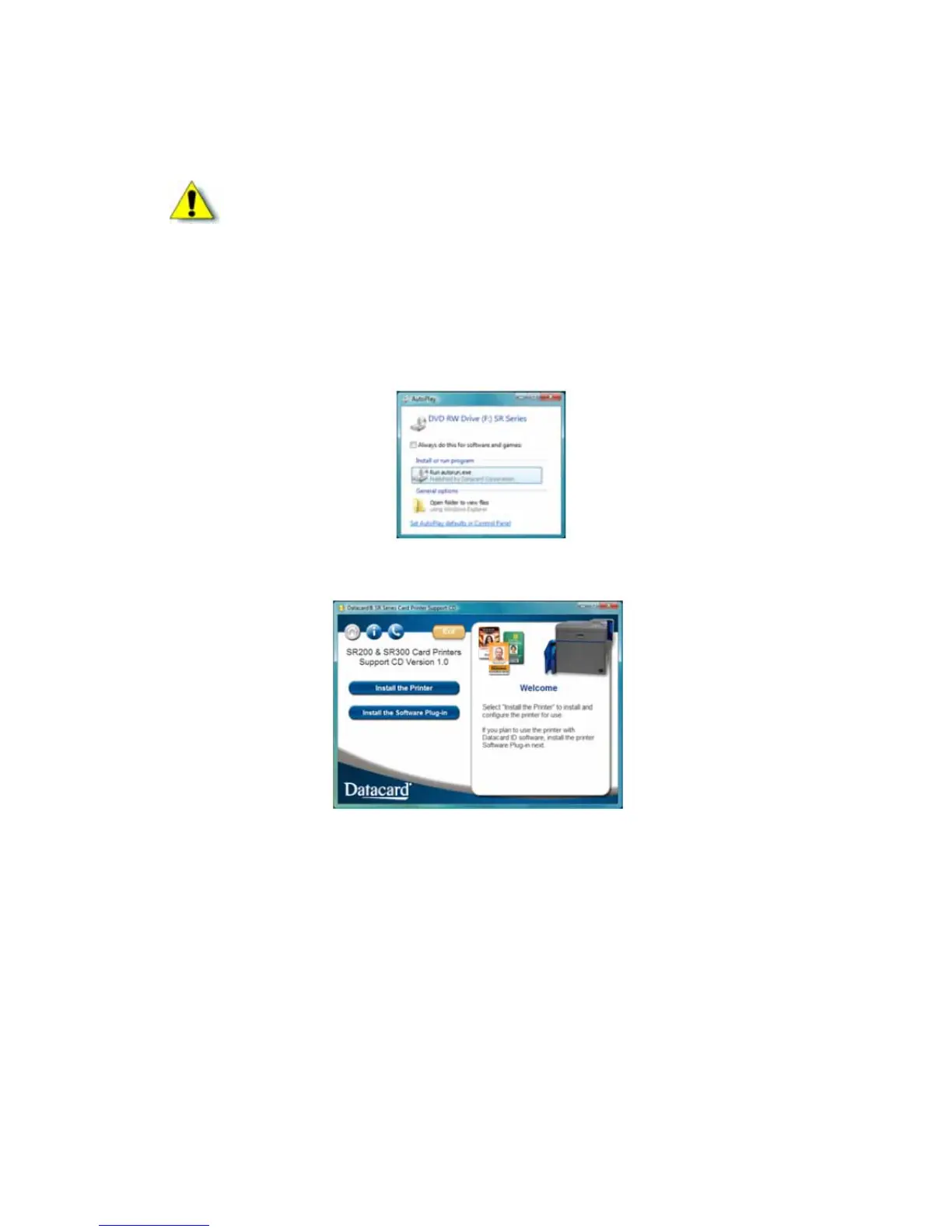
3. IfanAutoPlaydialogboxdisplays,clickRuntocontinue.
4. Whentheopeningwindowdisplays,clickInstalltheprinter.
5. Onthenextpage,clickInstalltheDriver.
6. ForWindowsVista,clickAllowontheSecuritydialogbox.Then,clickContinueontheUser
AccountControldialog.
The“WelcometoSRCardPrinter”dialogboxopens.
Caution:Ifyourprinterhasasmartcardoptioninstalled,makesurethatyouinstallthe
smartcarddriverbeforeinstallingtheprinterdriver.RefertoChapter 3:"Installingthe
SmartCardDriver”forinstructions.



 To Next Page