EasyManua.ls Logo

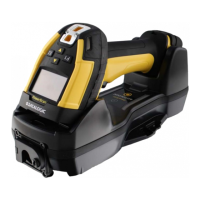
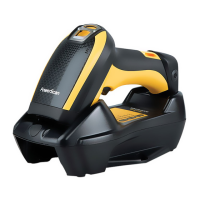
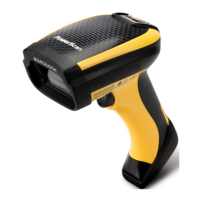
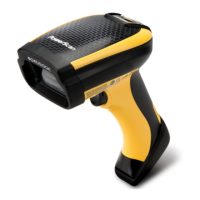
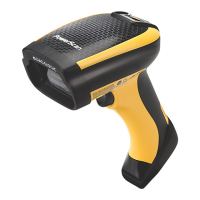
Datalogic PowerScan PD9600 - User Manual

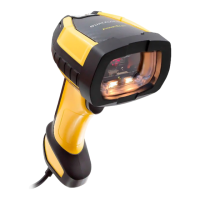
Datalogic PowerScan PD9600
411 pages
Print Icon
To Next Page IconTo Next Page
Loading...
L
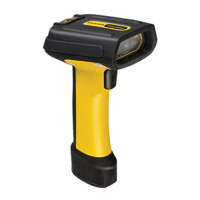
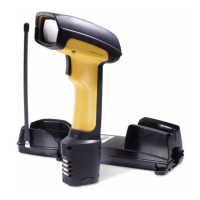
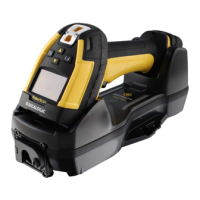
PowerScan™ Family
PD/PM/PBT9600
PRODUCT REFERENCE GUIDE
Industrial Corded and Cordless Handheld
Area Imager Bar Code Reader

Table of Contents

Questions and Answers

  • J
    James GreenAug 10, 2025
    What to do if Datalogic Barcode Reader LED is on but barcode won't decode?
    • R
      riverastephenAug 10, 2025
      If the LED is on but the barcode doesn't decode, it could be due to several reasons: * The reader might not be programmed for the correct barcode type. Ensure the reader is programmed to read the type of barcode you are scanning. * The barcode label may be unreadable. Check the label to ensure it is not damaged. You can also try scanning another barcode. * The distance between the reader and the barcode might be incorrect. Try moving the reader closer to or further away from the barcode.
  • J
    juliecarneyAug 20, 2025
    Why Datalogic Barcode Reader doesn't work when I pull the scan button?
    • C
      carolyn96Aug 20, 2025
      If nothing happens when you pull the scan button on your Datalogic Barcode Reader, it could be due to the following reasons: * There may be no power to the reader. Check the system power and ensure the power supply is connected. * The interface or power cables might be loose. Ensure all cable connections are secure.
  • A
    Aaron NewtonAug 30, 2025
    What to do if Datalogic Barcode Reader decodes but doesn't transmit to the host?
    • T
      tammy93Aug 30, 2025
      If the barcode is decoded but not transmitted to the host, the reader might not be programmed for the correct host type. Scan the appropriate host type barcode to resolve this.

Summary

PowerScan Family PD;PM;PBT9600

Chapter 1: Introduction

Battery Safety

Crucial safety guidelines for handling, charging, and using batteries to prevent hazards and ensure optimal performance.

Programming the Reader

Explains the methods for customizing reader settings, including configuration bar codes and the Datalogic Aladdin software.

Chapter 2: Setup

Charging the Batteries

Instructions on how to charge the reader's batteries using the base station or multi-battery charger accessory.

Chapter 3: Configuration with Bar Codes

Configuration Parameters

Overview of configurable parameters categorized by interface type and common settings for reader customization.

Symbology-specific parameters

Defines options for 1D and 2D symbologies, providing programming bar codes for configuring these features.

Global Interface Features

Settings configurable across all interface types, such as host commands and USB suspend mode.

RS-232 Standard Settings

Configuration options for the RS-232 serial interface, including baud rate and parity.

RS-232;USB-COM Settings

Common settings applicable to both RS-232 and USB-COM interfaces, such as intercharacter delay and ACK/NAK options.

Chapter 4: References

Data Format

Options for controlling message strings, including global prefix/suffix, case conversion, and label ID settings.

Scanning Features

Configuration options related to scanning behavior, such as scan mode, active time, and aiming duration.

Symbologies

Provides options for configuring various bar code symbologies, including length control and check character settings.

Chapter 5: Message Formatting

Message Formatting

Rules and formats for messages exchanged between the host and the base station or handheld, including address stamping and message length.

Appendix A: Technical Specifications

Decoding Capabilities

Lists all supported 1D and 2D bar code symbologies and other decodable formats, including OCR and Digimarc.

Appendix B: Maintenance

Appendix C: Standard Defaults

Standard Defaults

Lists common configuration settings, their default values, and page references for feature descriptions.

Appendix E: Host Commands Characters

Host Commands Characters

Lists recognized host commands for interacting with the scanner via serial, USB-COM, or aux ports.

Datalogic PowerScan PD9600 Specifications

General IconGeneral
BrandDatalogic
ModelPowerScan PD9600
CategoryBarcode Reader
LanguageEnglish

Related product manuals