EasyManua.ls Logo

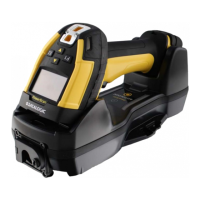
Datalogic PowerScan PD96 Series - User Manual

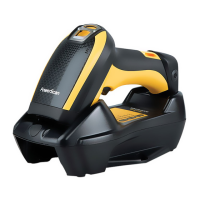
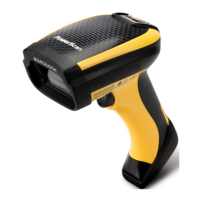
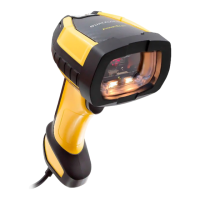
Datalogic PowerScan PD96 Series
360 pages
Print Icon
To Next Page IconTo Next Page
Loading...
L
PowerScan™ Family
PD/PM96XX
PRODUCT REFERENCE GUIDE
Industrial Corded and Cordless Handheld
Area Imager Bar Code Reader

Table of Contents

Questions and Answers

  • M
    Manuel MartinAug 7, 2025
    What to do if Datalogic PowerScan PD96 LED is on but barcode doesn't decode?
    • R
      Rebekah JonesAug 7, 2025
      If the LED is on, but the bar code doesn't decode, it could be due to several reasons: * The reader might not be programmed for the correct bar code type. In this case, ensure the reader is programmed to read the type of bar code scanned. * The bar code label may be unreadable. Check the label to ensure it is not defaced. You can also try scanning another bar code type. * The distance between the reader and the bar code might be incorrect. Try moving the reader closer to or further from the bar code.
  • M
    makayla05Aug 16, 2025
    Why Datalogic PowerScan PD96 does nothing when I pull the scan button?
    • K
      Kathy LongAug 16, 2025
      If nothing happens when you pull the scan button on your Datalogic Barcode Reader, the issue might be due to: * No power to the reader. Check the system power and ensure the power supply is connected. * Loose interface or power cables. Make sure all cable connections are secure.
  • S
    Sheryl JohnsonAug 27, 2025
    How to fix Datalogic PowerScan PD96 Barcode Reader that decodes but doesn't transmit to host?
    • N
      nryanAug 27, 2025
      If the bar code is decoded but not transmitted to the host, the Datalogic Barcode Reader may not be programmed for the correct host type. To resolve this, scan the appropriate host type bar code.

Summary

PREFACE

About This Manual

Provides technical information, connection, programming, maintenance, and specifications.

Overview

Introduces chapters covering introduction, setup, configuration, references, and appendices.

CHAPTER 1 INTRODUCTION

About the Reader

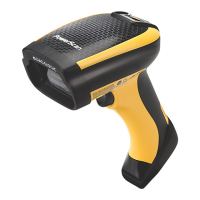
Describes the PowerScan 9600 family of industrial handheld barcode readers.

Battery Safety (Only for PM96 XX)

Provides warnings and precautions for handling and charging the battery.

CHAPTER 2 SETUP

Unpacking and Initial Connections

Steps for unpacking, connecting cables, and configuring the interface type.

Using the PowerScan Models

Details on operating PD96XX and PM96XX readers, including aiming systems.

Setting Up the PowerScan PM96 XX Reader

Steps for charging batteries, linking to base station, and powering off.

Mounting Instructions

Covers permanent and wall mounting options for the base station.

BC96 XX Configuration

Guides on selecting and programming the reader's interface type.

CHAPTER 3 CONFIGURATION WITH BAR CODES

Configuration Parameters Overview

Divides parameters into logical groups for easy configuration.

Global Interface Features

Configurable settings applicable to all interface types.

RS-232 Interface Configuration

Settings for RS-232 serial communication parameters.

Keyboard Interface Configuration

Settings for USB Keyboard and Wedge interfaces.

Data Format Configuration

Settings to control message formatting, prefixes, suffixes, and Label IDs.

Reading Parameters Configuration

Settings for scanning features, LED/beeper indicators, and camera control.

CHAPTER 4 REFERENCES

RS-232 PARAMETERS

Details parameters for RS-232 serial communication.

KEYBOARD INTERFACE

Settings related to keyboard interfaces, including wedge quiet interval and delays.

DATA FORMAT

Features related to data editing, prefixes, suffixes, and label IDs.

SCANNING FEATURES

Parameters affecting scan mode, active time, and aiming duration.

SYMBOLOGIES

Settings for bar code length control for various symbologies.

CHAPTER 5 MESSAGE FORMATTING

Message Formatting

Rules for constructing messages from Host to HH, including address stamping and character limits.

APPENDIX A TECHNICAL SPECIFICATIONS

PD96 XX TECHNICAL SPECIFICATIONS

Physical, electrical, and optical characteristics of PD96XX models.

ENVIRONMENTAL CHARACTERISTICS

Operating, storage, humidity, drop resistance, and ESD protection details.

RADIO CHARACTERISTICS

Frequency, speed, range, and device limits for radio communication.

APPENDIX B STANDARD DEFAULTS

Table 38 Standard Defaults

Lists default settings for global, RS-232, keyboard, data format, and reading parameters.

DEFAULT EXCEPTIONS

Lists default exceptions for various interface types and symbologies.

APPENDIX C SAMPLE BARCODES

SAMPLE BARCODES

Provides typical representations of 1D barcode symbologies.

2 D Barcodes

Provides sample representations of 2D barcode symbologies like Aztec, Data Matrix, and QR Code.

APPENDIX D KEYPAD

KEYPAD

Bar codes for entering numbers and characters from a keypad.

APPENDIX E SCANCODE TABLES

CONTROL CHARACTER EMULATION

Details control character sets for Wedge and USB Keyboard platforms.

INTERFACE TYPE PC AT PS;2, USB-KEYBOARD OR USB-KEYBOARD FOR APPLE

Scancode tables for PC AT PS/2 and USB keyboards with Control Character 00 or 01.

APPENDIX F ASCII CHART

ASCII CHART

Lists ASCII characters and their corresponding hexadecimal values.

Datalogic PowerScan PD96 Series Specifications

General IconGeneral
IP RatingIP65
ConnectivityUSB, RS-232, Keyboard Wedge
Operating Temperature0°C to 50°C (32°F to 122°F)
Drop Resistance2.5 meters (8.2 feet) to concrete
Light SourceLED
Humidity5% to 95% (non-condensing)
Electrical SpecificationsInput Voltage: 5 VDC +/- 5%
Decode Capability1D and 2D barcodes

Related product manuals