English
34
Fifty Line
Cod. 420120397 REV. 1.0
5. SUBWOOFER LEVEL
This rotary selector changes the audio signal level at the subwoofer output to 0, +3, +6, -1, -2, -3, -4, -6 dB. This
control does not affect the signal from the Output Link.
6. USER/SERVICE
Press this button to change the subwoofer acoustic parameters according to the preset stored with the AURORA
NET control software (see chapter “REMOTE CONTROL” for more information).
FIFTY SUB POWER SUPPLY SECTION
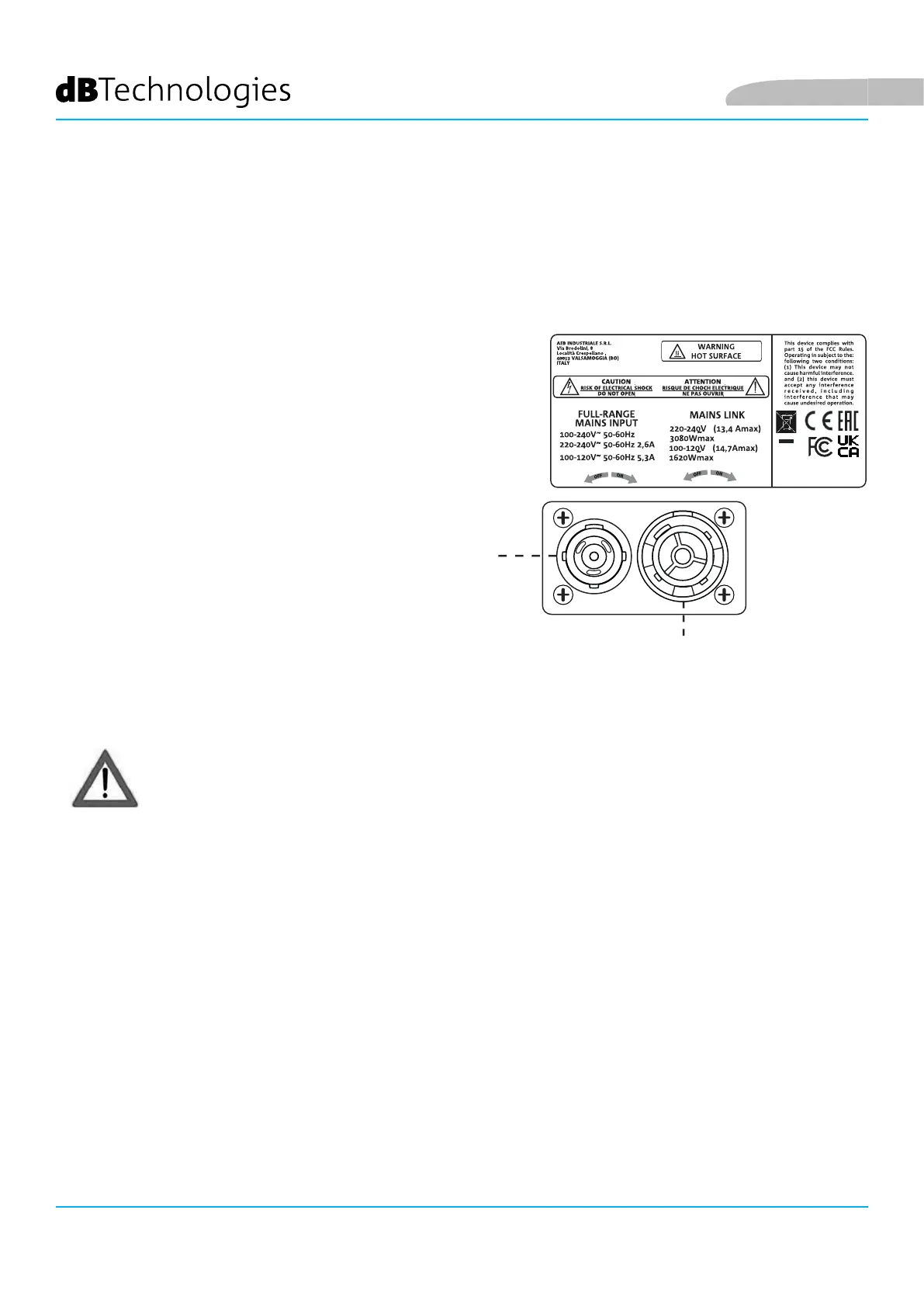
7. “MAINS INPUT” POWER SUPPLY CONNECTOR
Compatible with powerCON TRUE1® connectors. Full-
range power supply.
8. “MAINS LINK” POWER SUPPLY LINK
Compatible with powerCON TRUE1® connectors to
link the power supply to other modules. To nd out
how many modules can be connected in a linked
system, refer to the “TECHNICAL SPECIFICATIONS” or
“CONNECTIONS” sections in this manual.
• Only use the power cable provided or other dBTechnologies power cables.
• The USB SERVICE DATA connection is to be used exclusively for updating the product's
rmware; do not connect any other USB device to the unit to avoid the risk of damage and
malfunction.
• Do not use the monitor for a prolonged period with the limiter LED steadily lit or ashing as
this indicates operation under stress with excessive distortion.
7
8



 To Next Page