6
Section 1
DriveRack
™
PA
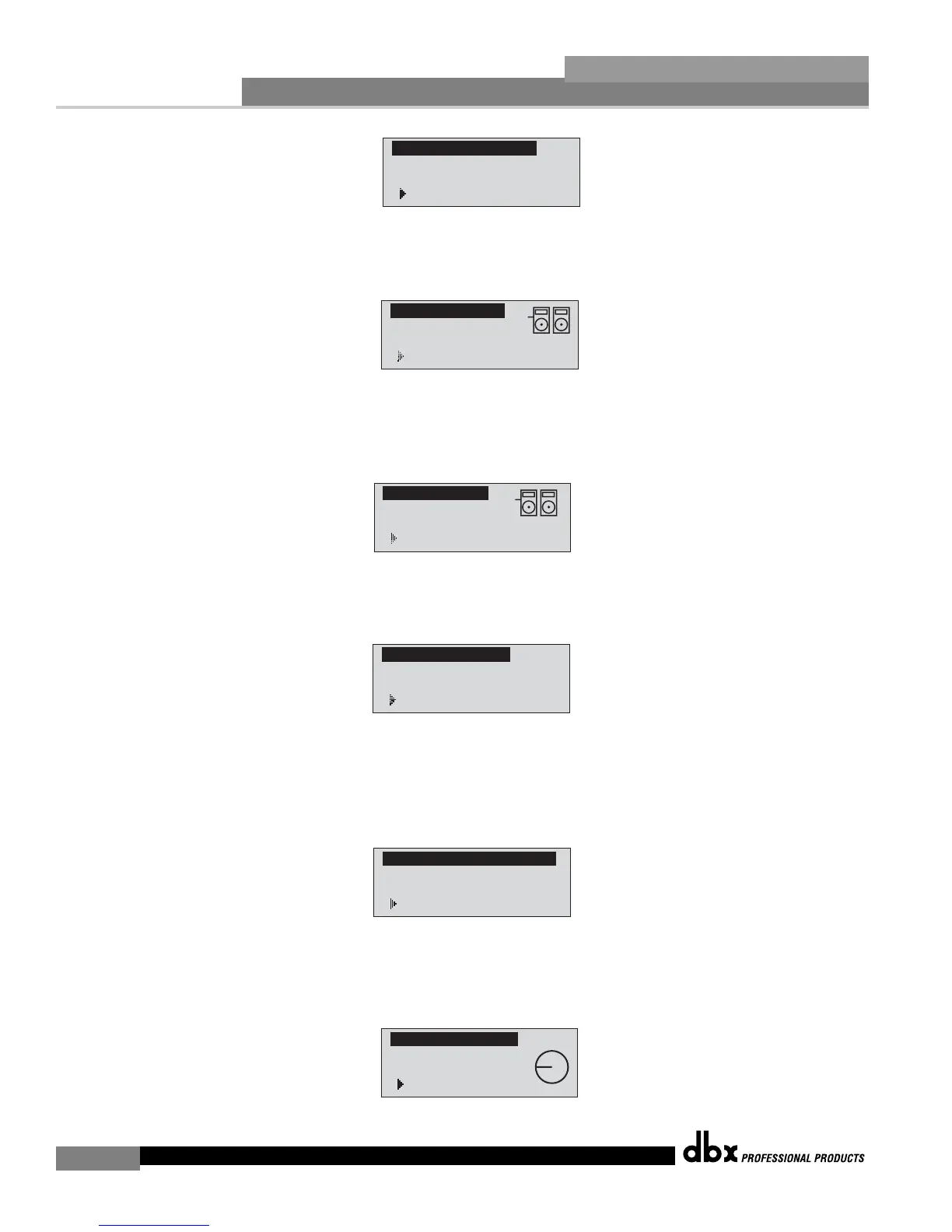
• Simply rotate the <DATA> wheel to select either a Dual Mono or Stereo linked 28-band
Graphic EQ. Once you have selected your EQ option, press the <NEXT PG> button and
the display will appear as follows:
• Rotate the <Data> wheel to select any one of the numerous custom-tuned MAIN speaker
options available. If the speaker being used is not specified in the menu, select CUSTOM.
Once you have selected your Main speaker option, press the <NEXT PG> button and the
display will appear as follows:
• Rotate the <Data> wheel to select any one of the numerous custom-tuned SUB speaker
options available. Once you have selected your SUB speaker option, press the <NEXT PG>
button and the display will appear as follows:
• You are now prompted to select a power amp by rotating the <DATA> wheel to select any
one of the numerous custom-tuned Amplifier options available. Note that the top line of the
display will either read High, Mid or Low depending on your selected speaker setup selec-
tions. Once you have selected your Amp tuning option (depending on the amp type), you
will select the specified amplifier sensitivity setting if applicable.
• Rotate the <DATA> wheel to select the amplifier manufacturer’s specified amplifier sensitivity
setting. Once set, press the <NEXT PG> button, and you will now be given the option of
optimizing your amp levels with the DriveRack PA. The page will appear something like this:














 To Next Page