12
Section 2
DriveRack
™
PA
The DriveRack™ PA has been carefully designed and engineered to ensure that all aspects of
operation are intuitive and logical. Simply stated, the DriveRack™ PA operating system was
designed with user’s best interest in mind.
Navigational aspects of the DriveRack™ PA are clear, concise and more important: flexible. The
DriveRack™ PA provides you with essentially three different modes of navigation when per-
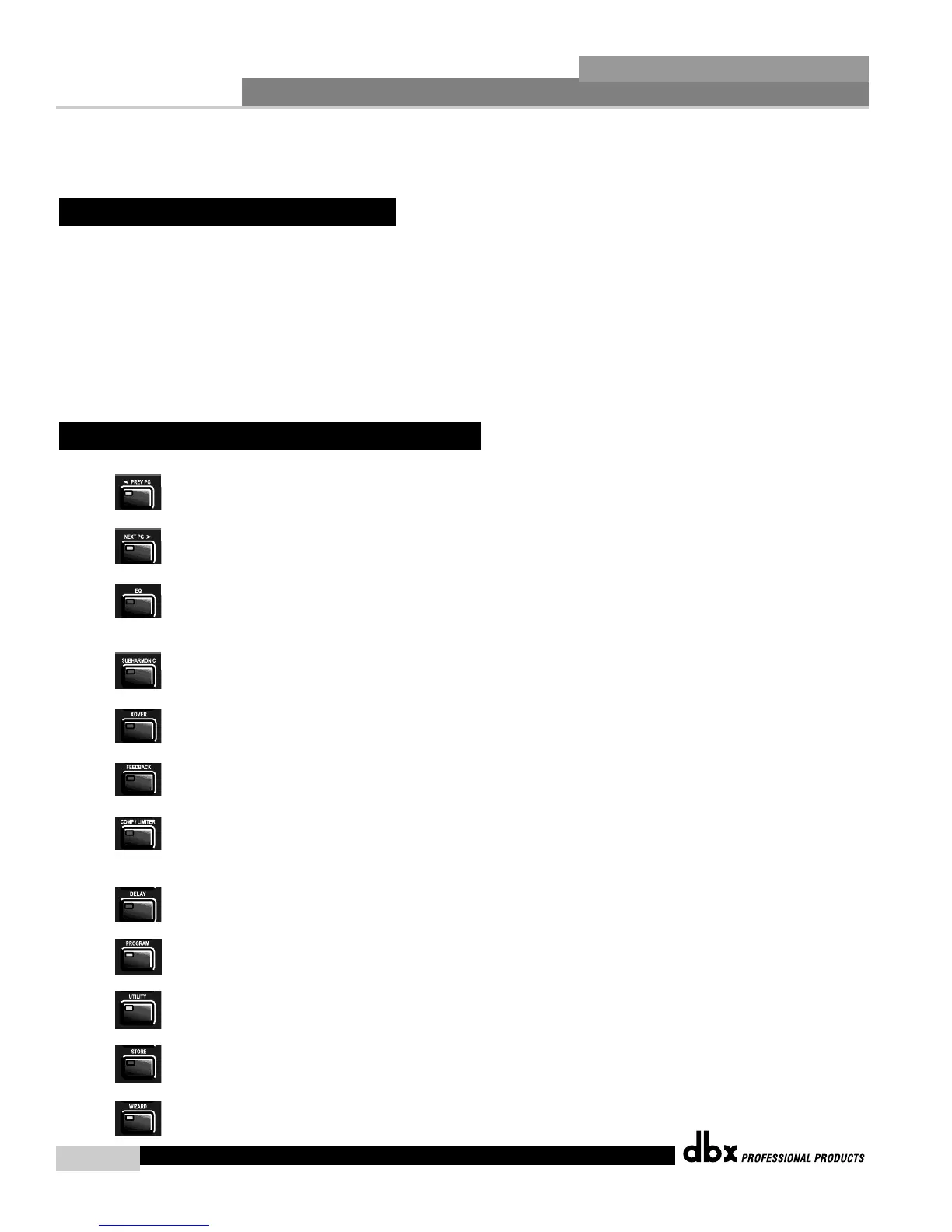
forming program edits. 1. FX buttons - This array of 12 FX buttons is your primary mode of
directly accessing any effect module. 2. NEXTPG & PREVPG page buttons - Successive
presses of the NEXTPG or PREVPG page buttons will move the user from one page to the
next in an effect block. 3. Data Wheel - The Data Wheel is used to move through the pro-
gram menu of the DriveRack™ PA. The Data wheel is also used to change the values of the
selected parameter by simply rotating the wheel. Pressing the Data wheel will toggle between
the available parameters on any selected page of the currently selected effect module.
PREVIOUS PAGE - Moves to the previous page in the currently selected
effect menu.
NEXT PAGE - Moves to the next page in the currently selected effect menu.
EQ - Selects the EQ effect menu. This is the EQ section located prior to the
crossover section. Successive presses will rotate through the various pre-
crossover 28 band EQ and Post-xover PEQ section modules.
SUBHARMONIC - Selects the Subharmonic Synthesizer section.
XOVER - Selects the Crossover section.
FEEDBACK - Selects the Advanced Feedback Suppression (AFS) effect section.
COMP/LIMITER - Selects the Compressor and the Limiter effect section.
Successive presses will move from the Compressor (pre-xover) to the Limiter (post-
xover).
DELAY - Selects the Alignment Delay effect module.
PROGRAM - This button is used to enter the Program screen from any sub
section within the unit when pressed.
UTILITY - Selects the Utility menu of the DriveRack PA.
STORE - The store button is used to store program edits.
WIZARD - Enters the DriveRack PA Wizard setup menu which includes:
System Setup, Auto EQ setup and AFS Wizard.
2.2 FX Button Array Overview
2.1 Basic Navigation Modes
Editing
Functions
DriveRack™ PA User Manual














 To Next Page