®
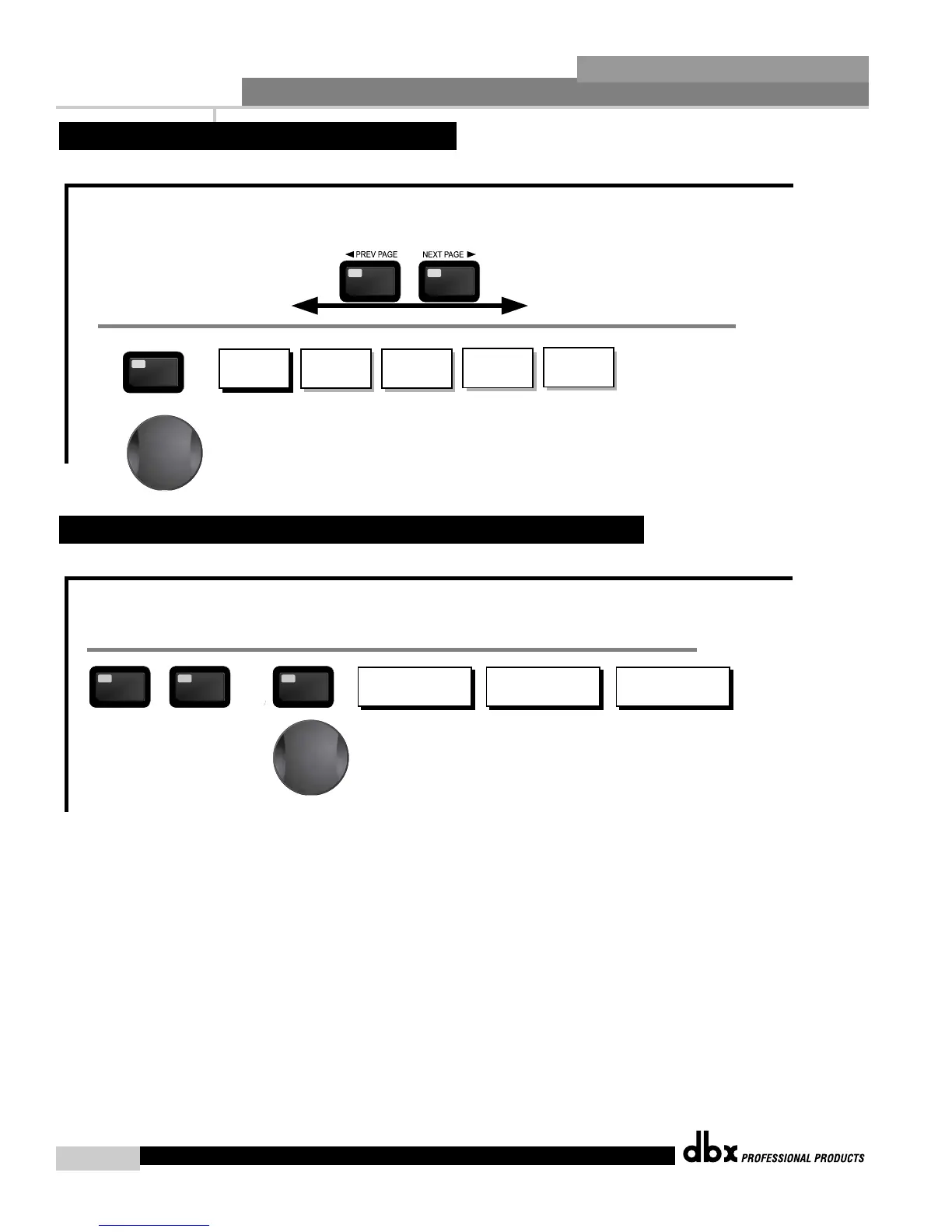
The NEXT and PREV
buttons scroll through
the pages of selected module.
AFS On/Off
AFS Clear
Mode - Fixed/Live
Type- Speech, Low,Med and High
Number of Fixed filters 0-12
Live filter Lift - On/Off
Lift After - 0-60
FEEDBACK
FEEDBACK
From program mode, press the FEEDBACK button. Pressing the Data Wheel will select the effect parameter to be edited.
<PREV PG NEXT PG>
Successive presses of the Data wheel will select
effect parameters within the currently selected page.
2.6 Navigating the Feedback Suppression Section
Freq- 20.kHz to Out
Type -BW6-24,LR12,24
Gain- Inf to 20dB
Low
High Pass Low Pass High Pass Low Pass High Pass
XOVER
To edit the parameters of the Crossover used in a selected program, simply use the following procedure. From program mode,
press the X-OVER button. Once you have reached the Crossover module, Navigate through the Pages of the selected Crossover
module by pressing the "Next Page" or "Prev Page" buttons successively until arriving at the desired Page.
Freq- 20.kHz to Out
Type- BW6-24,LR12,24
Low
Freq- 20.kHz to Out
Type- BW6-24,LR12,24
Gain- Inf to 20dB
Mid
Freq- 20.kHz to Out
Type- BW6-24,LR12,24
Mid
Freq- 20.kHz to Out
Type- BW6-24,LR12,24
Gain- Inf to 20dB
High
Successive presses of the Data wheel will select
effect parameters within the currently selected page.
XOVER
2.5 Navigating the XOVER Section
DriveRack™ PA User Manual














 To Next Page