dCS Rossini CD / Network Player User Manual Software Issue 1.0x
February 2016
Rossini Player Manual v1_0x Page 18 English version
STEP 3 – Using the Player’s PCM Inputs
The Player has 5 standard PCM inputs, which may be used with a wide variety of sources.
Switch on the source equipment. If appropriate, load a disk / tape / file and set the machine in PLAY
mode to ensure it is generating a digital audio data stream.
Choose one or both of the following two sections:
Connecting to a Dual AES Source
• Check that your source equipment is capable of Dual AES operation and is set up correctly. This
will probably a dCS SACD Transport, a dCS Upsampler or a sound server.
Press Menu, ►, ►, ►, Menu, ► to select the Unit Settings > Dual AES menu page and
use the Menu button to ensure it is set to Auto.
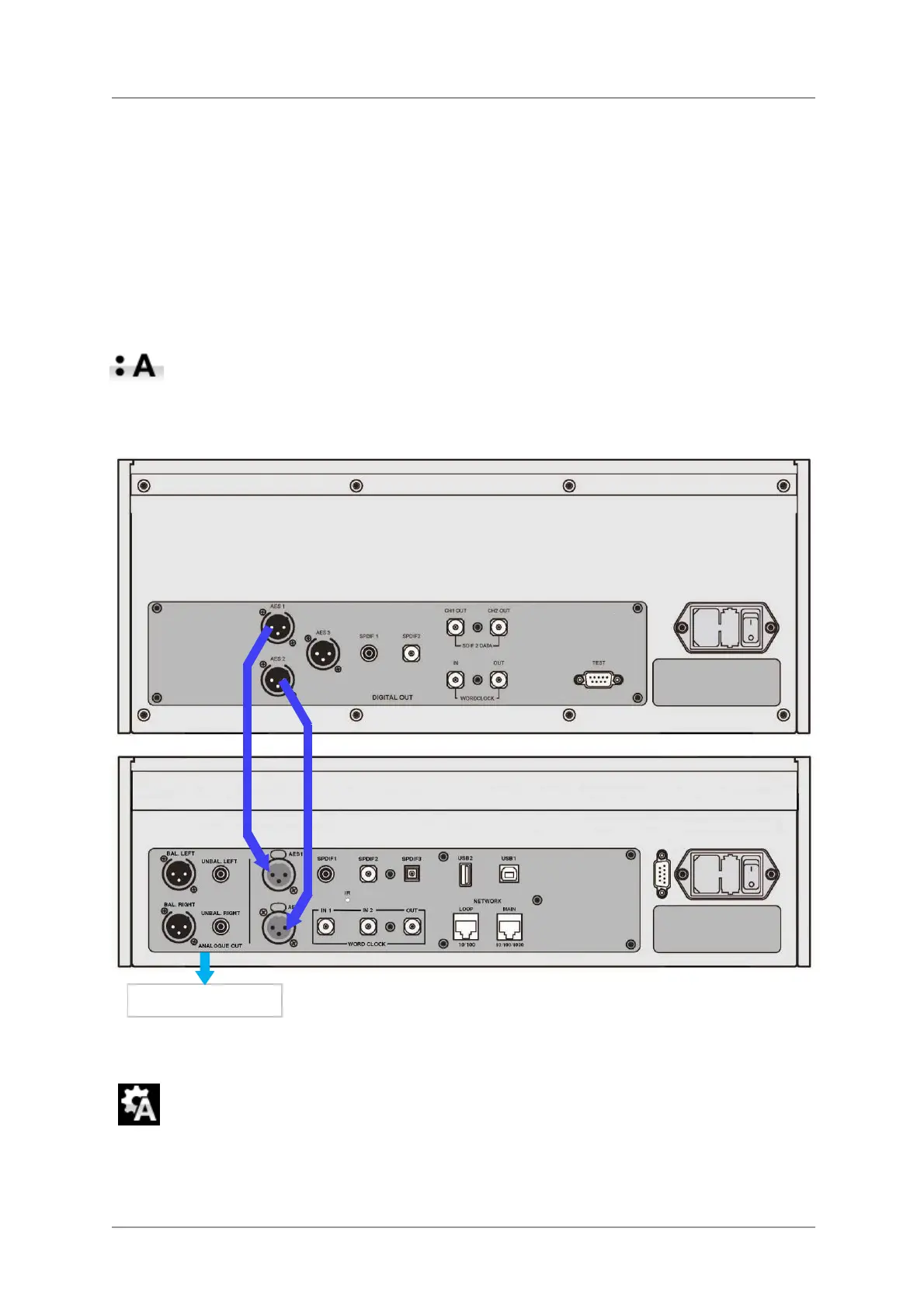
• Connect the AES1 (or AES A) output on your source equipment to the AES1 input on the Player’s
rear panel and the AES2 (or AES B) output to the AES2 input, using two XLR cables. Ensure the
cables are not swapped.
Figure 3 – Using the Rossini Player with the Vivaldi CD/SACD Transport
• Use the Input button to select the AES1 input.
If this icon is not displayed, open the Menu and select Unit Settings > Sync Mode >
Audio Sync.
The Player will lock to the source and automatically select AES1+2, displaying 24/352.8 for example,
if the source is generating that format.
Analogue outputs


 To Next Page