dCS Rossini CD / Network Player User Manual Software Issue 1.0x
February 2016
Rossini Player Manual v1_0x Page 35 English version
When the input is not set to CD, the CD mechanism is disabled to reduce the electrical
activity within the unit and improve the sound quality. Remember to remove your CD and
close the tray before changing the input.
Menu Button
Press the Menu button (F) to open the menu, select menu pages and change settings. See the Menu
section on page X39 for information on using the menu features.
With a USB flash drive fitted to the USB2 port, hold the Menu button down for 2 seconds to open the
file browser.
Power Button
To switch on, ensure the rear panel power switch is set to I and press the Power button (G) on the
front panel once. Note that the unit cannot be turned on from the remote control.
To set the unit to sleep mode, press the Power button once. The main display will turn off, the LED
over the button will illuminate and the mechanism will stop, but the unit will remain close to running
temperature. If the tray is open, it will close automatically. Press again to return to normal operation.
To switch off, hold down the Power button for about 5 seconds until SWITCHING OFF appears on the
display, then release it. If the tray is open, it will close automatically.
Rotary Control
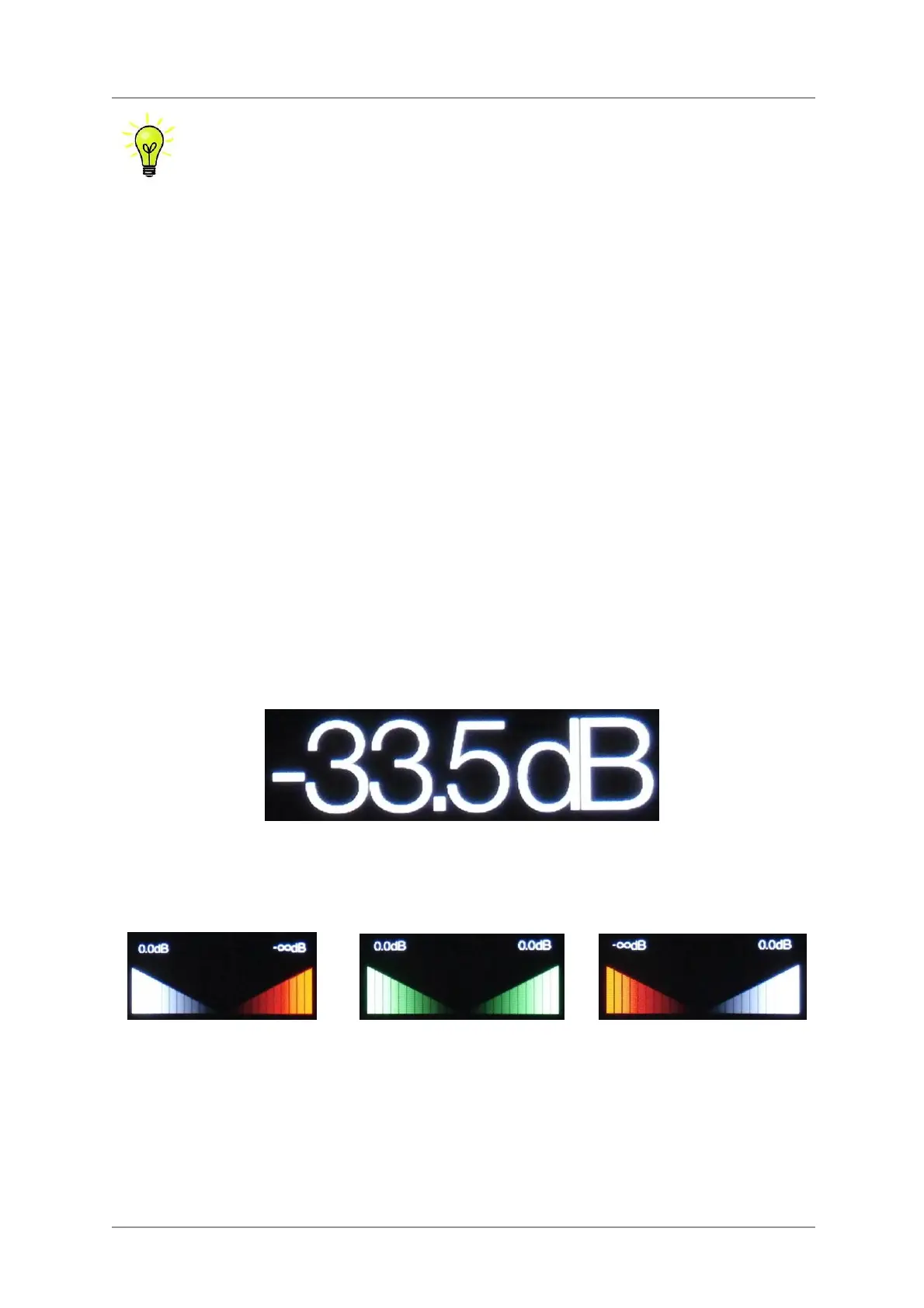
The Rotary Control (K) usually controls the Volume setting. The Volume setting changes in 0.5dB
steps between 0dB (full volume) and -50dB, in 1dB steps down to -80dB and then mutes below -80dB.
When the volume is changed, the volume setting is displayed in large text for a few seconds.
When the Balance menu page is open or the remote Balance button has been pressed, the rotary
control adjusts the channel Balance instead. The Balance adjustment is in 0.1dB steps down to
-6.0dB on each channel, then mute (-
∞) below that. The Volume taper on the display changes to
show the Balance setting.
Balance left
Balance central
Balance right
While the menu is open, the Rotary Control pages forward and backwards through the menu instead
of changing the volume.


 To Next Page