dCS Rossini CD / Network Player User Manual Software Issue 1.0x
February 2016
Rossini Player Manual v1_0x Page 34 English version
Control Modes
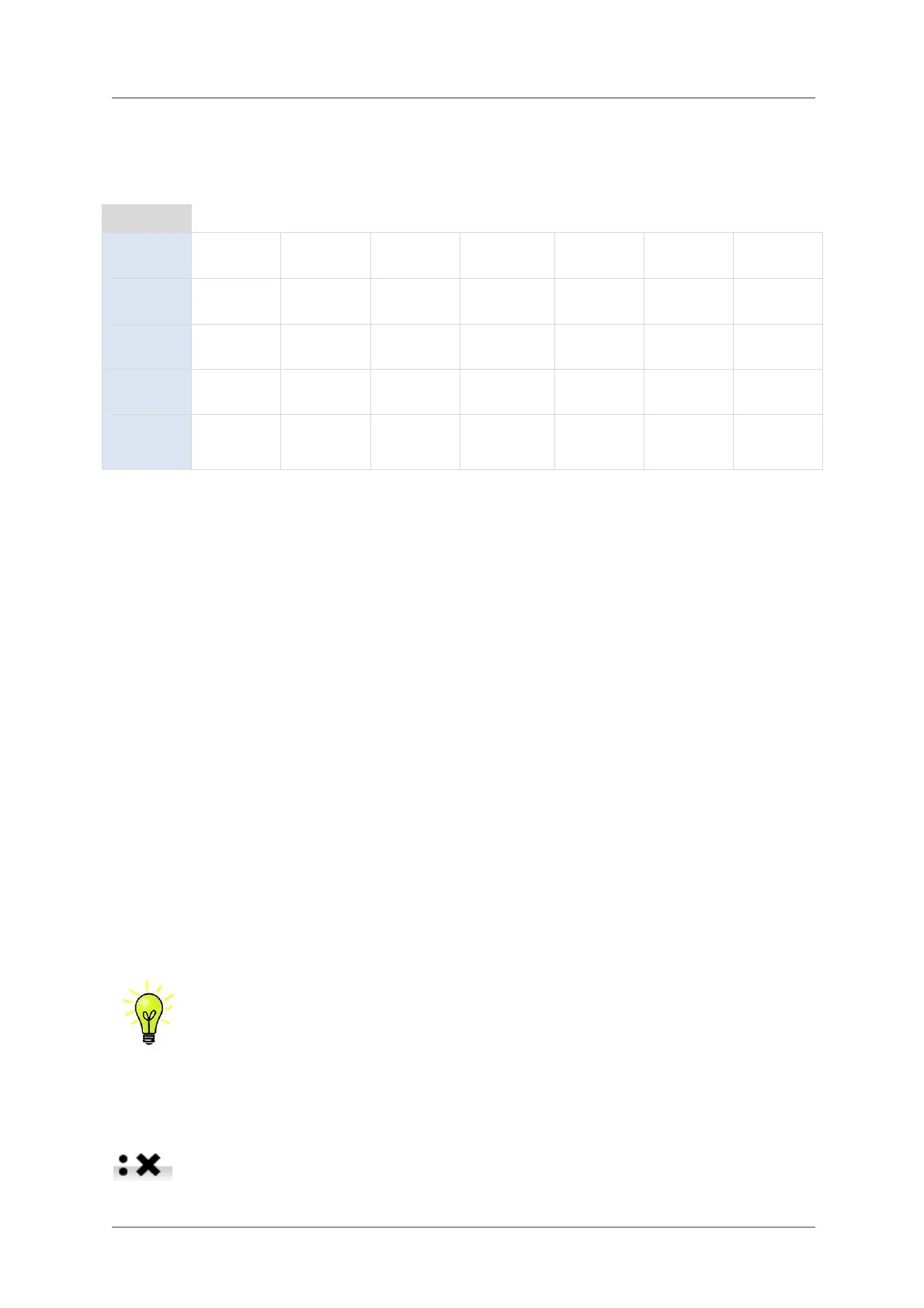
The functions of the front panel controls depend on the current operating mode of the Player, as
shown in the table below.
MODE
CD Power Menu Input
Play/
Pause
Rwd Fwd
Stop/
Eject
Network
Power Menu Input
Play/
Pause
◄ Track Track ► Stop
DAC
Power Menu Input --- --- --- ---
Menu
Close Select --- --- ◄ Menu Menu ► ---
USB2
Browser
Close Select --- --- Cursor ▲ Cursor ▼ Folder ▲
Stop / Eject Button
When in CD mode, press the Stop / Eject button (H) to stop playing a disc. Press again to open the
CD tray. Press again to close the CD tray.
Play / Pause Button
After a disc has been read, press the Play / Pause button (D) to start playing. Press again to pause
and again to resume playing.
Rwd Button
Press the Rwd (rewind) button (I) briefly to select the previous track.
Fwd Button
Press the Fwd (forward) button (J) briefly to select the next track.
Input button
Press the Input button (E) repeatedly to cycle through the available digital inputs.
Inputs which are not connected to an active source do not appear in the list and so
cannot be selected.
The source sample rate is automatically detected. The full sequence is:
…, CD, NETWORK, AES1, AES2, AES1+2, SPDIF1 (RCA),
SPDIF2 (BNC), TOS (Toslink), USB1, …
AES1+2 is not available if the Unit Settings > Dual AES menu page is set to OFF.


 To Next Page