dCS Rossini CD / Network Player User Manual Software Issue 1.0x
February 2016
Rossini Player Manual v1_0x Page 32 English version
Display – CD Playback
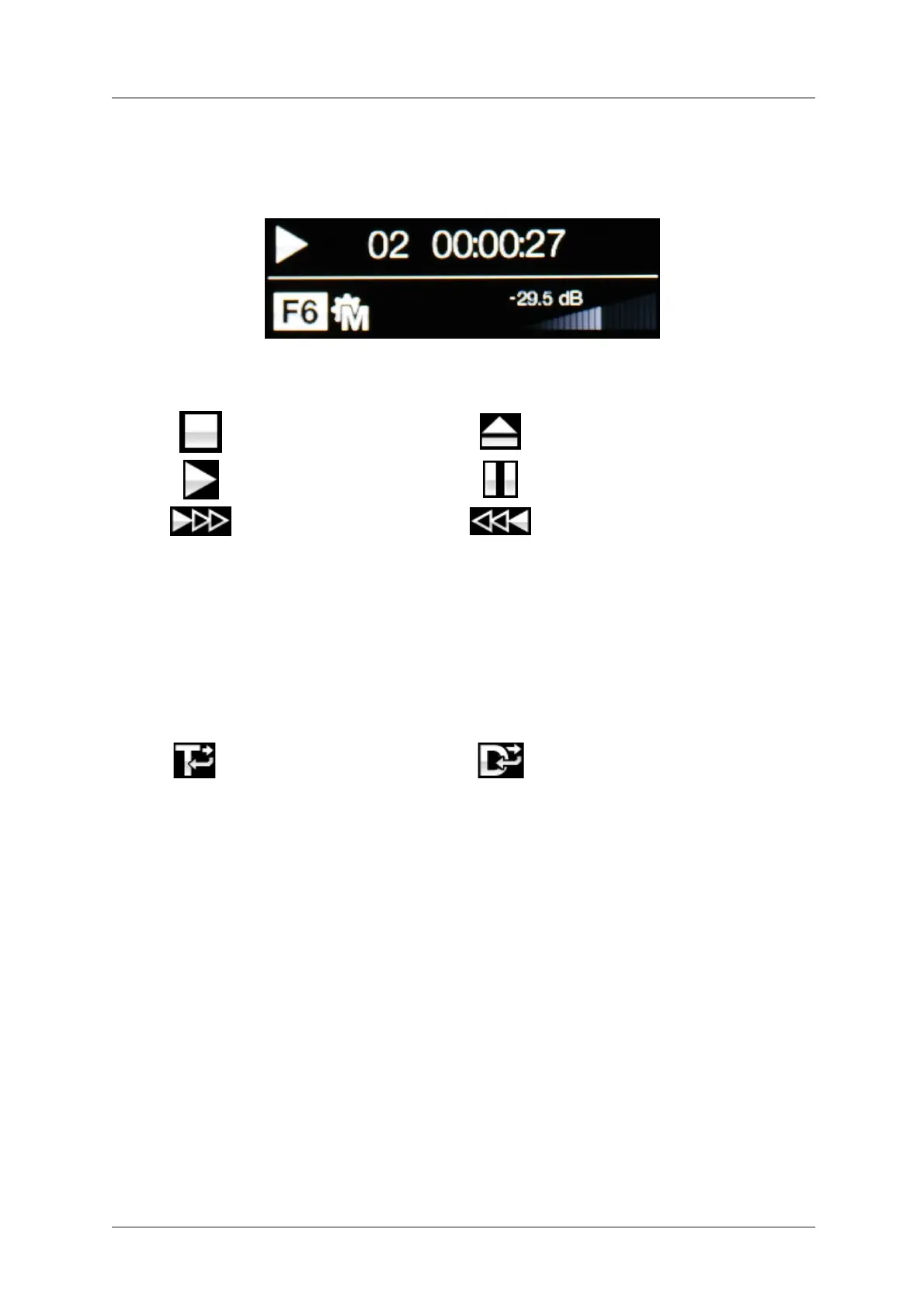
With the input set to CD, the display is again split into 4 areas:
1 -------------------2----------------
-------------3------------ ------------4--------------
Area 1: The symbol indicates the CD mechanism status:
Stop
Eject
Play
Pause
Fast Forward
Fast Reverse
Area 2: When in play or pause modes, the current track number & track/disc time (hours, minutes,
seconds) is shown.
When stopped, the number of tracks & total disc time is shown.
No Disc is displayed until a CD is loaded.
Pxx is displayed here when a track sequence is programmed and the disc is stopped. For
example, P03 indicates that a sequence of 3 tracks has been programmed.
Area 3: The status icons are displayed here, these are the same as for the Network input plus:
Repeat the current track
(set by app or remote control)
Repeat the whole disc
(set by app or remote control)
Area 4: The Volume control taper and the current Volume setting in numbers.
When a track number is selected by remote control, the number is displayed in large text for a few
seconds.


 To Next Page