dCS Rossini CD / Network Player User Manual Software Issue 1.0x
February 2016
Rossini Player Manual v1_0x Page 43 English version
UNIT SETTINGS Menu
These settings are usually “set and forget”.
Sync Mode
This page sets the clocking for the digital input that is currently selected. The Player
remembers the Sync Mode setting separately for CD Mode and each digital input. The
options are:
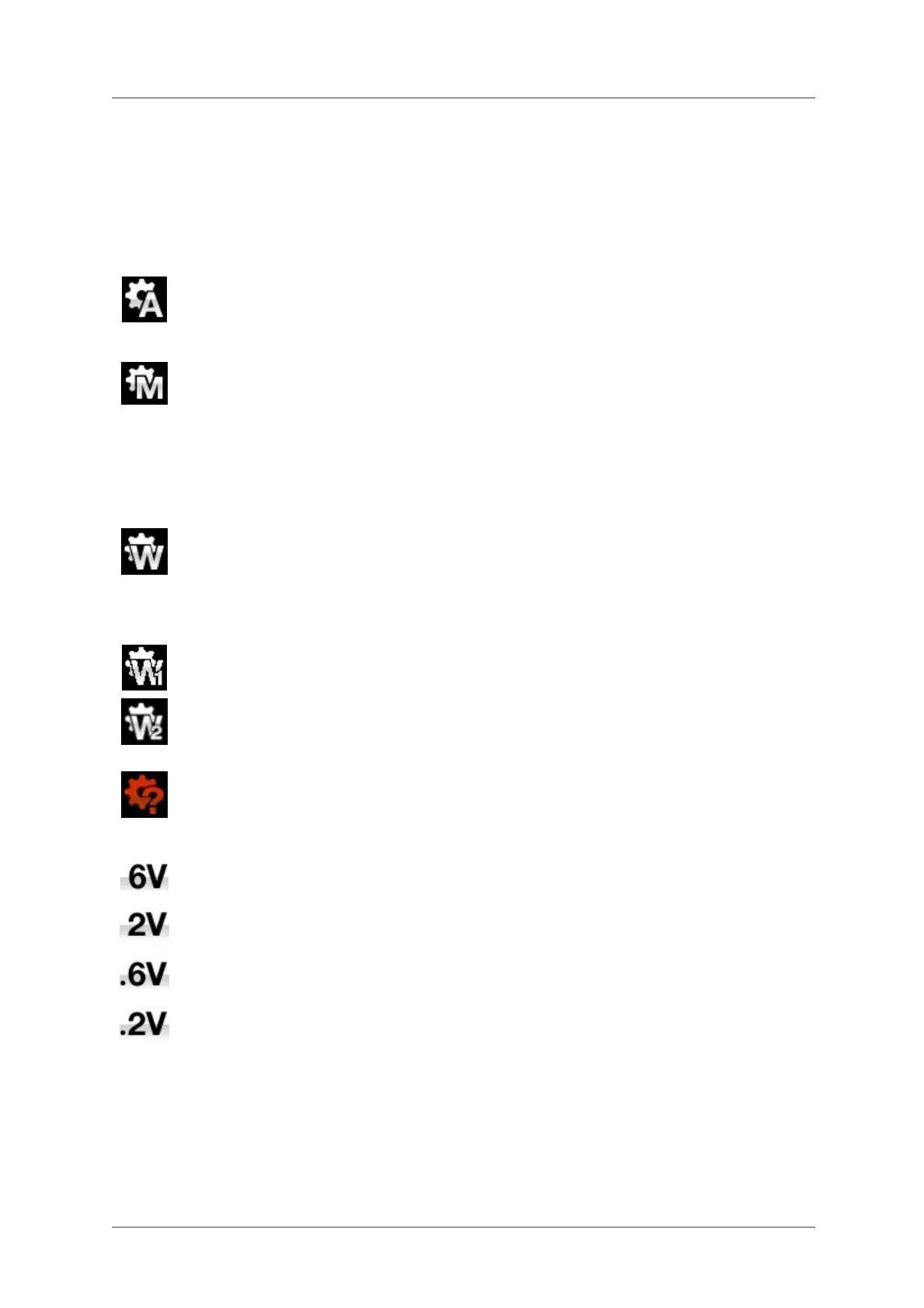
Audio – The Player extracts the clock from the data stream connected to the selected
digital input and locks to it. Use this setting for sources that do not have a suitable Word
Clock input. This arrangement does NOT give the best jitter performance or the best
sound quality. The USB and Network inputs or CD mode cannot be set to Audio Sync.
Master – This is the normal mode for CD playback or for the asynchronous USB and
Network inputs where a Master clock is not available. The Player uses its own internal
clock to control the internal DAC and regulate delivery of data packets. In this situation,
the Player is acting as the source device.
When using the AES or SPDIF inputs in Master Mode, the Player again uses its internal
clock to control the DAC and outputs a clock signal at the Word Clock Output. For correct
Master Mode operation, the source’s word clock input MUST be locked to the Player’s
Word Clock Output – this ensures that the source is delivering data at the correct rate.
Word Clock 1-2 Auto – This mode is designed for easy operation with a Rossini Clock in a
computer audio system, where the data rate may keep changing. Connect the Word
Clock In1 input to a Clock output set to 44.1 or 88.2 or 176.4kHz and connect the Word
Clock In2 input to a Clock output set to 48, 96 or 192kHz. When the sample rate changes,
the Player will automatically select a Word Clock frequency that is synchronous with the
data. The selected word clock input appears on the main display.
Word Clock 1 – The Player locks to an external clock connected to Word Clock In1.
Word Clock 2 – The Player locks to an external clock connected to Word Clock In2.
If the Player cannot find a word clock that is synchronous with the data on the selected
AES or SPDIF input, it will default to Audio sync and display the “Bad Clock” icon.
Output Level
This page sets the full scale output level to 6V, 2V, 0.6V or 0.2V rms to allow you to
match the Player’s output level to your amplifiers, speakers and room.
When you set up your system, choose the Output Level setting that gives a comfortable
listening level with the Volume set between –10dB and –30dB. The difference between
two adjacent settings is about 10dB.
The lower settings are intended to prevent accidents when driving the amplifiers directly
and AirPlay is in use, as the volume set by the sending device can be very high.


 To Next Page