dCS Rossini CD / Network Player User Manual Software Issue 1.0x
February 2016
Rossini Player Manual v1_0x Page 21 English version
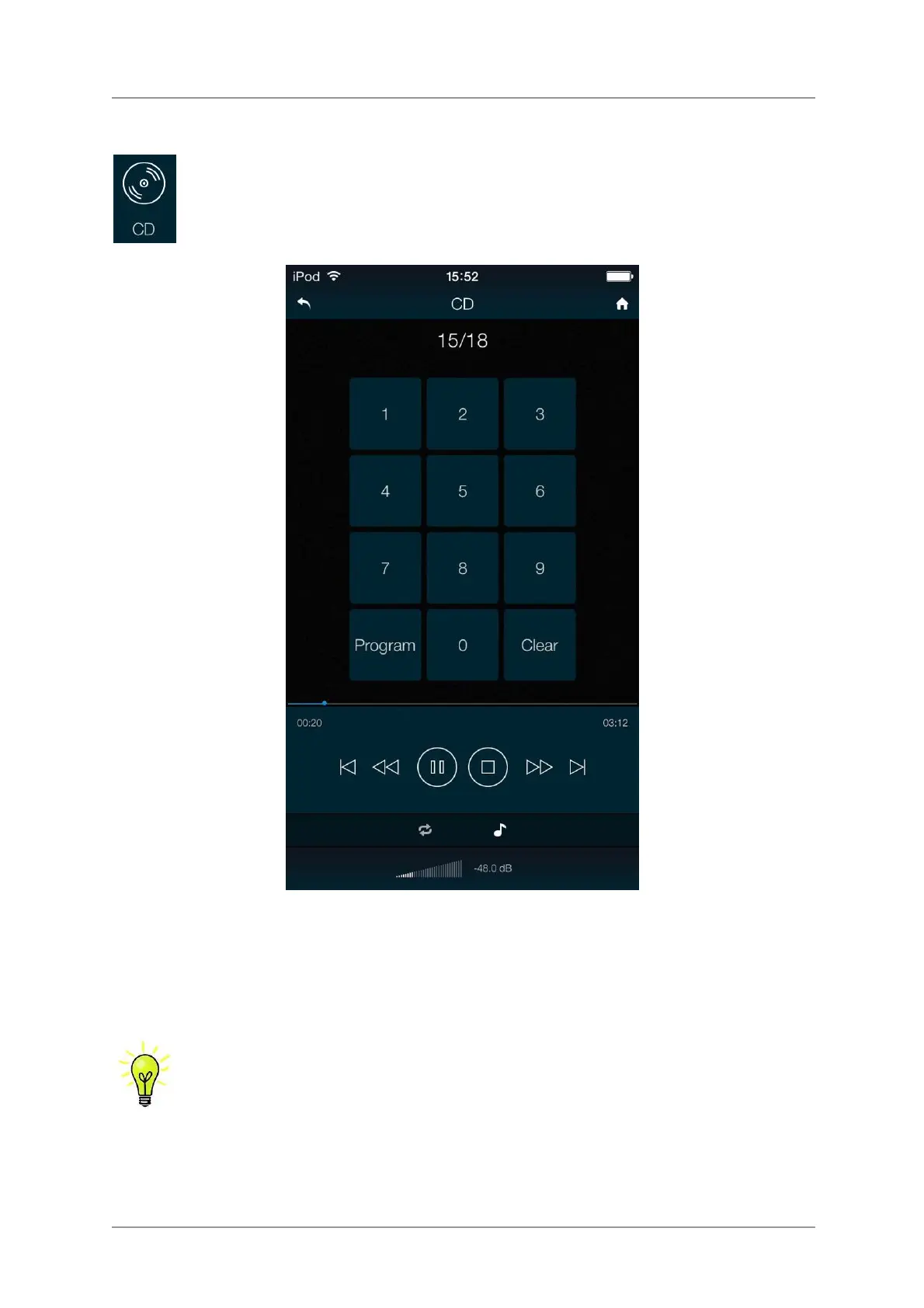
Controlling CD playback with the app
Go to the Home page and tap CD.
The Rossini app or the optional Remote Control gives access to other features, such as track number
selection, repeat track or disc and programming a track sequence.
To program the track sequence 6 - 8, stop the disc and tap the app Program button – the Player will
display P00. As an example, tap 6 or 06 – the display will change to P01. Press 8 or 08 – the display
will change to P02. Start the disc to play the track sequence. The app Clear button cancels the track
sequence. To cancel Program Mode, tap the app Program button or open the CD tray.
At the time of writing, the ◄◄ and ►► features are not implemented, but you can drag
the blue dot along the track time bar to scroll though the track.


 To Next Page