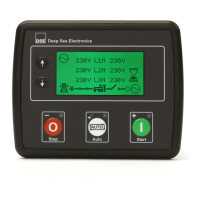
DSE Model 8620 AMF Controller Operators Manual
56
5.2 VIEWING THE INSTRUMENT PAGES
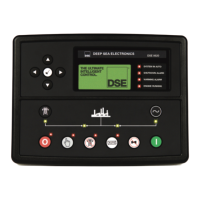
It is possible to scroll to display the different pages of information by repeatedly operating the next /
previous page buttons .
Example
Status
Engine
Generator
And so on until the last page is reached.
A Further press of the scroll right button
returns the display to the Status page.
The complete order and contents of each information page are given in the following sections
Once selected the page will remain on the LCD display until the user selects a different page, or after
an extended period of inactivity (LCD Page Timer), the module will revert to the status display.
If no buttons are pressed upon entering an instrumentation page, the instruments will be displayed
automatically subject to the setting of the LCD Scroll Timer.
The LCD Page and LCD Scroll timers are configurable using the DSE Configuration Suite Software or
by using the Front Panel Editor.
The screenshot shows the factory
settings for the timers, taken from
the DSE Configuration Suite
Software.
Alternatively, to scroll manually through all instruments on the currently selected page, press the scroll
buttons. The ‘autoscroll’ is disabled.
To re-enable ‘autoscroll’ press the scroll buttons to scroll to the ‘title’ of the instrumentation
page (ie Engine). A short time later (the duration of the LCD Scroll Timer), the instrumentation display
will begin to autoscroll.
When scrolling manually, the display will automatically return to the Status page if no buttons are
pressed for the duration of the configurable LCD Page Timer.
If an alarm becomes active while viewing the status page, the display shows the Alarms page to draw
the operator’s attention to the alarm condition.
If you want to view one of the
instruments towards the end
of the list, it may be quicker to
scroll up through the
If you want to view one of the
instrument pages towards the
end of the list, it may be
quicker to scroll left through


 To Next Page