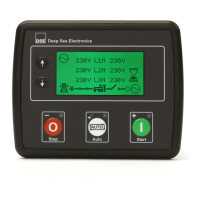
DSE Model 8620 AMF Controller Operators Manual
78
After the starter motor has disengaged, the Safety On timer is activated, allowing Oil Pressure, High
Engine Temperature, Under-speed, Charge Fail and any delayed Auxiliary fault inputs to stabilise
without triggering the fault.
Once the engine is running, the Warm Up timer, if selected is initiated, allowing the engine to stabilise
before accepting the load.
NOTE: - A load transfer will not be initiated until the Oil Pressure has risen. This prevents excessive
wear on the engine.
The Generator will first be instructed to synchronise with the mains supply before closing the
Generator Contact/Breaker and transferring load from mains to generator until the generator is
supplying the required amount of power (adjustable using DSE Configuration Suite software).
When the supplies have been in parallel for the duration of the parallel run time, the load will ramp off
the mains supply and onto the generator. The Mains Contactor/Breaker will be instructed to open.
The generator will then supply the requirements of the load.
When the remote start signal is removed, the Stop delay timer is initiated. Once it has expired, the set
is synchronised and paralleled with the mains supply.
The system remains in this condition until expiry of the Parallel run timer. Once this has expired, the
module will ramp the remaining load from the generator to mains supply.
Alternative Ramping Scheme- The controller holds the power until the end of the Parallel run timer
before initiating any ramping off.
The Generator Contact/Breaker will open and the Cooling timer is then initiated, allowing the engine
a cooling down period off load before shutting down.
Once the Cooling timer expires, the Fuel Solenoid is de-energised, bringing the generator to a stop.
NOTE: - Synchronising can be disabled if the application does not require this function. Contact your
generating set supplier in the first instance for further details.
NOTE: - The internal ‘Scheduler’ can be configured to operate the system in the same manner as
described for the Remote start input. Please refer to the 86xx Configuration Software manuals for full
details on the feature.


 To Next Page