SN301-8CH
28
MAIN MENU
HDD
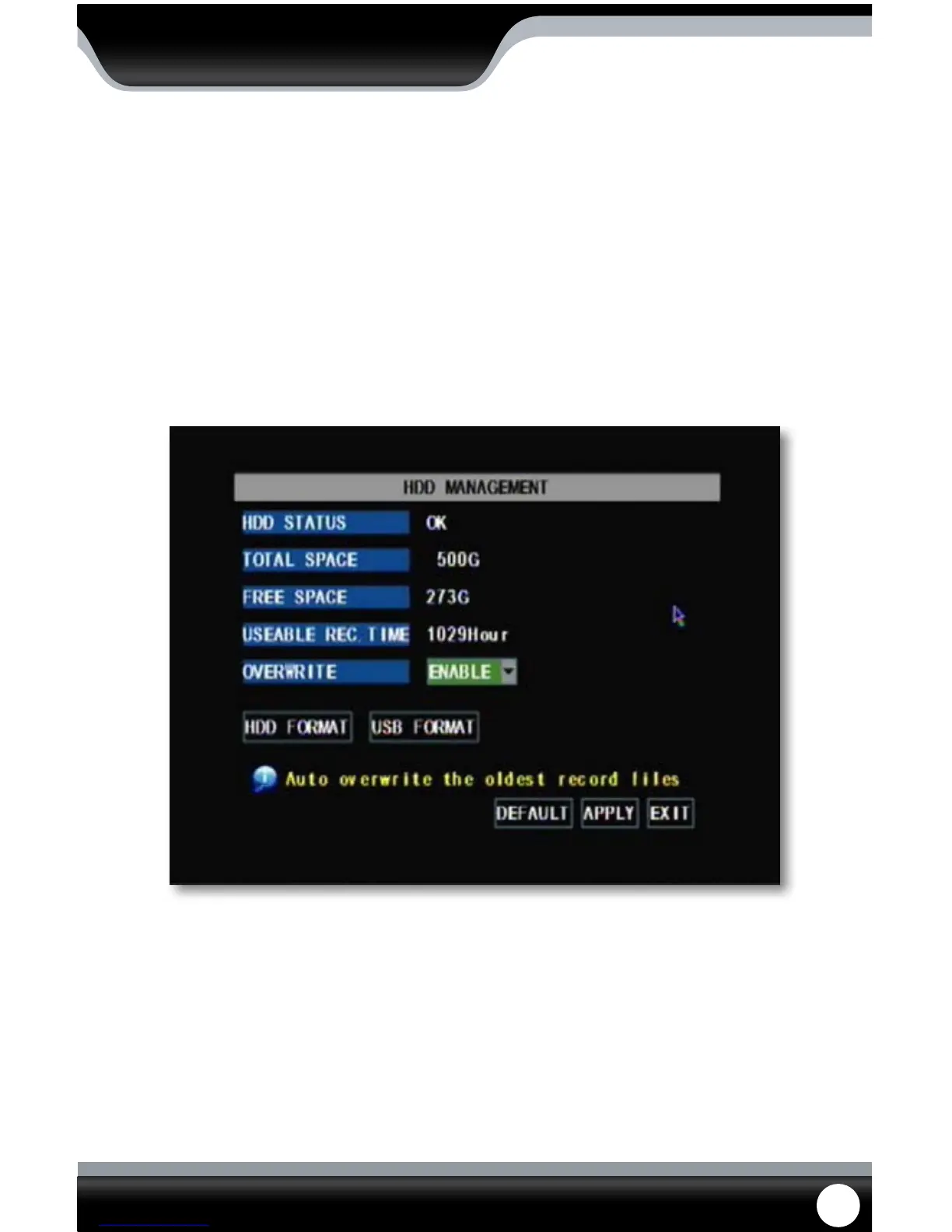
This menu option gives you information about your HDD (Hard Disk Drive), allows you to enable overwrite mode, and
format the hard drive and/or USB drive.
The information that this option gives you includes:
• HDD Status: Displays the current operating status of the hard drive. If the Hard Drive is functioning
normally it will display “OK”
• Total Space: Tells you how much space you have altogether on your HDD
• Free Space: Tells you how much space you have available to record on the HDD before all the HDD
space is used up
• Usable Rec Time: Amount of remaining time available to record
HDD Menu
Overwrite
When the HDD has overwrite enabled, it will record over the oldest footage once the HDD lls up instead of stopping
the recording, this way the DVR is always recording. If you want to stop recording when the HD is full, set overwrite
to “Disable”.
To Enable/Disable overwrite mode:
1. Select the drop down menu beside “Overwrite”.
2. Select either “enable” to turn overwrite on or “disable” to turn overwrite o.
3. Select “apply” to save settings.



 To Next Page