SN301-8CH
46
Software Functions
The software has many functions. The drop down
menus allow you to adjust the video, the le menu
allows you to open video les, and settings allows you
to adjust certain settings in the software.
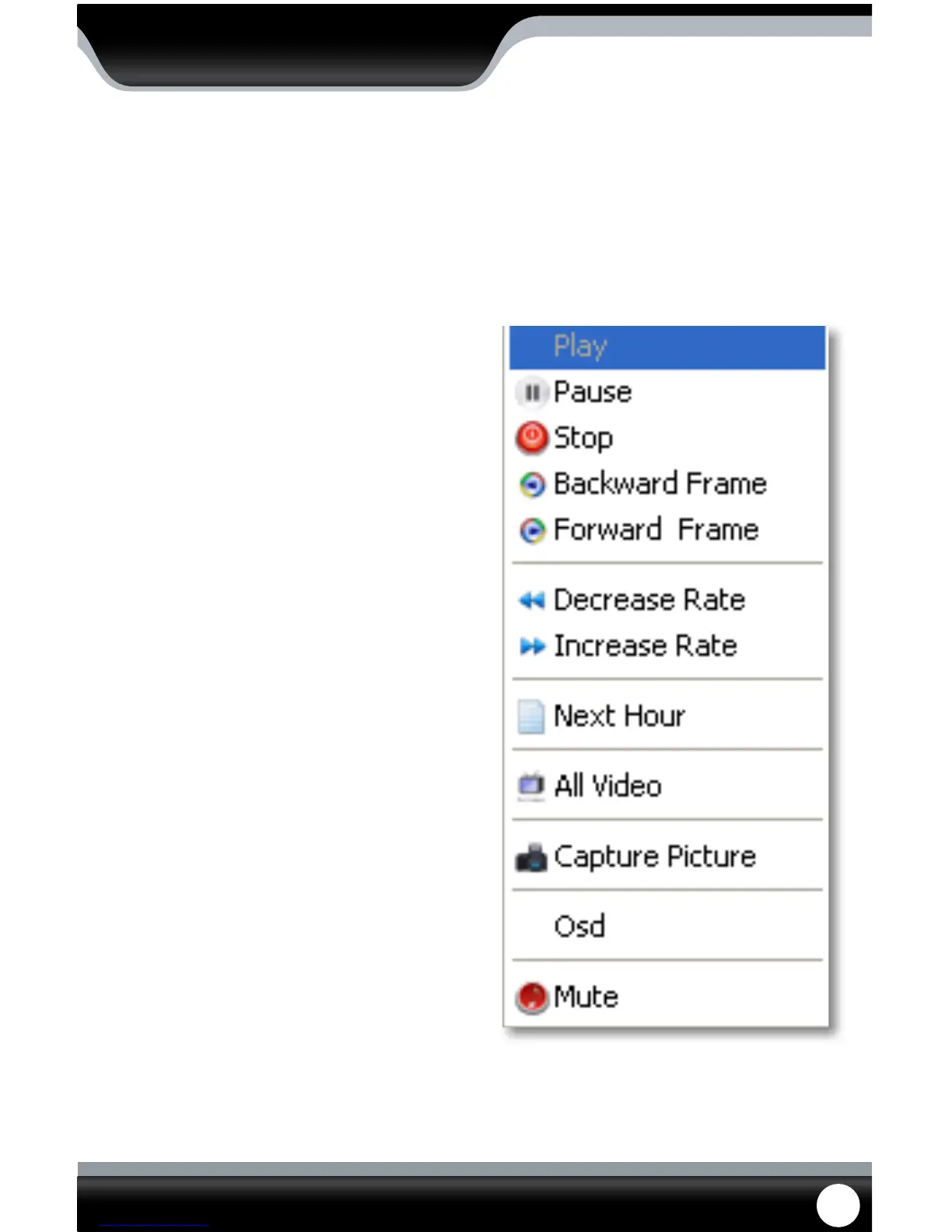
The video functions from the play menu are as
follows:
Play:
Plays the footage
Pause:
Pauses the footage
Stop:
Stops the footage
Backward Frame:
Moves the video back a frame
Forward Frame:
Moves the video forward a frame
Decrease Rate:
Slows down video
Increase Rate:
Moves the video faster
Next Hour:
Moves video forward an hour (if video is over an
hour long)
All Video:
This option does not apply to your DVR
Capture Picture:
This option takes a photo of the screen. When you
select this option, you will be prompted to create a le
name and nd a save path for the photo. Once you do,
you select “save” and the photo will be taken and saved
under your desired name and location
OSD:
OSD stands for on-screen display, checking and/or
un-checking this selection does not make a dierence
to the video
Mute:
Selecting this would mute the sound if you were
viewing footage from an audio supported camera (not
included)
Play Menu
PLAYBACK



 To Next Page