SN301-8CH
52
Method 1:
1. Open up Internet Explorer.
2. Click on TOOLS.
3. Click on INTERNET OPTIONS.
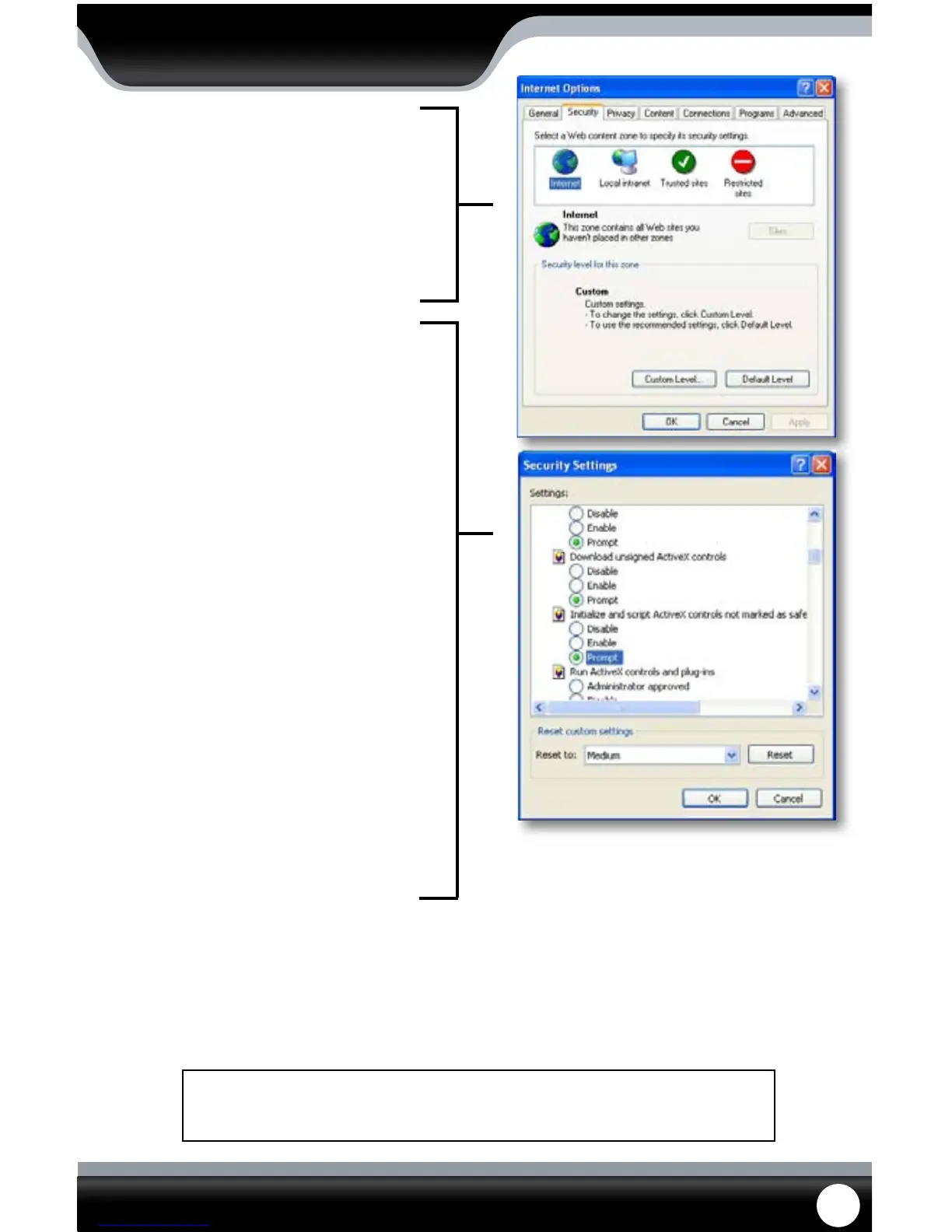
4. Click on the SECURITY tab then the CUSTOM
LEVEL button.
5. Change the ActiveX settings listed below.
• Download signed ActiveX controls:
PROMPT or ENABLED
• Download unsigned ActiveX controls:
PROMPT
• Initialize and script ActiveX controls not
marked as safe:
PROMPT
• Run ActiveX controls and plug-ins:
ENABLE
• Script ActiveX controls marked as safe for
scripting:
ENABLE
If this is an option:
• Allow automatic prompting for le and
code downloads:
ENABLE
6. Click OK.
7. Click “apply”.
8. Close the options window.
This method needs to be done on every computer you wish to view your DVR from.
NETWORK GUIDE



 To Next Page