USER'SMANUALOFEMBEDDEDDIGITALVIDEORECORDER
Page 26 of 27
DNSAddress:ThedefaultDNSaddressis192.168.1.1,canchangeintouser'snetworkDNS.(checktheDNS
addressfromrouter)
Afterfullfillalltheinformationandsave,exittomenuthenturnintoabovemenuagain.
4.4 IEbrowservisit(useIPaddressmode)
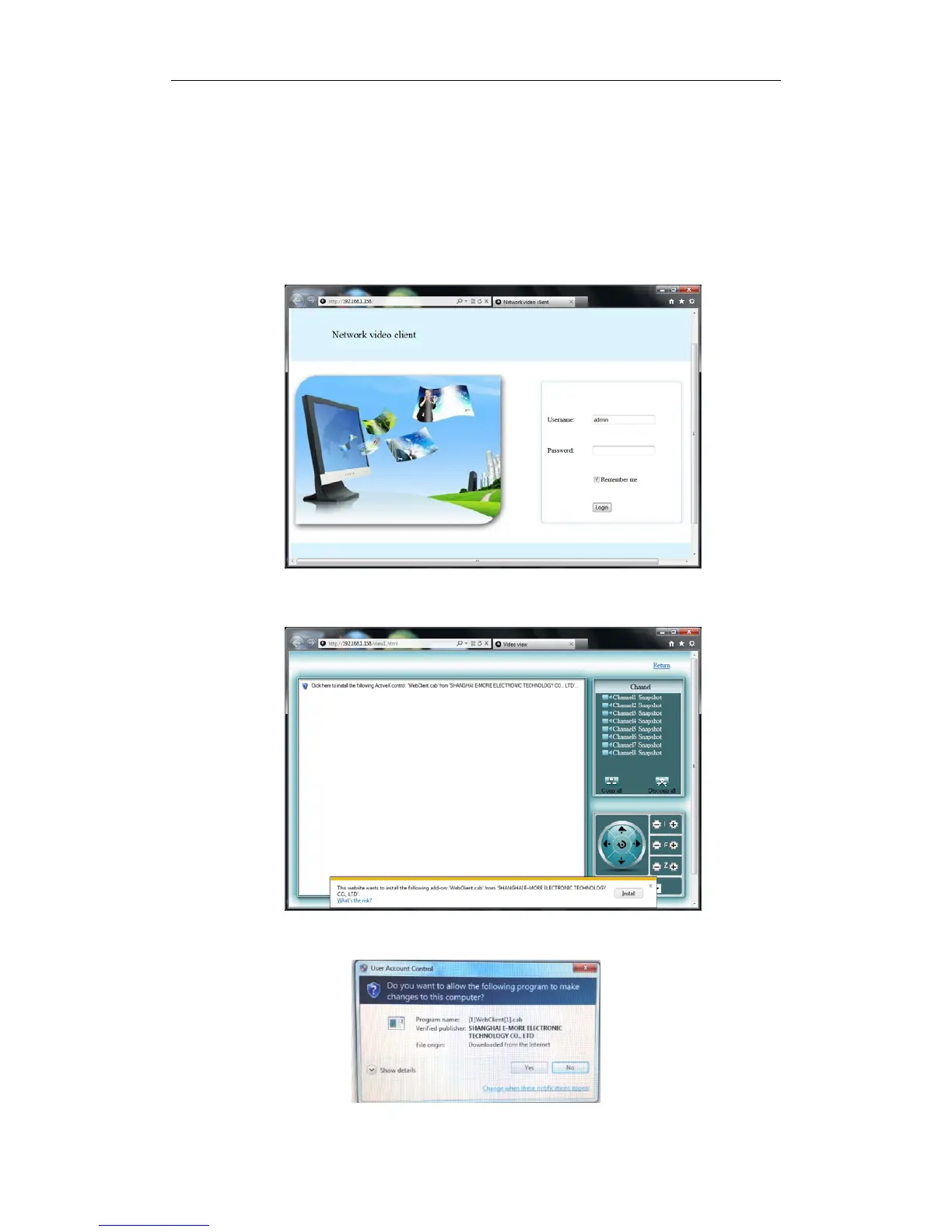
4.4.1OpenIEon acomputer onthe same network. InputtheIPaddress of theDVRinIE addressbarand
pressenter.IfHTTPportisnot80,addtheportnumberafterIPaddress.Suchashttp://192.168.1.158
4.4.2 When you access the DVR’ s log in screen, the browser will ask you to install the Active X plug‐in
(add‐on),ifitisnotalreadyins talledinthebrowser.Proceedwiththeinstallation.
4.4.3Click“Install”,there‐openthebrowser,thefollowingtipswillshownasbelow.
4.4.4Clickthe“Yes”buttontoaccesstheDVR.



 To Next Page