7 User Interface 26
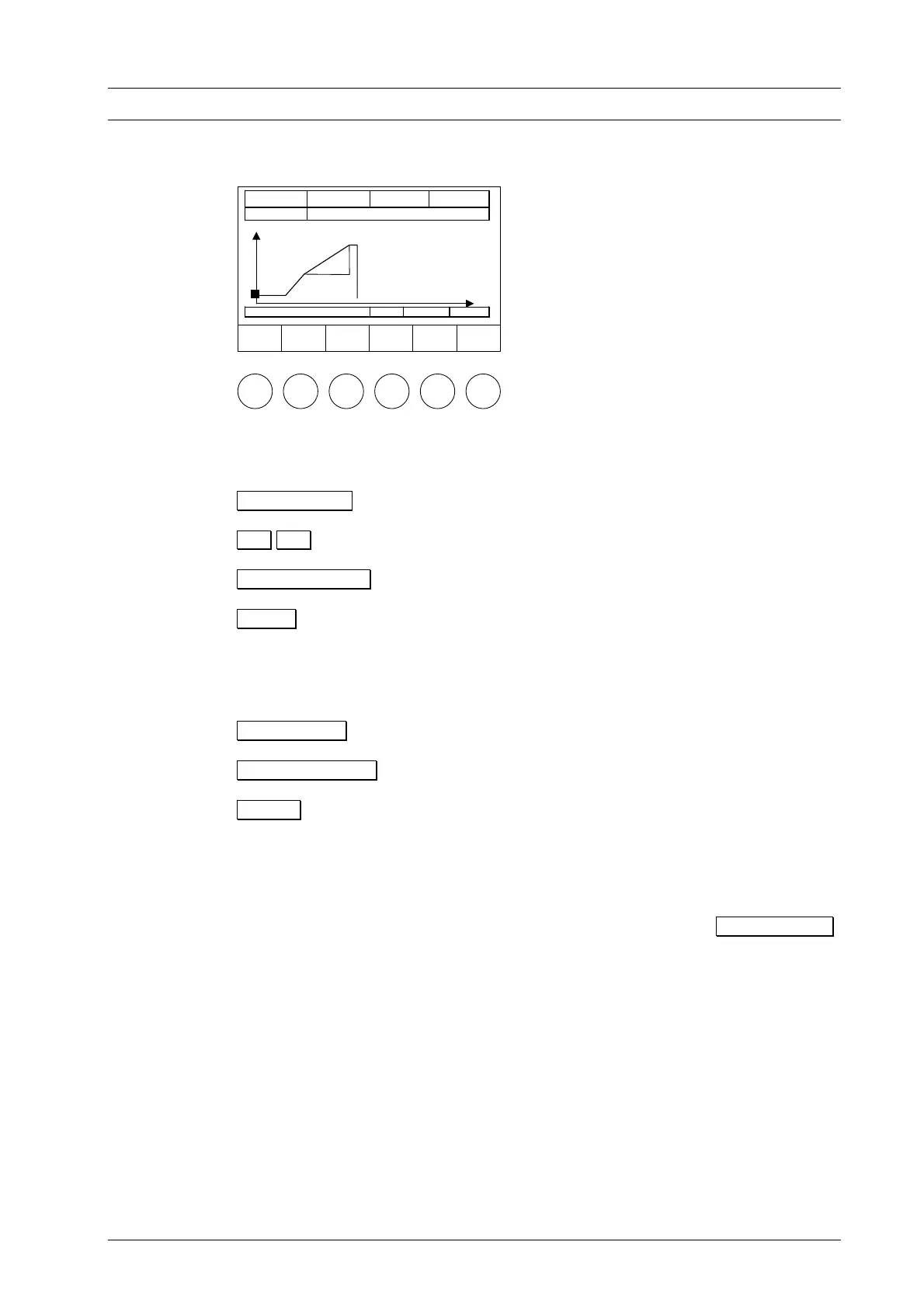
Figure 17
he function bar provides the following options:
Program Start Starts the program. opens the Program Procedure.
T
Program
Start
Å
Position
Æ
Position
Program
Display
Tc 550°C # 123456789 00:12:22
011 Wash firing
°C
980°C
550°C
min
Drying
04:00
Å Æ Browse through program procedure.
Program Display Displays program entries.
Setup Opens the Setup menu.
If an empty memory was selected when selecting the program number, the message
Program Edit Create a new program. Opens the Program Editor menu.
"This memory contains no data" is displayed instead of the entry boxes (see Figure 11).
Fig. 11). You now have the following options (function bar):
ProgramManager Opens the Program Manager menu.
Setup Opens the Setup menu.
7.4 PROGRAM PROCEDURE
A firing program is started from the Program Display by pressing Program Start .
TIP E
3
TIP A
2 see p. 4
see p. 4
This can also be done from the graphic display of the program procedure. The program
steps are processed according to the set sequence of the entry mask (Standard or
Professional, or press, (only the D4press) cf. Section 7.5). An exception is the Vacuum
program step. After closing, the furnace is evacuated to [VAC level] or [Press level] for
the D4press. At the temperature [VAC off] the furnace is vented after expiration of the
holding time [VAC hold], or after [Press time] for the D4press. A program procedure as
in Fig. 18 executes the following firing process:
DEKEMA Dental-Keramiköfen GmbH, AUSTROMAT
®
D4, Version 3, 2006


 To Next Page