Preliminary
941322_VMS Instruction Book 2006.pdf2009-09-07
No. Name Range Default Description/optionsNo. Name Range Default Description/options
0 = no acidic cleaning0 = no acidic cleaning
1 = one alkaline, one acidic cleaning1 = one alkaline, one acidic cleaning
2 = two alkaline, one acidic cleaning2 = two alkaline, one acidic cleaning
3 = etc.3 = etc.
Maintenance an calibration
The following points are important to sustain
correct dosing of etergents. Note that
these two tasks should be performed by an
authorised DeLaval service engineer.
• The tubes in the peristaltic pumps should
be replaced at least two times a year.
• The dosing volume (P6-P8) of the
detergent pumps should be checked
every third month. The dosing capacity
(P32-P34) may need to be adjusted.
Starting cleaning or rinsing
from the touch screen
Note: Any ongoing backflush process must
first be finished before cleaning or rinsing
can be started.
1. Ensure that the milking station is in
manual mode.
2. Remove any cow that might be in the
milking station.
After treatment window
Note: Both gates should be closed to
prevent a cow from entering before the
system cleaning has been started. Closing
and opening gates is done in the Stall
control window.
3. Press the tab After Treatment on the
touch screen to display the After treatment
window.
4. In the After treatment window, press the
Cleaning and Rinsing button. This will open
the Cleaning and rinsing window.
Note! The animal ID can be manual adjus-
ted using the IDD. If a temporary number is
identified, it is possible to sort the animal to
place the ear tags when needed and to
adjust the animal number in DelPro soft-
ware after the milking session.
ð
The cows are identified and verified
when they enter the rotary parlour. The
cow number is shown on the rotary
controller and on the IDD. The ID may
then be changed.
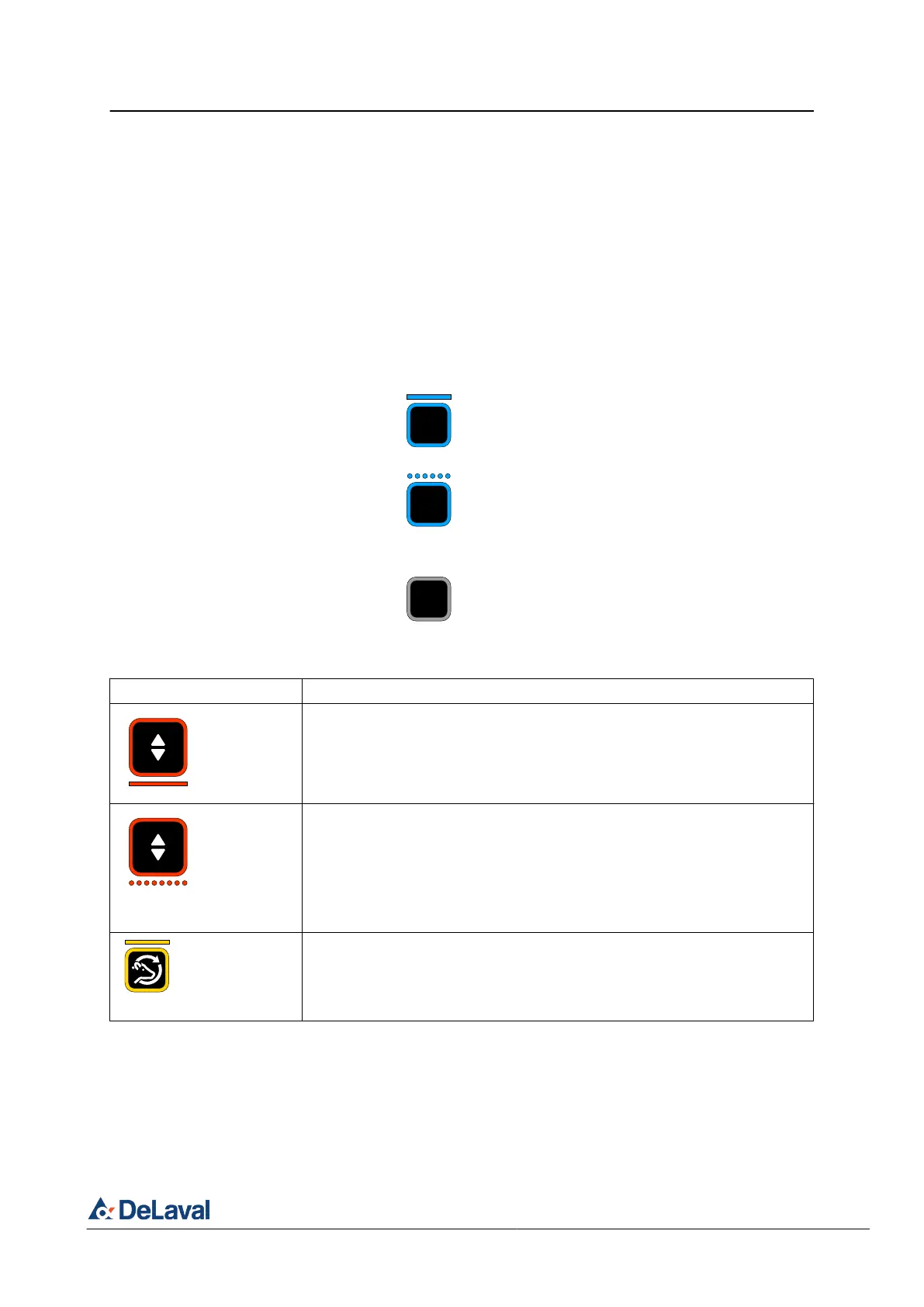
When the identification is verified the
indicator of the animal identification
button is solid cyan.
When there is an animal ID which is not
not fully confirmed, not registered ani-
mal ID or when there is an unidentified
animal, the indicator of the animal iden-
tification button is flashing rapidly cyan.
If the indicator of the animal identifica-
tion button is off, no animal is detected.
5. Check if a herd management alarm active,
see table below.
Herd management alarms
Indication Description
If the large button indicator is solid red, the "Do not milk" flag is set for the
specific animal and the button module is blocked for start milking.
If the animal is incorrectly flagged, see
Ä
Chapter 4.2 "Overriding a block-
ing" on page 42.
If the large button indicator is rapid flashing red, the "Dump milk" flag is set
for the specific animal nd the button module is blocked for start milking.
If the animal is incorrectly flagged, see
Ä
Chapter 4.2 "Overriding a block-
ing" on page 42.
See also,
Ä
Chapter 5 "Milking a sick or treated cow into a bucket" on
page 49.
If the "second rotation" indicator light is solid yellow, the animal has volun-
tarily remained on the platform for an additional rotation.
The large button indicator is solid red since "second rotation" indicator trig-
gers a "Do not milk" flag. See the description for "Do not milk" alarm.
DeLaval milking automation MA200 (Test installation)
Operation
© DeLaval 2019.
2019-05-31, Version 1 36 (62)



 To Next Page