100 Removing and Installing Parts
www.dell.com | support.dell.com
3
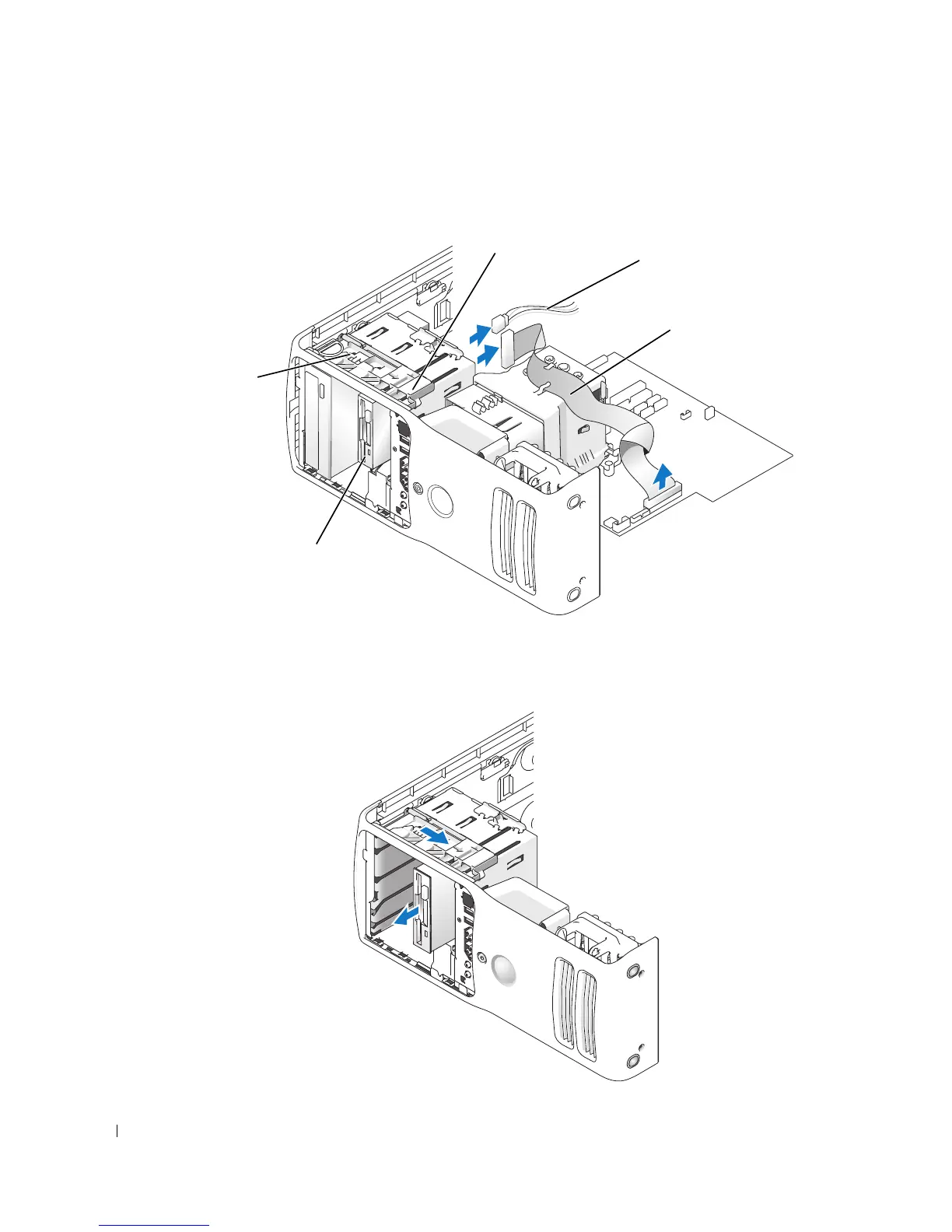
Disconnect the power and floppy drive cables from the back of the floppy drive.
4
Disconnect the other end of the floppy drive cable from the system board.
5
Pull the sliding plate to the right and hold in place.
6
Slide the floppy drive out of the floppy drive bay.
power cable
floppy drive cable
floppy drive
sliding plate
sliding plate lever











 To Next Page