Removing and Installing Parts 65
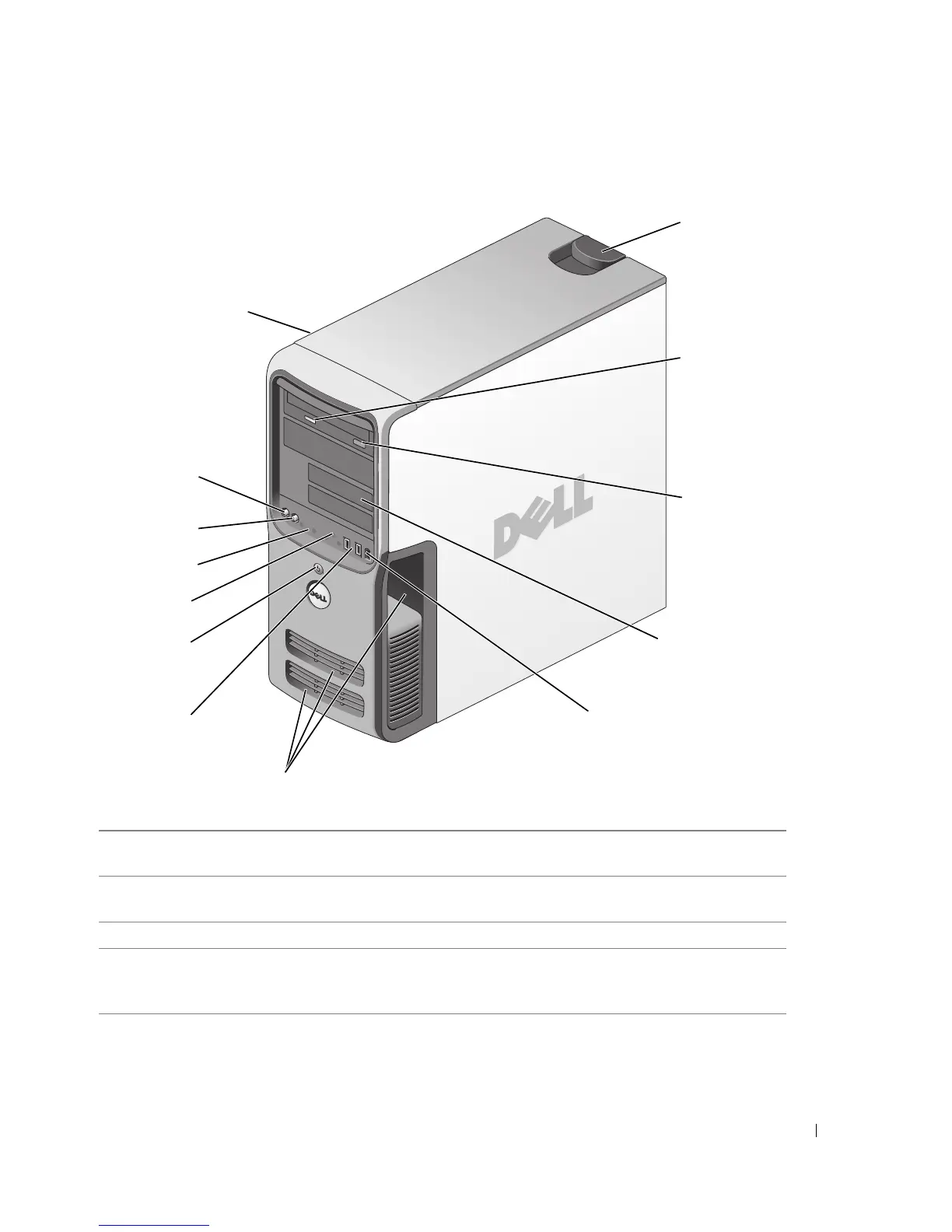
Front View of the Computer
1 cover latch release Use this latch to remove the cover. See "Removing the
Computer Cover" on page 68.
2 CD or DVD activity light The drive light is on when the computer reads data from the
CD or DVD drive.
3 CD or DVD eject button Press to eject a disc from the CD or DVD drive.
4 FlexBay drives (2) Can contain an optional floppy drive or optional Media Card
Reader. For information on using the Media Card Reader, see
"Using a Media Card Reader (Optional)" on page 20.
2
3
10
4
5
9
11
8
6
7
1
12
13











 To Next Page