Removing and Installing Parts 67
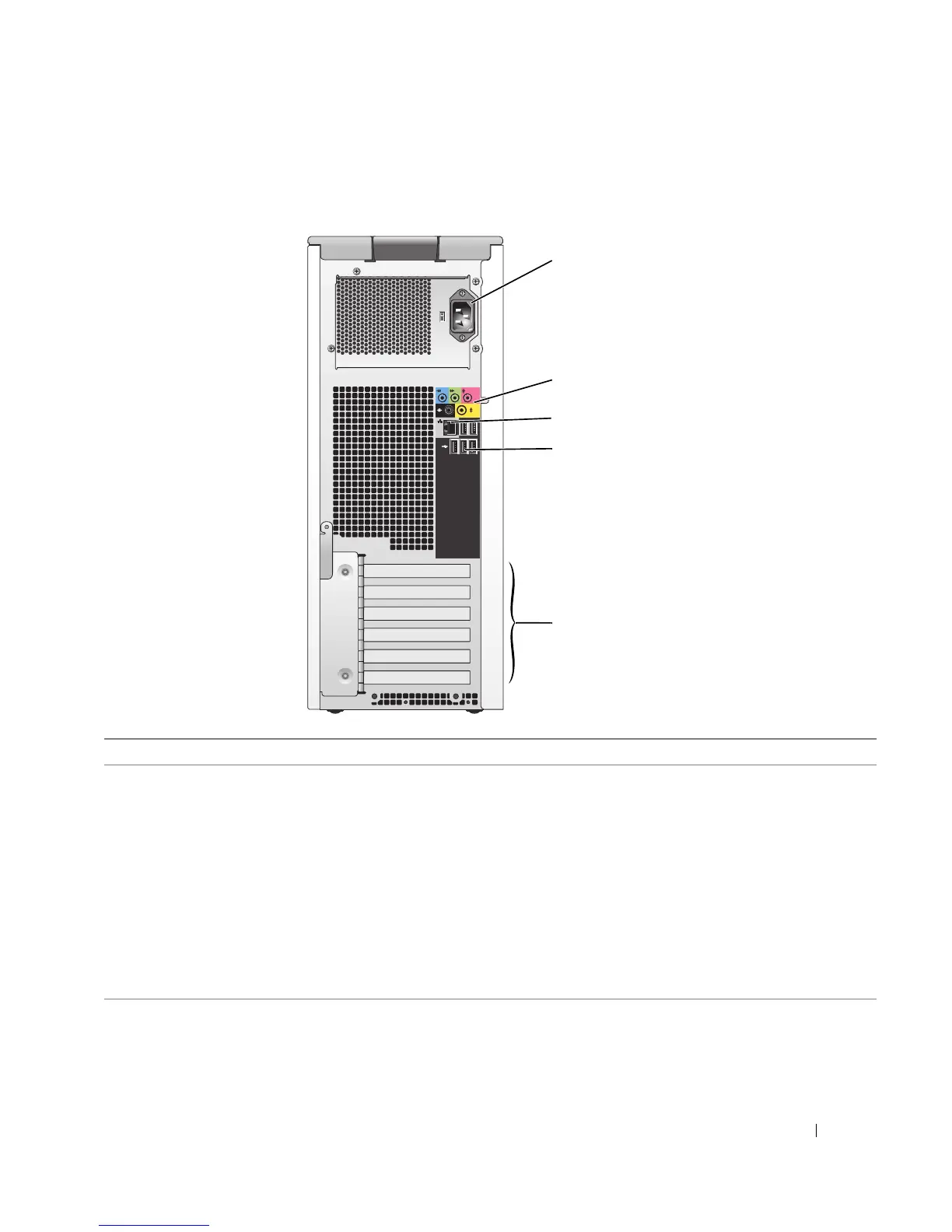
Back View of the Computer
2
3
1
5
4
1 power connector Insert the power cable.
2 sound card connectors (5)
• Line-in connector — Use the blue line-in connector to attach a record/playback
device such as a cassette player, CD player, or VCR.
• Line-out connector — Use the green line-out connector to attach headphones
and most speakers with integrated amplifiers.
• Microphone connector — Use the pink microphone connector to attach a
personal computer microphone for voice or musical input into a sound or
telephony program.
• Surround connector — Use the black surround connector to attach multichannel-
capable speakers.
• Center/subwoofer (Center/LFE) connector — Use the yellow subwoofer
connector to attach multiple speakers.











 To Next Page