70 Removing and Installing Parts
www.dell.com | support.dell.com
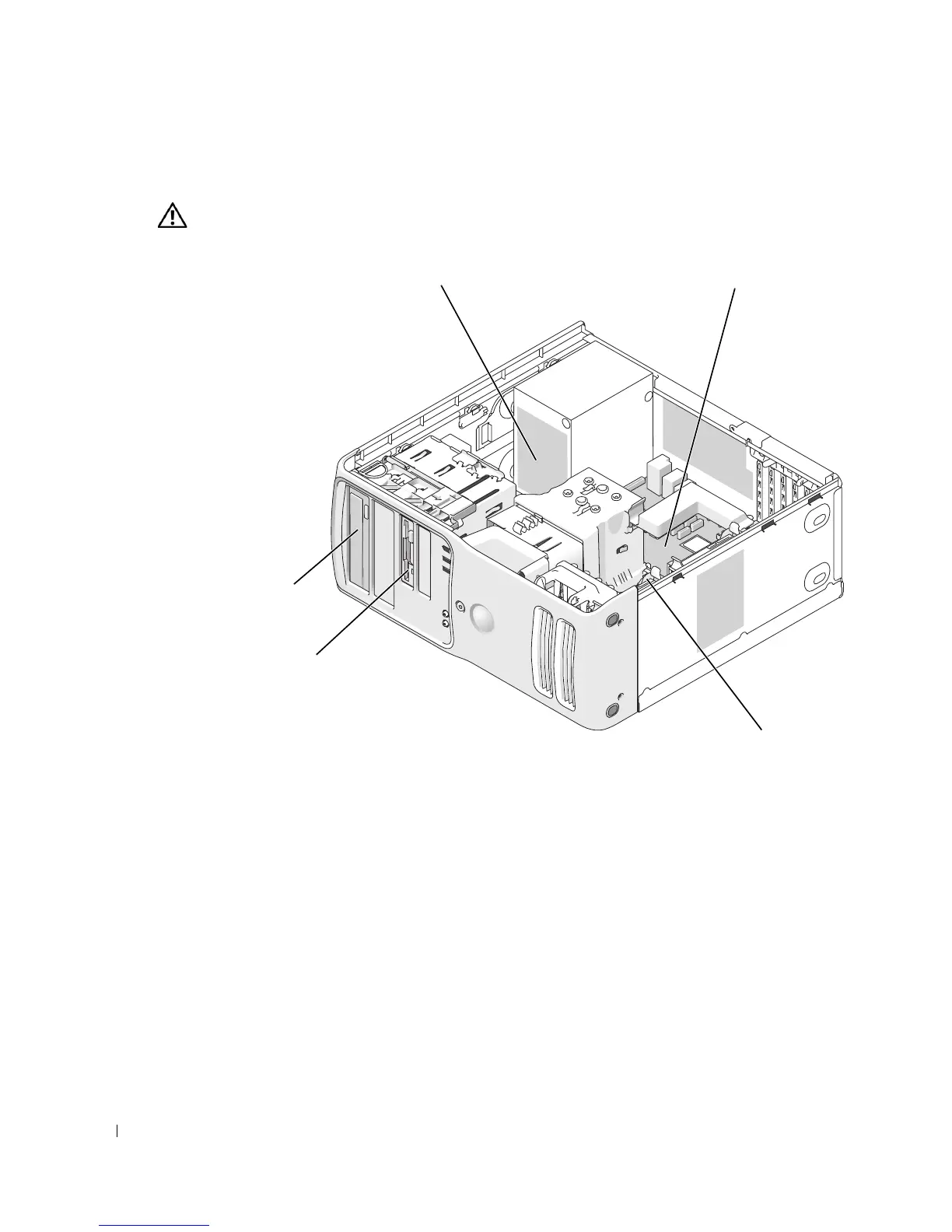
Inside View of Your Computer
CAUTION: Before you begin any of the procedures in this section, follow the safety instructions in the
Product Information Guide.
hard drive
power supp
ysystem
oar
*floppy drive
CD or DVD drive
*may not be present on all computers











 To Next Page