106 Removing and Installing Parts
www.dell.com | support.dell.com
Removing a CD/DVD Drive
1
Follow the procedures in "Before You Begin" on page 63.
2
Remove the computer cover (see page 68).
3
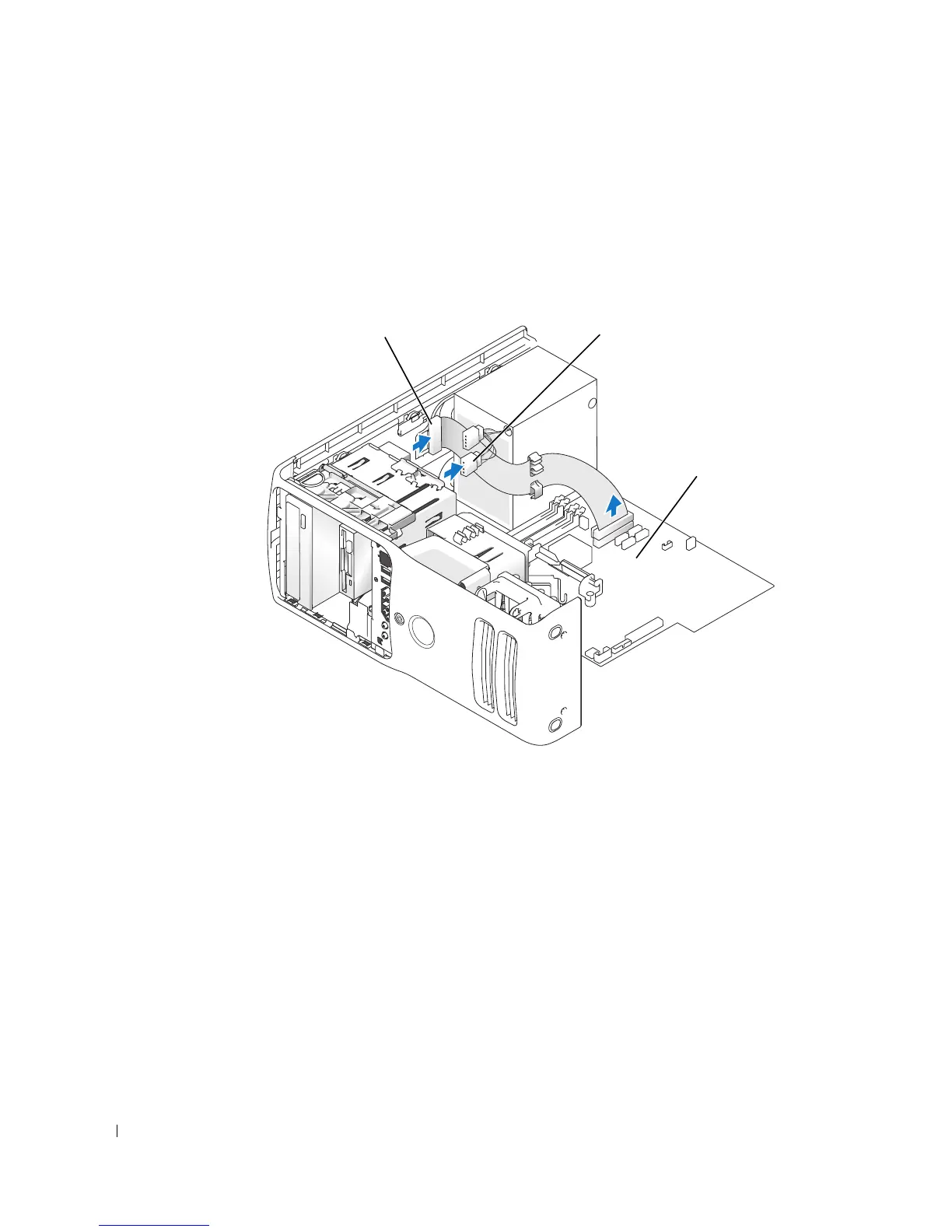
Disconnect the power cable from the back of the drive and the CD/DVD drive cable from the
back of the drive and the system board.
power cable
CD/DVD drive cable
system board











 To Next Page