90 Removing and Installing Parts
www.dell.com | support.dell.com
Drive Panels
CAUTION: Before you begin any of the procedures in this section, follow the safety instructions in the
Product Information Guide.
CAUTION: To guard against electrical shock, always unplug your computer from the electrical outlet
before removing the cover.
Removing the Drive Panel
1
Follow the procedures in "Before You Begin" on page 63.
2
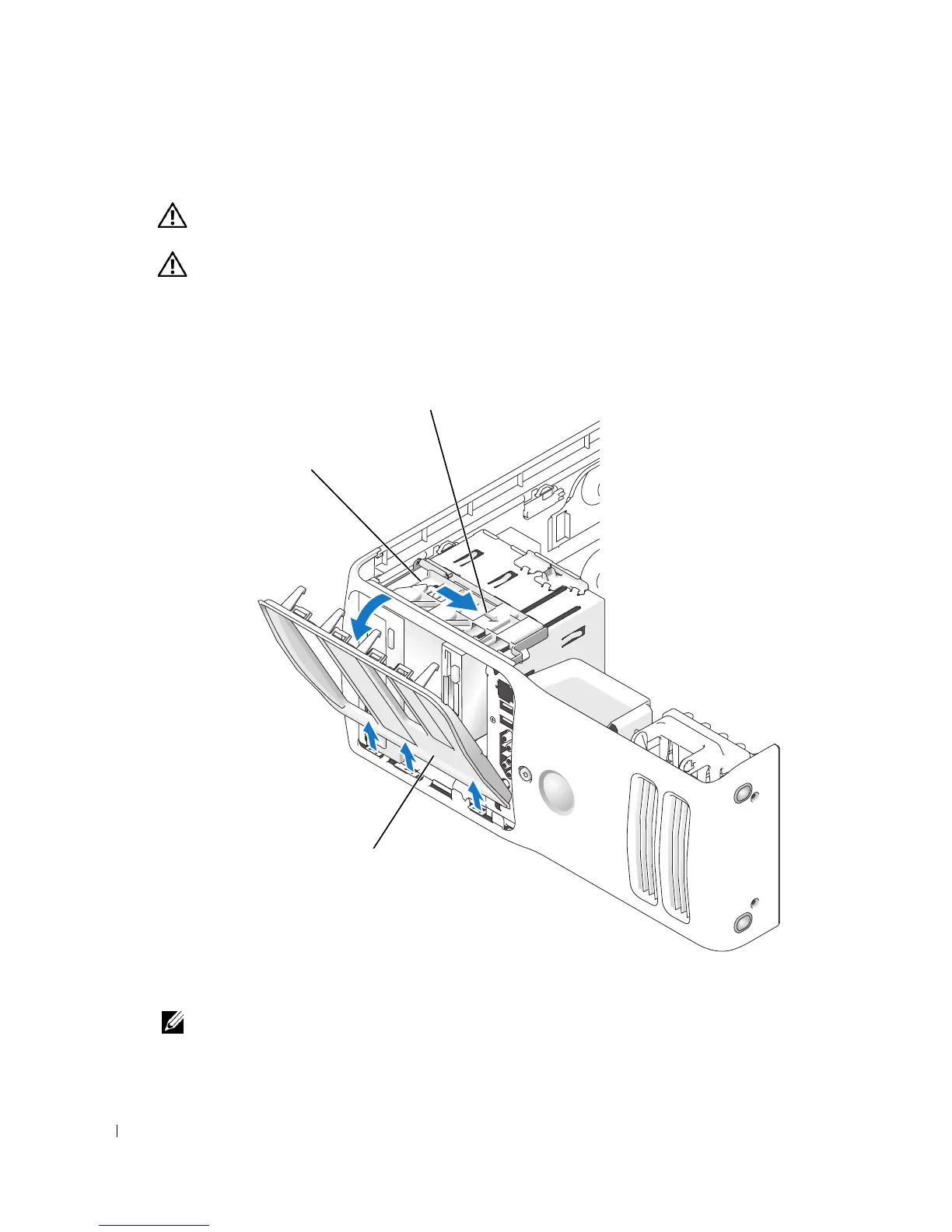
Grasping the lever on the sliding plate, pull the sliding plate to the right and hold in place.
NOTE: The sliding plate secures and releases the drive panel and helps to secure the drives.
drive panel
sliding plate
s
ng p
ate
ever











 To Next Page