Appendix 123
Clearing Forgotten Passwords
CAUTION: Before you begin any of the procedures in this section, follow the safety instructions in the
Product Information Guide.
1
Follow the procedures in "Before You Begin" on page 63.
2
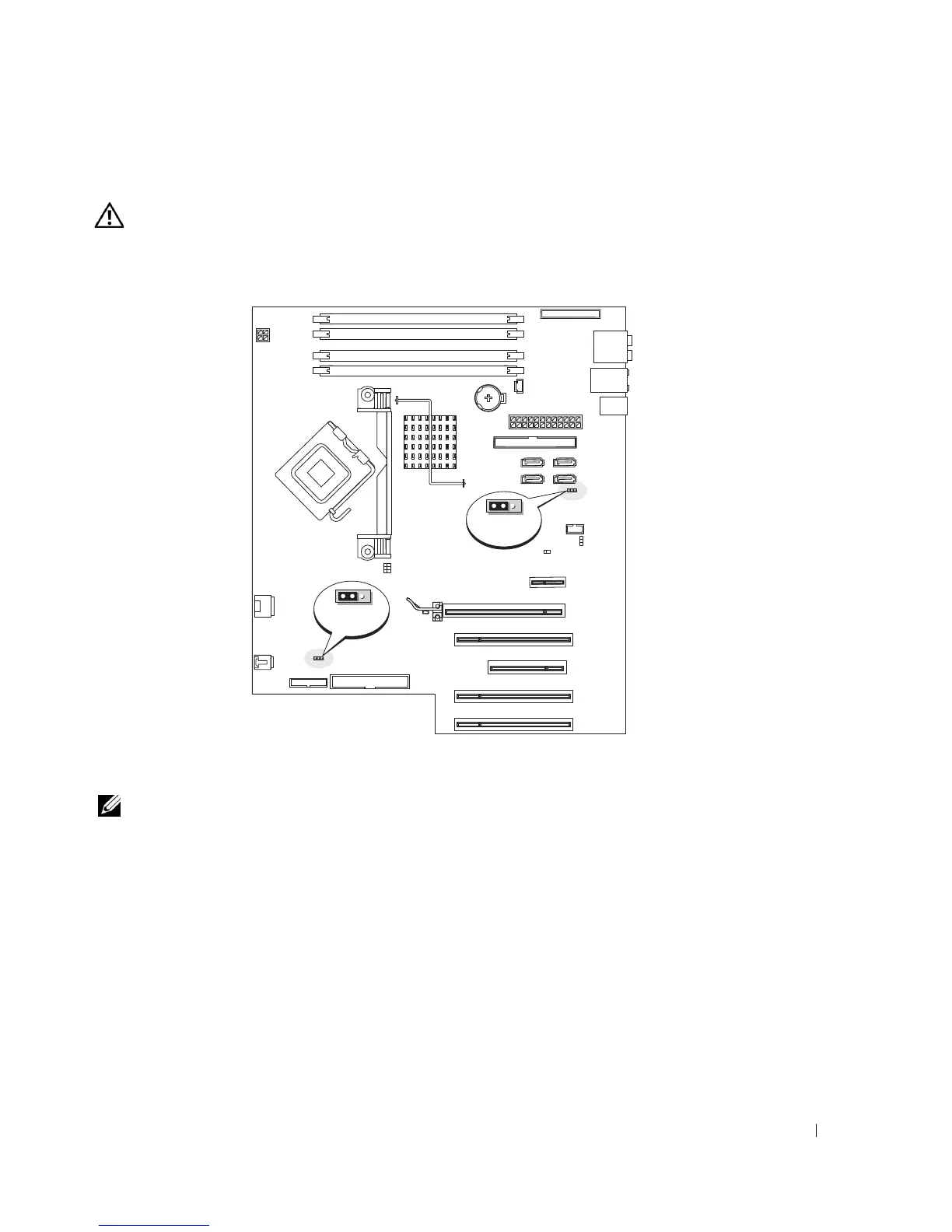
Locate the 3-pin password jumper (PSWD) on the system board (see page 71), and attach the
jumper plug to pins 2 and 3 to clear the password.
NOTE: When you receive your computer, the jumper plug is attached to pins 1 and 2.
3
Close the computer cover (see page 110).
4
Connect your computer and monitor to electrical outlets, and turn them on.
5
After the Microsoft
®
Windows
®
desktop appears on your computer, shut down the computer
(see page 63).
6
Turn off the monitor and disconnect it from the electrical outlet.
7
Disconnect the computer power cable from the electrical outlet, and press the power button
to ground the system board.
8
Open the computer cover (see page 68).
9
Locate the 3-pin password jumper (PSWD) on the system board (see page 71) and attach the
jumper to pins 1 and 2 to reenable the password feature.
RTCRST
3 2 1
PSWD
3 2 1











 To Next Page